One-handed reading in the evening
If you’ll be holding your device in bed for a while, its weight, grip and easy-to-use lighting are important. Page-turn buttons can make it easier to use, while a larger screen gives you more room to read.


If you read your nature journal in an app or often zoom in on photos and colour pages, a compact colour tablet may be a better fit. For longer reading sessions with supported files, a lightweight colour e-reader could suit you. If your journal has fixed PDF pages or you want to add handwritten notes, the actual page view and compatibility with the right stylus also matter. Before buying, check that your specific journal is readable on your chosen device and that the exact product variant meets your needs.
If you’ll be holding your device in bed for a while, its weight, grip and easy-to-use lighting are important. Page-turn buttons can make it easier to use, while a larger screen gives you more room to read.
If you want to look closely at illustrations or photos, check a typical page on the device. Colour E Ink and colour tablets are different options; with an E Ink device, the stated resolution for colour detail is also relevant.
If your journal has fixed pages, your own files or handwritten additions, check the file format, page view and stylus compatibility. Which app or file you can open depends on the specific device and how you access the journal.
A good fit if: you open your journal in a tablet app or often zoom in on photos and pages. Apple lists an 8.5-inch OLED display and a weight of 255 g for the Wi-Fi model of the iPad mini; Samsung lists an 8.7-inch display and a weight of around 335 g for the Wi-Fi model of the Galaxy Tab A11.
The trade-off: A larger screen doesn’t automatically make a device more comfortable to hold in one hand. Consider the weight, case and exact variant individually.
A good fit if: your journal is available as a supported file or e-book and you mainly want to read. tolino lists a 7-inch display, page-turn buttons and a weight of 200 g for the vision color; the shine color has a 6-inch display and weighs 173 g.
The trade-off: tolino states 150 ppi for colour content and 300 ppi for black-and-white content. On a small screen, you may need to zoom in on a page with a fixed layout; this doesn’t tell you in advance how your specific images will look.
A good fit if: you want to combine a supported reading app with occasional handwritten notes on an E Ink device. BOOX lists an app store and stylus support for the Go Color 7 (Gen II); tolino lists note-taking in e-books and PDFs on the vision color with a stylus sold separately.
The trade-off: App or stylus support doesn’t guarantee that your specific app or file will work. BOOX notes that its PDF reader’s two-page view isn’t available on small devices such as the Go 7.
| Priority | What to check before buying | Who is it important to? |
|---|---|---|
| Ease of handling and reading in low light | Compare the weight of the exact variant with the case you plan to use, as well as the grip position, page turning and adjustable lighting. | When I read in bed for a while, I want to hold the device comfortably and adjust the lighting easily. Consumers who put ease of handling first account for roughly 36%. |
| Colour illustrations | View a typical colour page at the size you need; with colour E Ink, distinguish between the colour and black-and-white resolution. | When I want to identify plant or animal features from pictures, how clearly details are shown matters to me. Consumers whose top priority is colour images account for roughly 29%. |
| File or app access | Check the file format, copy protection and how to access it; try a sample page with captions and zoom. | If my journal is available as a file or only through a specific app, I need to be able to open and read it on the device. Consumers who prioritise file or app access account for roughly 21%. |
| Handwritten notes | Check that the stylus and note-taking feature work with the specific model and file format; check what’s included in the box. | If I want to add my own handwritten notes, I need a suitable input feature and want to know whether I’ll need to buy accessories separately. Consumers who prioritise handwriting account for roughly 14%. |
The tolino colour E Ink models considered here are listed at 300 ppi for black-and-white content and 150 ppi for colour content. You may therefore need to zoom in to see small details in nature images.
Check a representative colour page from your journal at the size you’d like to read it in bed.
Fixed pages may require zooming or adapted layout modes on small screens. BOOX notes that its PDF reader’s two-page view isn’t available on small devices such as the Go 7.
Check a complete sample page, including the key and captions.
According to the manufacturer, handwritten features on the tolino vision color require a compatible stylus, sold separately. This may mean buying an additional accessory.
Before you count on using the note-taking features, check that the stylus is compatible with the specific model and what’s included in the box.
Listings can differ in their model variants and specifications. For the Galaxy Tab A11, Samsung Germany lists a refresh rate of up to 90 Hz for the Wi-Fi model reviewed.
Check the full model number and key specifications against the manufacturer’s information rather than relying on the title or product image alone.
The iPad mini is a compact colour tablet option for readers who want to use tablet features and enjoy image-rich pages as well as text.
The Galaxy Tab A11 is a compact Android tablet option. When checking a listing, it’s important to confirm whether it’s the Wi-Fi or LTE version.
The shine color and vision color are reading options if your nature journal is available as a supported file or e-book.
According to BOOX, the Go Color 7 (Gen II) combines colour E Ink with app and stylus features for readers looking for more than basic e-book access.
The products below include compact tablets and a colour E Ink reader. Before buying, check that your journal will work on the specific device. For Wi-Fi or Bluetooth devices, you should also consider the applicable radio equipment requirements and whether the responsible manufacturer is registered for the exact product listing.
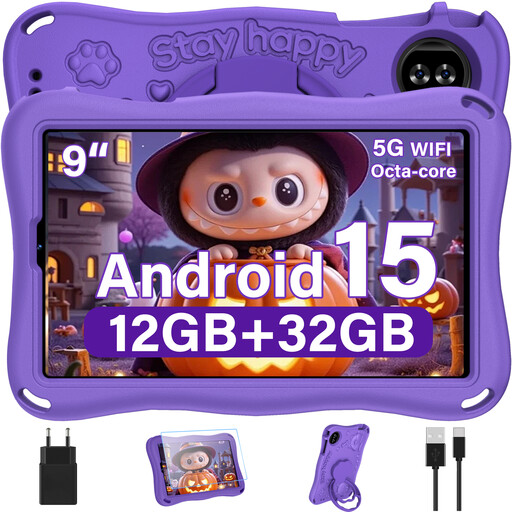 No image available
An option if you’re looking for a tablet with a 9-inch display for reading in bed.
Android 15; 12 GB RAM; 1 TB TF card listed; Wi-Fi 6; 5,000 mAh; EVA case stated in the product name.
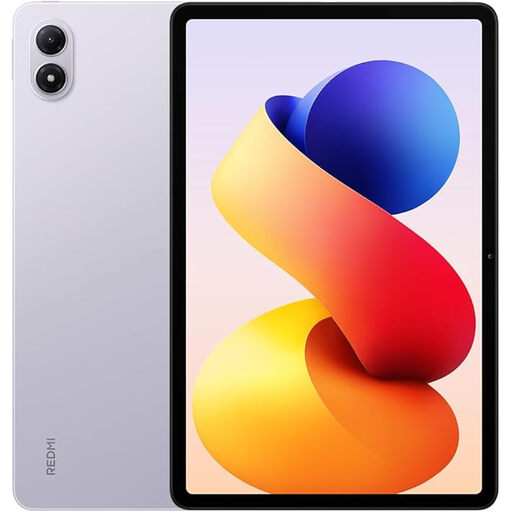 No image available
A tablet option if you want to use your nature journal through a suitable app or file.
Lavender Purple colour variant; 6 GB RAM and 128 GB ROM.
 No image available
A tablet option if you want to read your journal on a tablet and take the listed keyboard configuration into account.
8 GB RAM; 128 GB ROM; 3.2K display with 144 Hz; keyboard stated in the product name.
 No image available
A colour E Ink option if you’re considering a device that lets you install an app for your journal.
6.13-inch E Ink display; Android 14; 8 GB RAM and 256 GB storage.
 No image available
A tablet option if you’re looking for a device with an 8.8-inch display for reading in bed.
Android 14; 12 GB RAM and 256 GB storage; listed as being supplied without an adapter in the product name.
A small colour e-reader may be enough for a supported e-book or a suitable file of your own. For pages with a fixed image layout, check a typical page, including the captions: tolino lists 150 ppi for colour content on the models considered here. BOOX describes zoom and layout options for PDFs, but notes that its PDF reader’s two-page view isn’t available on small devices such as the Go 7.
First, find out which file or app you’ll use to access the journal, then check the page view, font size or zoom, and lighting. If you want to write by hand on the tolino vision color, the manufacturer says you’ll need a compatible stylus, sold separately.
Check whether your chosen stylus or other accessories are included. For a typical online purchase of goods in Germany, you generally have a 14-day right to cancel. The Verbraucherzentrale distinguishes this from the statutory warranty against the seller and a voluntary guarantee. For purchases made from 31 July 2026, the Verbraucherzentrale also describes a conditional extension of the warranty period from two to three years if, in the event of a defect within the first two years, you choose a repair instead of a replacement.
Wi-Fi or Bluetooth devices made available in Germany must meet the applicable requirements of the EU Radio Equipment Directive; the European Commission sets out its framework. Under Section 6 of the German Electrical and Electronic Equipment Act (ElektroG), distributors must not offer devices from a manufacturer that isn’t properly registered. A general model description or a CE image alone doesn’t confirm that a specific product variant complies. The declaration of conformity for the tolino vision color expressly identifies type T106 and doesn’t confirm compliance for other models or product variants.
According to information from the European Union, the crossed-out wheeled bin symbol means that old electrical and electronic equipment must not go in unsorted waste and should be collected separately.