Evening readers sharing a bedroom
If you read while someone else is trying to sleep, adjustable brightness is important, as is the ability to limit notifications and sounds to suit the situation.


If you mainly read text that you can resize and hold your tablet in bed, a compact colour tablet is an obvious choice. For photos, sketches or fixed page layouts, a larger screen may be more practical. Your actual journal file and preferred reading position are what matter most. Also check the brightness and notification sounds in the evening: a reading mode alone is no guarantee of undisturbed sleep or suitability for every app.
If you read while someone else is trying to sleep, adjustable brightness is important, as is the ability to limit notifications and sounds to suit the situation.
For photos, sketches or pages with a fixed design, what matters is how clearly you can make out the details in your file. Weigh up the visible page area against the device’s size and ease of handling.
If you want to open a particular journal file or add notes, check that the right app is available first. For handwritten notes, also check stylus support and what’s included with the specific model.
A good fit if: You mainly read text that you can resize and hold the device in bed.
The trade-off: You may need to zoom in more often on fixed pages with photos or sketches.
A good fit if: Photos, drawings or a fixed page layout are your priority.
The trade-off: A larger screen takes up more room when you’re reading in bed. A compatible stylus may not be included, depending on the offer.
The priority listed in each row is the main factor to consider when making your choice.
| Priority | What to check before buying | Who it matters most to |
|---|---|---|
| Evening light and quiet | Try an actual journal page and check the lowest brightness at which you can still read comfortably, as well as the settings for notifications and sounds. | If I’m reading while someone else is trying to sleep, I want to adjust the screen to suit the room and limit interruptions. Around 28% of consumers prioritise a quiet reading experience in the evening. |
| Images and fixed layouts | Open the same page at its original size and with your preferred text or zoom setting. Also check whether a colour or monochrome mode preserves important image details. | When I’m looking at photos, sketches and captions, I want to make out the details without constantly zooming in. Around 22% of consumers put readability on illustrated pages first. |
| Holding it in bed | Compare the weight and size of the specific version, and try reading a page in your usual position. | If I’m holding the device myself, its weight and the visible page area need to suit the way I read. Around 17% of consumers prioritise comfort when holding a device. |
| File and app | Check the file format, app availability, offline use and how to export notes. If you write by hand, check stylus support and what’s included too. | If I want to open or edit a particular journal file, the app I need must be available on the device. Around 22% of consumers prioritise access to files and apps. |
| Accessories and ongoing costs | Check the specific offer to see whether the stylus and power adapter you need are included. Also look into potential app costs and information about repairs and updates. | If I need to add accessories or apps to my tablet, I want to factor in the cost before deciding. Around 11% of consumers prioritise potential ongoing costs. |
Manufacturers’ claims about display modes and the findings of an older, small-scale sleep study relate to different conditions. A mode is therefore no proof that a particular device improves sleep or health.
Check the screen in the situation where you’ll actually read, and consider brightness and readability separately from any claims about its effects.
A device may be easy to hold, but fixed image-heavy pages could mean you need to zoom in more often.
Try a typical page with a photo, sketch and caption in the position you plan to read in.
App access and what’s included vary by device and version. Compatible accessories aren’t necessarily supplied.
Before ordering, check that your specific journal app is available and confirm exactly which accessories come with the device.
The iPad mini range offers compact colour models for reading while holding your device.
The Galaxy Tab A11 is a compact Android option. The specific storage and connectivity version is important.
The Tab M11 is a larger Android option for illustrated pages and potential stylus note-taking.
The NXTPAPER 11 Plus is a larger colour tablet with a display that the manufacturer promotes as paper-like.
This selection includes compact and larger tablets for reading digital journal pages. Check app access, file format and accessories for the specific model.
 No image available
This compact format could suit you if you want an easy-to-hold colour tablet for reading in bed.
The product details list Android 14, Qualcomm Snapdragon 7+ Gen3 and a stylus included in the box. The title states that a power adapter is not included.
 No image available
The larger screen could suit you if your journal has fixed layouts or images and you’re happy to allow more room when reading.
The product title lists Android 16, 36 GB RAM and 256 GB ROM, as well as a keyboard and stylus. The 10.1-inch format takes up more room in bed than a compact tablet.
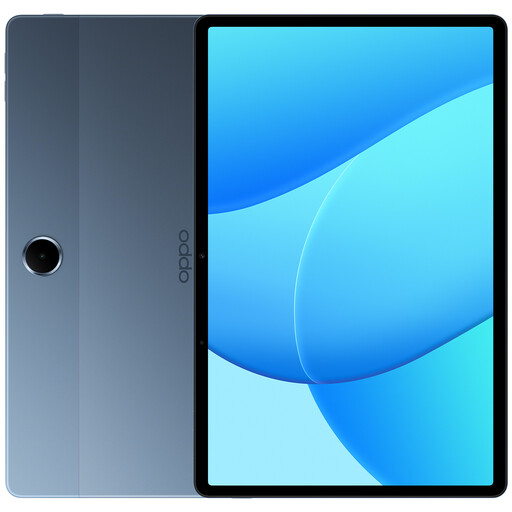 No image available
The 11-inch format is better suited if you want a larger screen for illustrated journal pages.
The product details list 6 GB RAM, 128 GB storage, LTE and model OPD2420 EUN. The larger screen takes up more room when reading in bed.
 No image available
The 11-inch screen could suit you if you’d like more room to view photos or other fixed-layout pages as you read.
The product title lists WiFi, 4GB RAM, 128GB storage and Android 14. This format takes up more room in bed than a compact tablet.
 No image available
This model could suit you if you’re looking for a device for reading and handwritten notes.
The product description lists an E-Ink display without a front light and a stylus included in the box. The 10.65-inch screen takes up more room when reading in bed than a compact tablet.
No. Such a mode is not proof of better sleep. A small randomised crossover study published in Sleep Medicine in 2016 compared the iPad available at the time with a book under specific conditions. It found no difference in sleep timing or sleep-onset latency. The findings don’t prove that today’s reading modes have an effect or that every tablet is suitable.
Adjust the display using one of your journal pages, then check your notifications and sounds. Apple Support describes Focus settings for iPad, which let you allow or silence notifications from specific people and apps. Make sure you also check for any exceptions.
Check exactly what’s included, such as whether a stylus and power adapter are supplied. According to the Verbraucherzentrale, online purchases generally come with a 14-day right to cancel. If an item is faulty, the seller, not automatically the manufacturer, is generally responsible for your statutory warranty rights.
The European Commission states that USB-C requirements have applied to the tablets covered by the rules since 28 December 2024. Slate tablets within scope are also subject to ecodesign and energy labelling rules if they are first placed on the EU market from 20 June 2025; other types of tablet computer are excluded from this category. A model name alone doesn’t tell you which rules apply to a specific version.
According to the German Environment Agency, electrical and electronic waste must not go in household rubbish. You can take it to a local collection point or an approved take-back point, among other options. Only remove the battery if you can do so easily.