
Lieferung heute & morgen

Qualitätsgarantie

Willkommens-Angebote freischalten: KOSTENLOSE Lieferung | Bis zu 80 % RABATT | Kostenlose 30-Tage-JoyPlus-Testphase
App herunterladen
A slow or unstable internet connection can disrupt your home office workday, ruin an online gaming session, or interrupt movie night. Often, the cause isn't your internet provider, but your own network hardware. The right network adapter can provide a quick and targeted fix. However, the market is confusing and full of technical jargon that makes an informed decision difficult.
As your Joybuy Product Recommendation Officer, I'll help you navigate the typical pitfalls. We'll focus on the objective facts so you can find a solution that actually solves your problem instead of just costing you money.
Before we turn to the solutions, it's important to know the most common mistakes that lead to frustration and unnecessary expenses.
To find the right network adapter, you only need to understand a few crucial technical parameters. These determine whether a product is suitable for your situation.
The first question is how the signal should get to your device.
The port used to connect the adapter to your device is critical for performance.
Instead of presenting a confusing list, we have selected products that address specific user profiles and their problems.
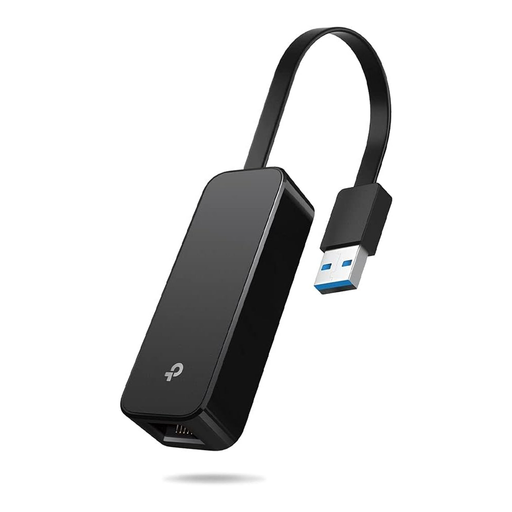
Why This Fits Their Persona: This adapter is the direct solution for users who need a stable, low-latency connection for gaming or video conferences, but whose device (e.g., Ultrabook, Nintendo Switch) does not have a LAN port.
It bypasses the "wrong technology" trap by enabling a wired connection, which is superior to Wi-Fi in terms of stability. The USB 3.0 interface prevents the bottleneck of a slower port.
Delivers full gigabit speed (up to 1000 Mbps) and is plug-and-play compatible with many systems, including the Nintendo Switch, which is a clear advantage for gamers.
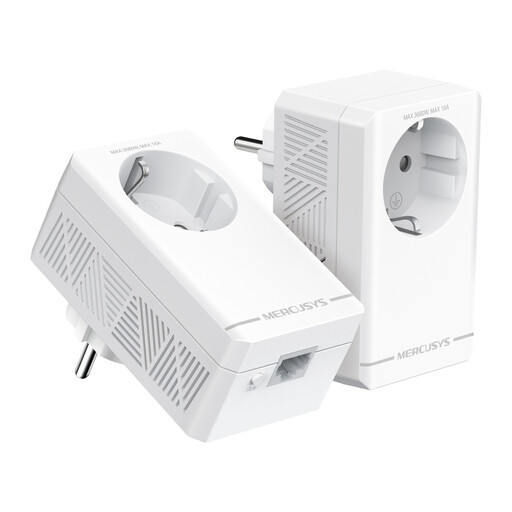
Why This Fits Their Persona: Perfect for users in older buildings or multi-story homes where the Wi-Fi signal is blocked by walls and ceilings. This kit reliably brings the internet to any room via the power lines.
Solves the core problem of physical barriers instead of just trying to boost a weak Wi-Fi signal. The integrated socket (passthrough) avoids the compatibility trap of losing a valuable power outlet.
Simple plug-and-play installation without any configuration. Provides a stable gigabit connection and preserves the use of the power outlet thanks to the passthrough feature.
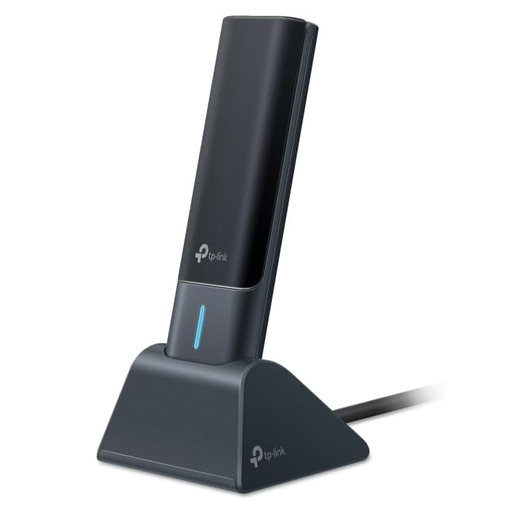
Why This Fits Their Persona: For users who want to upgrade their PC to the latest Wi-Fi standard to achieve maximum wireless speeds and benefit from the advantages of the 6 GHz band.
This is a high-end product for users who are consciously seeking maximum performance and have the corresponding infrastructure (Wi-Fi 6E router, fast internet connection). This avoids the trap of "overpaying" for unused features.
Supports Wi-Fi 6E with access to the exclusive 6 GHz band for interference-free connections. External antennas with beamforming ensure long range and signal stability.
We have compiled a complete, real-time updated list of products that fully meet these strict selection criteria and German safety regulations.
Installation depends on the type. USB adapters (Wi-Fi or LAN) are typically the easiest: they are plugged into a free USB port and are often automatically recognized by modern operating systems like Windows 10/11 (Plug & Play). Powerline adapters are simply plugged into wall sockets and connected to the router and end device via a LAN cable. A PCIe Wi-Fi card requires opening the PC case and installing it into a free slot on the motherboard.
For online gaming, low latency (ping) and a stable connection are crucial. The most reliable solution is always a wired connection. A Gigabit Ethernet adapter is therefore the first choice for connecting a PC or console directly to the router. If a cable is not an option, a high-quality WiFi 6 adapter combined with a compatible router offers the next-best performance, as this standard is optimized for lower latency in congested networks.
Yes, this is one of the most common use cases for a Wi-Fi dongle. It is a very simple and cost-effective method to equip a desktop PC that only has a LAN port with Wi-Fi functionality without having to open the case. Before buying, just make sure that the adapter is compatible with your PC's operating system.