
Lieferung heute & morgen

Qualitätsgarantie

Willkommens-Angebote freischalten: KOSTENLOSE Lieferung | Bis zu 80 % RABATT | Kostenlose 30-Tage-JoyPlus-Testphase
App herunterladen
A slow or unstable internet connection can disrupt your workflow, ruin your gaming experience, or make streaming movies impossible. Often, the cause isn't your internet provider but the hardware connecting your device to the network. A new network adapter can be a simple and cost-effective solution. However, the market is overwhelming and filled with technical jargon. Before you make a decision, you should be aware of three common pitfalls that can lead to a bad purchase:
To avoid these problems, it's crucial to understand a few fundamental parameters that determine performance and user-friendliness.
The first decision concerns the adapter's form factor, which depends on your device and intended use.
The advertised speed is a critical factor that should match your internet plan and your needs.
Before purchasing, check if the network adapter is compatible with your operating system (Windows 11/10, macOS, Linux). Many modern adapters are "Plug and Play," meaning they work on common systems like Windows 10/11 without manual driver installation. However, for some models, especially those with newer standards or for alternative operating systems, it may be necessary to download a driver from the manufacturer's website.
Here are some recommendations tailored to typical use cases that avoid the pitfalls mentioned above.
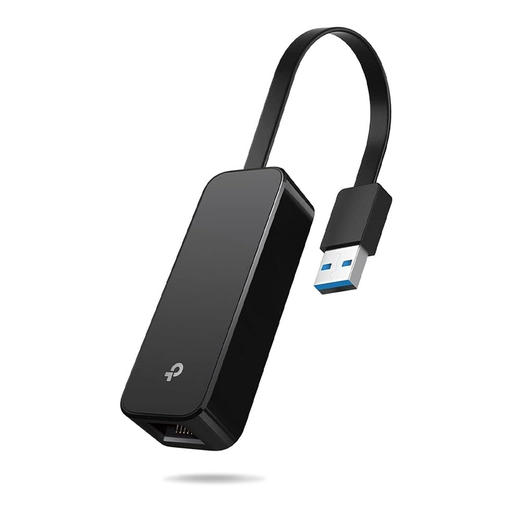
Why This Fits Their Persona: Ideal for users with a laptop or PC that lacks a LAN port or has a slow Ethernet port. The adapter provides a stable, wired Gigabit connection for reliable home office use, streaming, and even for the Nintendo Switch.
It bypasses the speed trap by enabling data rates of up to 1,000 Mbps via USB 3.0, thus fully leveraging the potential of modern internet connections.
Plug-and-play functionality for Windows, Linux, and Nintendo Switch. Its foldable, compact design makes it highly portable.
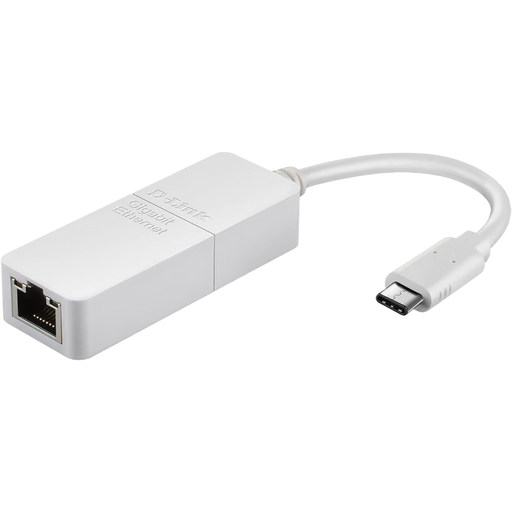
Why This Fits Their Persona: Perfect for users of modern laptops or MacBooks that only have USB-C ports. This adapter provides a stable, wired Gigabit connection essential for video conferences and large data transfers.
It solves the compatibility gap as it is specifically designed for the USB-C port. Thanks to plug-and-play for Windows and macOS, the driver dilemma is eliminated.
Very compact and lightweight design that fits into any laptop bag. Provides a reliable Gigabit connection without complicated setup.
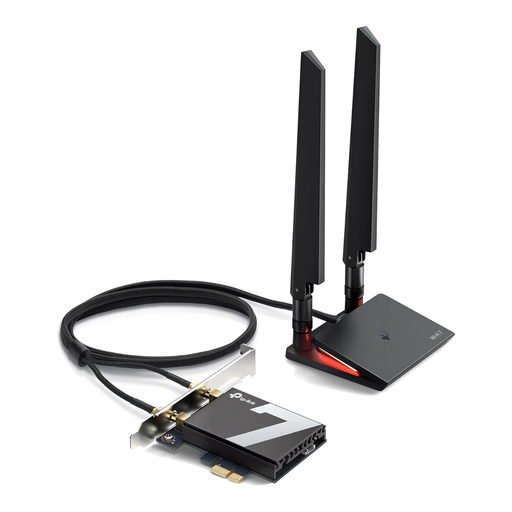
Why This Fits Their Persona: For desktop users who need maximum Wi-Fi performance for online gaming, 4K/8K streaming, and fast downloads. This internal card offers future-proof technology for the highest demands.
This card is the antithesis of the speed trap. With Wi-Fi 7 and tri-band technology (including the 6 GHz band), it offers extremely high data rates and minimal latency.
Supports the latest Bluetooth 5.4 standard and WPA3 encryption. The PCIe interface ensures a stable and direct connection to the system.
We have compiled a complete, up-to-date list of products that fully meet these strict selection criteria and local regulations.
1. Which network adapter is best for gaming? For competitive online gaming, a wired connection is always the top choice as it offers the lowest latency and highest stability. A Gigabit LAN adapter (via USB 3.0 or PCIe) is ideal here. If a wired connection isn't possible, you should opt for a Wi-Fi card or Wi-Fi dongle with Wi-Fi 6 or a newer standard. These technologies (e.g., OFDMA) are designed to reduce latency in congested networks.
2. Do I need to install drivers for a network adapter? This depends on the adapter and your operating system. Many modern adapters, especially for Windows 10 and 11, are "Plug and Play" and work immediately after being plugged in. However, for very new technologies (like Wi-Fi 7) or when used with macOS or Linux, it may be necessary to download and manually install the appropriate driver from the manufacturer's website to ensure full functionality.
3. Can a USB Wi-Fi dongle make my old PC faster? Yes, a modern Wi-Fi dongle for PC can significantly improve your computer's internet speed if its built-in Wi-Fi hardware is outdated or faulty. If your router already supports a newer standard like Wi-Fi 6 but your PC only has Wi-Fi 4, a Wi-Fi 6 adapter can speed up and stabilise the connection. However, the final speed will still depend on your internet plan and your router's performance.