A network player is a good fit for a kitchen-diner if it supports the music service you use and its outputs match your existing active speakers or amplifier. If you have passive speakers without an amplifier, you’ll need an amplification solution. And if you often start music on the spur of the moment or are planning to add more rooms, look for convenient controls or compatibility with the same multi-room system.
Who is a network audio player for?
Enjoy your chosen music service
If you already use an online music library, check whether the specific model supports your service through the app or Connect method you want to use. WiiM, Sonos and Cambridge Audio list different supported services and streaming methods.
Keep the speakers you already own
If you want to continue using existing active speakers or a stereo system, check that the audio outputs and inputs are compatible. Passive speakers need an amplifier in the playback chain; WiiM describes the Pro as a streamer, not an amplifier.
Start your music quickly, day to day
If you often start the same music between the kitchen and dining table, compare the app controls, physical controls and presets offered by each model. Bluesound lists programmable presets on the NODE (N132), while Sonos describes control through its app.
What should you look for when buying?
| What matters when buying |
What to check |
Who is it important for? |
| Access to your online music library |
Check the specific service, app and Connect, Cast or AirPlay method you need for the exact model. |
If my library is tied to a particular service, I want to play it through my hi-fi using a supported method. Around 33% of consumers put access to their own online music library first. |
| Connecting to speakers and your hi-fi |
Check that the model’s outputs match your active or passive speakers and any existing RCA, optical or coaxial inputs. |
If I want to keep my existing speakers, the connections and amplification need to suit the playback chain. Around 27% of consumers say connecting to existing equipment is their top priority. |
| Everyday playback and control |
Check the app controls, physical controls and customisable presets available on the specific model. |
If I want to start music without searching for ages while cooking or eating, I need controls that suit my routine. Around 27% of consumers prioritise ease of use. |
| Music in other rooms |
Check which of the devices you actually plan to use can be grouped within the chosen system. |
If I might add more rooms later, I want to know which devices can play together. Around 13% of consumers put expanding into other rooms first. |
Common buying misconceptions
-
Assuming a standalone streamer will work as an amplifier
A standalone streamer such as the WiiM Pro won’t drive passive speakers directly.
Before choosing, check whether your speakers are active or whether you already have a suitable amplifier.
If you have passive speakers but no suitable amplifier, you may need to buy one separately.
-
Assuming a music service name tells you how every connection works
Support and possible audio quality can vary depending on the service and the specific streaming method.
Check the combination of player, service, app and the streaming method you want to use, rather than comparing maximum resolution figures alone.
-
Assuming multi-room works across different brands automatically
Sonos and Bluesound each describe grouping devices within their own systems.
Before buying, decide which devices you want to play together in each room, then check the documented compatibility.
Expanding your system may require additional devices from the supported range.
A guide to key brands
WiiM
The WiiM Pro is a standalone streamer for use with an existing amplifier or active speakers. The WiiM Amp is a different solution designed for passive speakers.
- For the Pro, WiiM lists AirPlay 2, Google Cast, Spotify Connect and TIDAL Connect, as well as analogue and digital outputs.
- The WiiM Pro is not an amplifier. Features of the WiiM Amp can’t be assumed to apply to the Pro.
Sonos
The Sonos Port connects an existing stereo system to a Sonos system.
- Sonos lists app control, AirPlay 2 and the option to expand to other Sonos rooms.
- Sonos says you’ll need an external amplifier for passive speakers.
Bluesound
The NODE (N132) is designed for use with an existing hi-fi system or active speakers. It may suit you if you want BluOS grouping or physical controls on the device.
- Bluesound lists analogue and digital outputs, grouping with other Bluesound players and programmable presets.
- The grouping described doesn’t confirm synchronisation with any other multi-room system.
Cambridge Audio
The MXN10 is a compact standalone network player for an existing hi-fi system, controlled through StreamMagic.
- Cambridge Audio lists Spotify Connect, TIDAL Connect, AirPlay 2 and Chromecast, among others. Its support page also explains how to play music from USB and NAS drives.
- The playback quality available depends on the service and streaming method used; this doesn’t mean there’s a general sound quality advantage.
Yamaha
The MusicCast WXC-50 is a network player for an existing amplifier, if MusicCast fits your plans.
- Yamaha describes a Player mode and a way to connect an amplifier without MusicCast to MusicCast.
- This feature doesn’t confirm compatibility with any other multi-room system.
Joybuy products for your kitchen-diner
This selection features an AirPlay option for playing an online music library through a smart speaker — not standalone network players for an existing stereo system.
 No image available
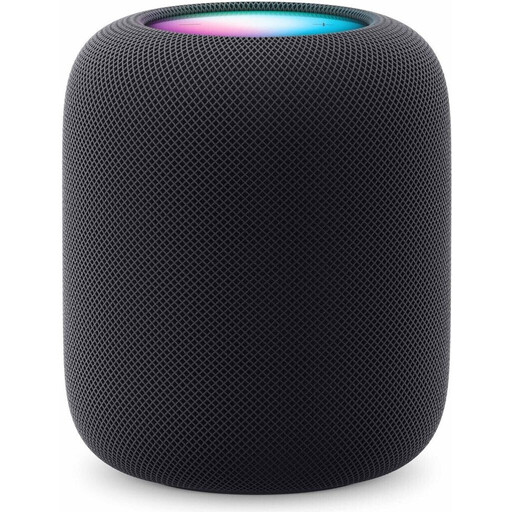
Apple HomePod (2nd Generation) Midnight
A good option if you want to play music from a compatible iPhone or iPad over Wi-Fi using AirPlay.
View at Joybuy
Frequently asked questions
Is a network player enough for my passive speakers?
Not always: a standalone streamer such as the WiiM Pro needs a suitable amplifier to work with passive speakers. Alternatively, you could consider a suitable streaming amplifier.
How do I connect a WiiM Pro or Pro Plus to my hi-fi?
WiiM describes connecting through a suitable line, optical or coaxial output. You then set up the device on your network using WiiM Home. The right output depends on the inputs on your hi-fi.
What should I check if my network connection keeps dropping out?
For its streamers, Cambridge Audio recommends checking the network setup and using Ethernet if possible. This is manufacturer-specific advice, not a guarantee of an uninterrupted connection.
What should I check when buying a Wi-Fi player in Germany?
The German Federal Network Agency lists correct CE marking, an identifiable product and accurate manufacturer details among the things to check. Check the information for the specific model and offer.


