If you already have an amplifier or active speakers, choose a separate network music player with the right outputs and confirmed access to where your blues collection is stored. If you use a NAS or computer, support for the relevant sharing protocol is key; for multiple listening areas, you’ll also need compatible playback devices. Passive speakers need an amplifier.
Who is a network music player for?
Owners of a digital blues collection
If your albums are stored on a NAS, computer or USB drive, check which sharing methods and file formats are specifically supported. WiiM describes access to DLNA servers and SMB shares; Cambridge Audio lists USB and NAS playback for the MXN10.
Owners of a stereo system
If you want to keep your amplifier and speakers, you’ll need a suitable, available audio input. If you have passive speakers but no amplifier, you’ll also need an amplifier or a streaming amplifier.
Listeners in multiple areas of the home
If you move between different areas of an open-plan home, consider whether one dedicated stereo listening spot is enough or whether additional compatible playback devices would be useful. Bluesound and Sonos both describe grouping or adding other devices to their systems.
What should you look for when buying?
Work through your playback setup in this order: speakers and amplification, access to where your collection is stored, then controls and any additional listening areas.
| Buying priority |
What to look for |
Who is it important to? |
| Access to your own music files |
Check where your files are stored, which sharing protocol is supported and which file formats are compatible. WiiM describes DLNA and SMB access; Sonos specifies SMBv2 or SMBv3 for connecting a NAS. |
If your blues albums are stored on a NAS or computer, you’ll want to find and play that specific collection. Around 33% of consumers say access to their own music files is their top priority. |
| Connecting to your existing system |
Check that the speaker type and available inputs match the player’s outputs. Passive speakers need an amplifier; WiiM highlights this for the Pro Plus. |
If you want to keep your existing system, the connections and amplification must be compatible with your equipment. Around 27% of consumers put connecting to their existing system first. |
| One or multiple listening areas |
Decide where you’ll actually listen and check which additional devices can be grouped with your chosen system. |
If you want to listen to blues beyond your dedicated stereo listening spot, you’ll need additional compatible playback devices. Around 20% of consumers say multiple listening areas are their top priority. |
| Controls and connection method |
Check that your preferred app and connection method are supported by the exact model. WiiM says the Pro Plus supports AirPlay 2, while the WiiM Ultra does not. |
If you want to play your music using a particular app or connection method, make sure the specific model supports it. Around 20% of consumers prioritise controls or connection method. |
Common buying misconceptions
-
A separate player can power passive speakers directly
A WiiM Pro Plus outputs an audio signal, but WiiM says it doesn’t replace the amplifier needed for passive speakers.
Before choosing a player, check whether your speakers are passive or active, whether you already have an amplifier and which inputs are available.
Without a suitable amplifier, you’ll need an additional device or a streaming amplifier.
-
A USB port or the word ‘network’ means it can play any kind of file
Playback options vary by model. Cambridge Audio lists USB and NAS playback for the MXN10; Sonos says a compatible SMB share is needed to connect a NAS.
Check that the storage location, supported sharing protocol and file formats are compatible with the specific model.
Depending on your existing collection, you may need to set up a media server or add another storage solution.
-
Every model from a brand supports AirPlay 2
WiiM lists the Pro Plus as compatible with AirPlay 2, but doesn’t list the WiiM Ultra or Amp Pro as supported models.
If you need AirPlay 2, check support for the full model name.
-
Multiroom audio covers an open-plan home with one device
The multiroom features described by Bluesound and Sonos require additional devices to be grouped together. A single stereo listening spot and multiple listening areas are therefore different requirements.
First decide where you actually want to listen. Then check which additional devices can be added to your chosen system.
You may need additional compatible players or speakers for other playback locations.
Key brands to consider
WiiM
The Pro Plus is a separate player for an existing system; the Amp is designed for setups with passive speakers and no existing amplifier.
- WiiM says the Pro Plus has analogue and digital outputs, as well as AirPlay 2 and Google Cast.
- The Pro Plus can’t power passive speakers directly. AirPlay 2 support varies between models.
Bluesound
The NODE NANO is a separate player for local files and, according to the manufacturer, can be added to a system with other Bluesound players.
- Bluesound lists SMB shares, supported file formats, AirPlay 2 and grouping with other Bluesound players.
- The listed audio connections are outputs. You’ll still need a suitable amplifier for passive speakers.
Cambridge Audio
The MXN10 is described as a separate network music player for an existing hi-fi system, with music playback from a USB drive or NAS.
- Cambridge Audio lists StreamMagic, USB and NAS playback, AirPlay 2, Chromecast, and analogue and digital outputs.
- Your connected audio system needs to power the speakers.
Sonos
Sonos says the Port connects an existing stereo system to a Sonos system with additional listening areas.
- Sonos lists AirPlay 2, multiroom audio and the option to add local NAS libraries using SMBv2 or SMBv3.
- The Port isn’t a Wi-Fi speaker and needs an external amplifier for passive speakers.
Joybuy product selection
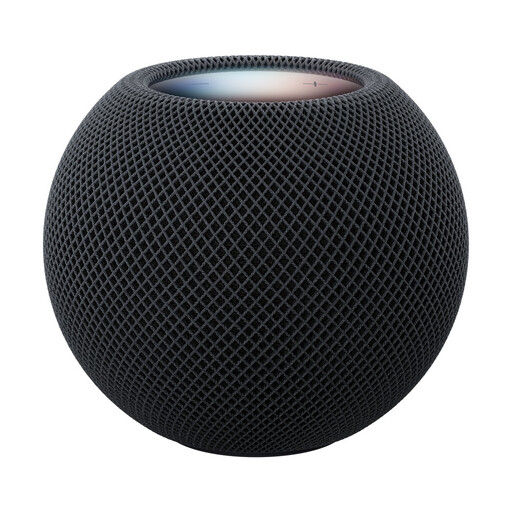
This selection includes a smart speaker as an additional option for AirPlay and playback in multiple areas. It isn’t a separate network music player for connecting to an existing stereo system.
 No image available
Apple HomePod mini 2 smart speaker – Midnight
An option if you want to play music from a compatible device using AirPlay or set up additional compatible playback locations.
The product description lists AirPlay, multiroom audio and the option to create a stereo pair with another HomePod mini 2.
View at Joybuy
Frequently asked questions
Can I connect passive speakers directly to a WiiM Pro Plus?
No. WiiM says passive speakers connected to the Pro Plus need an amplifier. If you don’t already have one, a streaming amplifier designed for this purpose is an alternative type of device to consider.
How do I set up a blues collection stored on a NAS?
First check which sharing methods your player supports. WiiM describes access through a DLNA media server on the same network or an SMB share in WiiM Home. Sonos specifies SMBv2 or SMBv3 for connecting a NAS; the setup steps depend on the system you choose.
What should I check if my home network connection keeps dropping out?
Check that your player and local media server are on the same network; this is required by WiiM’s DLNA instructions. WiiM lists Ethernet as an optional connection for the Pro and Pro Plus to provide extra stability.
What rights do I have when buying online from a business seller?
For ordinary online purchases of goods, EU consumer information generally explains that you have a 14-day cancellation period from delivery and at least two years of legal protection from the date you receive the goods. Your legal rights against the seller are separate from a voluntary manufacturer’s warranty; seller status and exceptions should also be taken into account.
What should I do with an old network music player?
The German Environment Agency says that electrical and electronic waste shouldn’t go in household rubbish. You can find out about taking it to a recycling centre or the retailer’s current take-back arrangements.


