Start with your streaming service
If you want to control your online music library using a familiar app or your phone, check which service and streaming method the specific model supports. WiiM notes that AirPlay support varies between models.


First, choose a player that supports your music service and preferred control method. Then check that its outputs match your system or speakers. For multiple listening areas, you need a genuinely compatible multi-room system; sound adjustment alone won’t ensure even playback throughout your home. A standalone streamer does not replace an amplifier for passive speakers.
If you want to control your online music library using a familiar app or your phone, check which service and streaming method the specific model supports. WiiM notes that AirPlay support varies between models.
For active speakers or an existing amplifier, the player’s output needs to match the relevant input. WiiM and Sonos describe their devices as sources; passive speakers still need an amplifier.
If you want to listen to music in different parts of your open-plan home, check which other devices can actually be grouped with the player. Sonos, Bluesound and Cambridge Audio each describe specific systems or compatible ways to do this.
First check the service and control options, then the signal path to your speakers, and finally whether you can cover additional listening areas with compatible devices.
| Buying priority | What to check | Who is it important to? |
|---|---|---|
| Music service and control | Check that your specific service, and AirPlay, Chromecast or Connect, are supported by the exact model. According to WiiM, the WiiM Ultra does not receive AirPlay. | If I want to control my online library from a familiar app or my phone, that specific method needs to be supported. This is the top priority for around 29 % of consumers. |
| Connecting to your system and speakers | Check the RCA, optical or coaxial inputs and outputs. Also find out whether your speakers are active or whether you already have an amplifier. | If I want to keep using my existing speakers and inputs, I need a suitable signal path; passive speakers still need an amplifier. Around 24 % of consumers put connecting to their system first. |
| Listening in different areas | Think about where you’ll listen and where you can place speakers. Then check whether you actually want to use EQ or room correction. | If you want to listen in several areas of an open-plan home, you’ll need suitable speakers and a sensible layout; sound adjustment won’t guarantee even playback. Around 18 % of consumers prioritise listening areas and room tuning. |
| Adding multiple playback points | Check which devices you already have and which specific grouping methods are supported, rather than assuming that “multi-room” means compatibility across brands. | If I want to add more listening areas to the same system, the player and additional devices must be compatible for grouping. This multi-room expansion is the main priority for around 17 % of consumers. |
| Total cost | Factor in the devices you already own, any additions needed for passive speakers and the terms of your music service. | If I want to know what else I need for my playback setup before buying, I should consider the player, amplifier, additional devices and ongoing service together. Around 12 % of consumers focus primarily on the total cost. |
A network player such as the WiiM Pro is a source device and cannot drive passive speakers on its own.
Before comparing models, check whether your speakers are active or whether you already have a suitable amplifier.
Passive speakers may also need an amplifier to play music.
According to WiiM, the WiiM Pro and Pro Plus support AirPlay, while the WiiM Ultra does not receive AirPlay.
If AirPlay is your main way of accessing your music library, check that the exact model can receive it.
The grouping methods described apply to specific systems or compatible devices. They don’t automatically mean that products from any brand can be synchronised.
Make a note of the devices you already own and check that the specific grouping method you want is explicitly supported.
You may need additional compatible playback devices for other listening areas.
Adjustable sound settings don’t prove that a single pair of speakers will reach every listening spot in an open-plan home equally well.
Plan your listening areas and speaker placement first, then consider sound adjustment as an extra way to fine-tune your setup.
The WiiM Pro and Pro Plus are compact source devices for existing systems. The WiiM Ultra also features HDMI ARC and a subwoofer output.
The Sonos Port connects an existing stereo system to a Sonos system, making it a good fit for households planning to add more Sonos playback devices.
The NODE is a source device for stereo systems or active speakers, and can be used with other compatible devices through BluOS.
The MXN10 adds streaming to an existing hi-fi system, with StreamMagic and several streaming and grouping options.
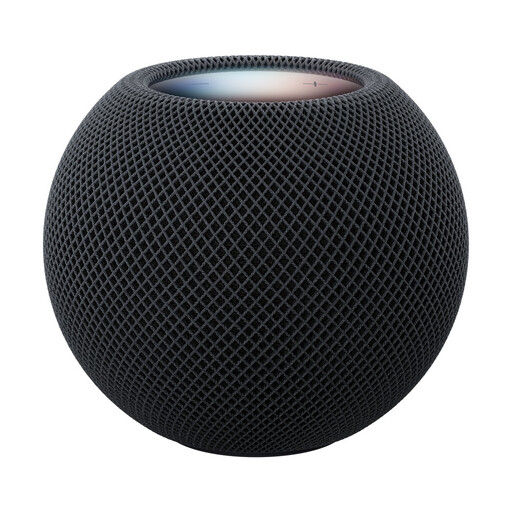
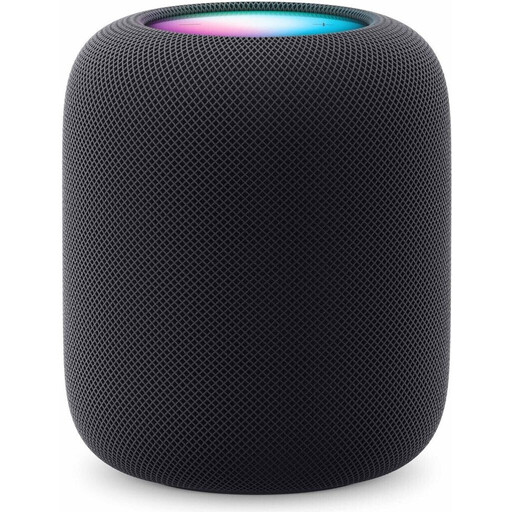
The Joybuy products below are standalone Apple speakers for AirPlay playback and multi-room listening. They’re a better fit if you want to play music directly through speakers rather than connect a source device to an existing stereo system.
 No image available
An option if you want to play music from an Apple device via AirPlay and use compatible devices for multi-room listening.
 No image available
An option for AirPlay music and multi-room listening if you’re looking for a standalone playback device rather than a source for your existing system.
The product description lists a compatible iPhone or iPad, Wi-Fi and an Apple Account as requirements.
No. The WiiM Pro and Pro Plus don’t replace an amplifier for passive speakers. WiiM recommends using an amplifier; with active speakers or an existing system, check that the relevant input matches the player’s output.
No. According to WiiM, the Pro and Pro Plus can receive AirPlay, but the WiiM Ultra cannot. So check the model name, not just the brand.
First, check its location and network connection. For Wi-Fi issues with the Port, Sonos recommends trying a different location or a wired network connection. The setup guide for the WiiM Pro and Pro Plus also describes Ethernet as an optional connection.
A music subscription and any amplifiers or additional speakers you need should be considered separately from the player. If you buy from a trader in the EU, Your Europe, the European Union’s official information portal, states that you’re entitled to a legal guarantee of at least two years from the date you receive the goods. This is separate from any voluntary manufacturer’s warranty. Also check your music service’s terms and the devices you’ll need.