Owners of an existing stereo system
If you want to listen through your existing active speakers or amplifier, check that the player’s outputs match the inputs on your system.


If you already have an amplifier or compatible active speakers, a separate network player is usually the most straightforward option – provided its outputs match the inputs on your system. If you have passive speakers but no amplifier, a streaming amplifier may be a better choice. If you don’t have speakers yet and want to keep the number of devices down, consider a connected speaker. Also check whether the soundtrack you want is available through your music service or in your own collection, and whether you need TV audio or AirPlay 2. The device features mentioned here are based on manufacturers’ specifications, not a comparative listening test.
If you want to listen through your existing active speakers or amplifier, check that the player’s outputs match the inputs on your system.
If you’re setting up a small living room, you can choose between a separate player, a streaming amplifier and a connected speaker based on what you already have and what you still need.
If you also want to hear audio from a musical film or a TV recording through the same system, check that the player has the right TV input and that the signal path to your system is suitable.
| Priority | What to check before buying | Who it matters most to |
|---|---|---|
| Connecting to existing speakers | Whether your speakers are active or passive, which inputs you already have, and whether the player has compatible analogue or digital outputs. | If I want to use my existing active speakers or amplifier, I need a player that connects without unnecessary extra equipment. Around 29% of consumers have connecting to existing speakers as their main priority. |
| Access to the soundtrack | Whether the specific recording is available through your music service or in your own collection, and how you can control the album and playback order. | If I want to listen to the soundtrack in a particular order, I want to check that I can access it through my music service or files before buying. Around 23% of consumers prioritise access to and control of a specific soundtrack. |
| Space and number of devices | Which speakers and amplifiers you already have, and whether you need a player, a streaming amplifier or a connected speaker. | If I want to keep the number of devices in my small living room to a minimum, I don’t want to duplicate the amplifier and speakers unnecessarily. Around 18% of consumers say a space-saving overall setup is their top priority. |
| TV audio and music | Whether the player has a suitable HDMI ARC or HDMI eARC input, how your TV outputs audio and, for an optical connection, which audio formats are supported. | If I want to listen to musical recordings through both a music service and my TV, I need a connection that works with both sources. Around 18% of consumers say TV audio is their most important additional requirement. |
| Adding more rooms | Whether your existing devices are compatible and what grouping features the specific model offers. | If I want to connect my system to devices in other rooms later, the system I choose needs to work with the equipment I already have. Around 12% of consumers cite multi-room audio as their main reason for buying. |
A separate network player doesn’t automatically amplify the signal for passive speakers. WiiM describes the Pro Plus as a device for connecting to an amplifier or active speakers.
Before choosing a model, make a note of whether your speakers are active or passive and which inputs you already have. If you have passive speakers but no suitable amplifier, a streaming amplifier may be an option.
Support can vary by model: WiiM lists AirPlay 2 for the Pro Plus, but notes that the WiiM Ultra does not support AirPlay.
Check the full model name and the connection method you plan to use from your Apple device before choosing a product.
The resolution stated by the manufacturer describes a device feature, but on its own it doesn’t prove that you’ll hear a difference with your particular recording and playback setup.
First check that your music service or files, the player and your other devices all support the playback method you want to use.
According to the manufacturer, the HDMI eARC port on the Bluesound NODE is for connecting a TV. The connection from there to an existing system uses the dedicated audio outputs.
Before buying, check the entire signal path from your TV or music service, through the player, to your speakers.
The models mentioned cover separate network players, streaming amplifiers and connected speakers.
The NODE is a standalone BluOS network player for an existing system and, according to the manufacturer, has an HDMI eARC input for TV audio.
According to Sonos, the Port is designed for households that want to add an existing stereo system to a Sonos setup.
According to the manufacturer, the MXN10 is designed for use with a hi-fi system or a desk setup.
This selection includes connected speakers as an alternative to a separate network player. They’re worth considering if you still need speakers and want to keep the number of separate devices to a minimum.
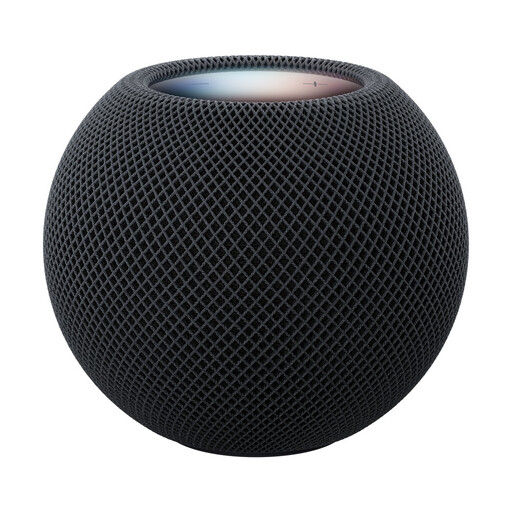 No image available
As a connected speaker, this model is an option if you’d rather not pair a separate player with additional speakers.
The product details list music playback, AirPlay and multi-room audio.
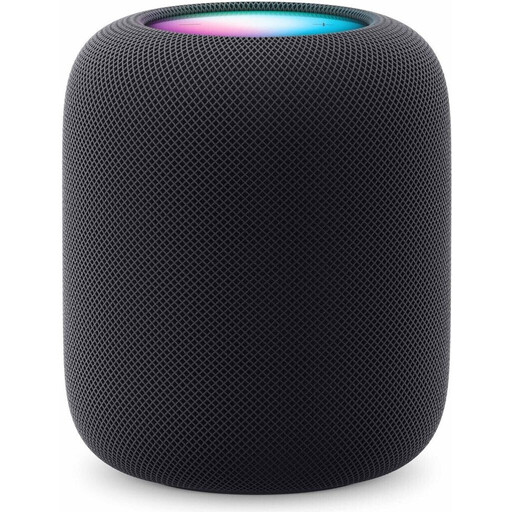 No image available
As a connected speaker, this model is worth considering if you’re looking for a speaker rather than a separate network player.
The product details list AirPlay for music playback. You’ll need a compatible iPhone or iPad and Wi-Fi to set it up.
A separate network player needs a suitable amplified audio component, such as active speakers or an amplifier connected to speakers. If you only have passive speakers, a suitable streaming amplifier may be an alternative.
No. Whether a specific recording is available depends on your music service or your own collection. Before buying, check that the track you want is available and that you can control the album or playlist in the order you prefer.
Check that your TV’s audio output matches the player’s input. For the optical input on the WiiM Pro Plus, the manufacturer requires stereo PCM rather than Dolby Digital or DTS. If you’re using HDMI ARC on the WiiM Ultra, you’ll need to set up the relevant TV features.
No, support depends on the model: WiiM lists AirPlay 2 for the Pro Plus, but notes that the WiiM Ultra does not support AirPlay. Check the full model name if you want to stream music directly from an Apple device.
For local files, WiiM recommends checking your Wi-Fi connection and making sure your NAS or DLNA server is switched on. These are manufacturer troubleshooting suggestions, not a guarantee of uninterrupted playback.