Quiet sleep sounds
If you want to play sounds quietly and choose when they stop, look for easy-to-reach volume controls and a playback sleep timer. This doesn’t prove that the sounds will help you sleep.


If you already have suitable active speakers or an audio system, a separate network player is an obvious choice. If you don’t have a system, a Wi-Fi speaker with a built-in player is easier to set up. Check that the connections are compatible, the volume controls are easy to reach and the timer actually stops playback. These features don’t establish a minimum volume or guarantee better sleep.
If you want to play sounds quietly and choose when they stop, look for easy-to-reach volume controls and a playback sleep timer. This doesn’t prove that the sounds will help you sleep.
If you want to keep using your existing speakers or amplifier, make sure the inputs and outputs are compatible. Passive speakers also need an amplifier, as the WiiM Help Center explains for the WiiM Mini.
If you’re looking for a bedside device without built-in microphones, check the exact model variant. Denon describes the Home 150 NV as a version without microphones or voice assistants.
A good fit if: You want to use suitable active speakers or an amplifier you already own.
The trade-off: The player needs to be connected to audio equipment; passive speakers also need an amplifier.
A good fit if: You want a single bedside device and don’t want to connect a compatible audio system.
The trade-off: Setup, controls and available playback options vary by model.
| What matters to you | What to check before buying | Who is it important to? |
|---|---|---|
| Quiet playback and a set stop time | Check the controls where you’ll use the device, and make sure the timer stops audio playback. | If you want to listen quietly and stop the sounds after a set time, both matter. Around 33 % of consumers prioritise this. |
| Connecting to existing speakers | Check whether your speakers are active or passive, and match the inputs and outputs. | If you want to keep using your audio system, the player, amplifier and speakers need to work together. Around 27 % of consumers focus on this connection. |
| Controls and microphones | Check the buttons, app requirements and microphones on the specific variant. | If you want to control the device from bed or avoid built-in microphones, the exact controls matter. Around 20 % of consumers prioritise this. |
| Your own content and ongoing costs | Check the sounds you want, music services, and any account or subscription requirements. | If you want to play specific sleep sounds, make sure they’re available through your chosen playback method. Around 20 % of consumers focus mainly on content and potential ongoing costs. |
Documented features can’t replace checking how a device works where you’ll use it. Make sure you can fine-tune the volume enough for your listening position. WiiM and Sonos describe playback sleep timers; Bluesound lists a timer of up to 90 minutes for the NODE NANO, in 15-minute increments. Denon notes that music services may vary by region.
A separate player sends audio to connected equipment; it doesn’t function as a speaker or amplifier itself.
Map out the signal path from source to speaker and check that the connections match. Passive speakers also need an amplifier.
Remember to allow for suitable cables and space for the additional equipment.
A standard timer may not stop audio playback. Sonos and WiiM describe dedicated playback sleep timers; Amazon distinguishes Alexa’s sleep timer from standard timers.
Check which feature actually stops the sound on the specific model and playback method you plan to use.
According to Sonos, the Era 100 must first be set up over Wi-Fi before you can use Bluetooth.
Check the initial setup requirements before you buy, even if you plan to listen mainly over Bluetooth.
The WiiM Mini adds network playback to an existing audio system; it isn’t a speaker itself.
The Era 100 combines network playback and a speaker in one device.
According to the manufacturer, the Denon Home 150 NV is a Wi-Fi speaker variant without built-in microphones or voice assistants.
According to the manufacturer, the NODE NANO adds network streaming and BluOS control to an existing audio system.
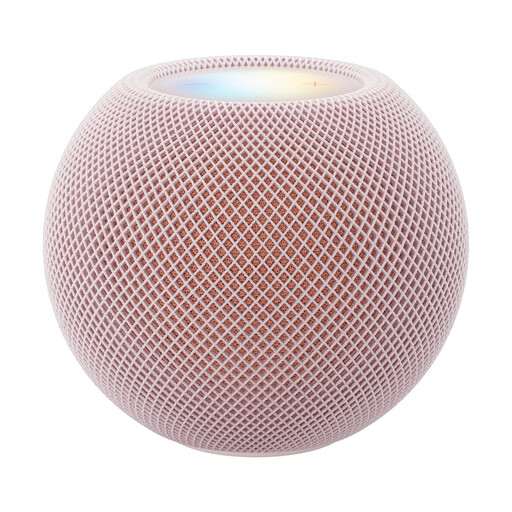
This selection features Wi-Fi speakers with an integrated player for sleep sounds.
 No image available
As a standalone Wi-Fi speaker, this model can play sleep sounds over Wi-Fi or AirPlay.
Siri and a touch surface are listed as control options. A compatible iPhone or iPad is required for setup.
Before you buy, check that the volume controls and the playback stop function you want suit your routine.
No, not without an amplifier. WiiM says passive speakers need an additional amplifier; match its input to the player’s AUX or optical output.
No. WiiM and Sonos describe dedicated playback sleep timers; Amazon distinguishes standard Alexa timers from its sleep timer, which stops playback after a set time.
No. Sonos says the Era 100 must first be set up on a Wi-Fi network; you can then use it in Bluetooth mode.
There’s no guarantee of a particular effect. A systematic review in Sleep Medicine Reviews rated the evidence that continuous noise improves sleep as very weak and reported conflicting results.
Check the specific product for the CE marking, manufacturer’s details, German-language instructions and declaration of conformity. Germany’s Federal Network Agency lists these as part of its market surveillance; according to the European Union, the CE marking is a manufacturer’s declaration, not an independent quality mark.