Stereo system owners
If you want to keep using your system or active speakers for festive playlists, the player’s output must match a spare input.


If you already have an amplifier or active speakers, choose a separate network player with an output that matches a spare input and support for your music service. Passive speakers also need a suitable amplifier; if you don’t already have a system, a single Wi-Fi speaker can keep things simple. For festive playlists, check which services and control options the specific model actually supports.
If you want to keep using your system or active speakers for festive playlists, the player’s output must match a spare input.
If your speakers don’t have a built-in amplifier, check whether you already have a suitable amplifier or need a streaming amplifier.
In a small living room, a single Wi-Fi speaker may be a good option if you don’t need to connect it to an existing system. Otherwise, a compact player can add streaming to the equipment you already own.
Start by checking which speakers and amplifiers you already have. Then you can compare connections, music sources, controls and options for expanding your setup.
| Priority | What to check | Who it matters to |
|---|---|---|
| Connecting to an existing system | Check that the player’s outputs match the spare inputs on your amplifier or active speakers. | If I want to keep using my existing system, the signal path needs to work. Around 28% of consumers prioritise finding the right connection. |
| Festive playlists and your own music | Check that the player supports your preferred music service and control method. Only count on USB or NAS playback if the model supports it. | If my playlists or own music files are the main priority, I want to be able to play them the way I prefer. Around 22% of consumers prioritise music sources. |
| Amplification for passive speakers | Check whether your speakers are active or passive, and which amplifier powers them. | If my speakers are passive and I don’t have an amplifier, I need a solution with suitable amplification. Around 22% of consumers pay particular attention to the amplification setup. |
| Easy controls and a compact setup | Compare the number of devices, the space you’ll need and how you’ll start or pause the music. | If I want to keep the number of devices to a minimum in my small living room, a simple setup matters. Around 17% of consumers prioritise ease of use and space. |
| Adding music in other rooms later | Check which existing or planned devices can be grouped with the specific model. | If I want to add more listening zones later, the device needs to work with that system. Around 11% of consumers prioritise the option of expanding to multi-room audio. |
A separate network player outputs an audio signal, but it won’t automatically power passive speakers. The Sonos Port needs an amplified audio component; the WiiM Amp has speaker outputs.
Before you buy, check whether your speakers are active or passive and whether you already have a suitable amplifier.
Support can vary between models. WiiM lists AirPlay 2 for the Mini, Pro and Amp, but not for the Ultra or Amp Pro.
If you want guests to play music from an iPhone or Mac, check AirPlay 2 support for the exact model you’re considering.
Each manufacturer describes grouping within specific device systems. Using the same wireless standard doesn’t guarantee full multi-room compatibility across different brands.
If you’re planning to add more listening zones, check the grouping options for the specific model. You may need additional compatible devices for other rooms.
The Mini and Pro are standalone players for existing systems, while the Amp combines streaming with amplification for passive speakers.
The Port connects an existing stereo system, while the Era 100 SL is a standalone Wi-Fi speaker.
The NODE NANO is designed for owners of an existing system who want to use BluOS and potentially group it with other Bluesound players.
The MXN10 is a standalone network player for an existing hi-fi system and for listeners with their own USB or NAS files.
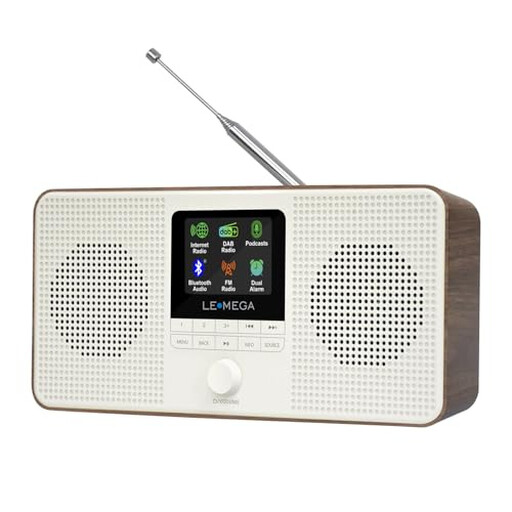
These Joybuy picks are for enjoying music in a small space without a separate hi-fi system, from internet radios to standalone smart speakers.
 No image available
Could be a good fit if you want to listen to festive music without a separate hi-fi system; this model is described as a stereo internet radio.
According to the product description, Spotify Connect requires a Spotify Premium account.
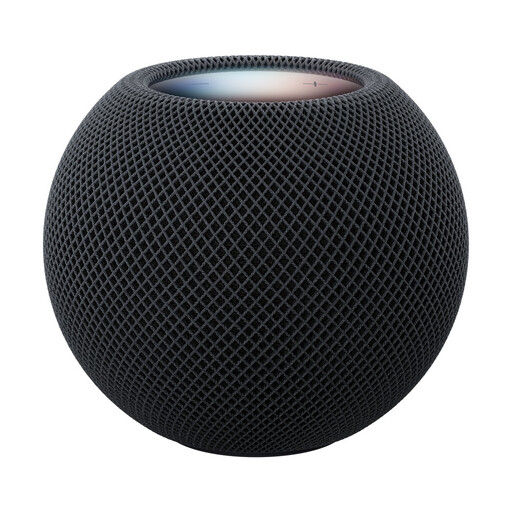 No image available
Could be a good option if you’re looking for a single smart speaker rather than a separate stereo system.
 No image available
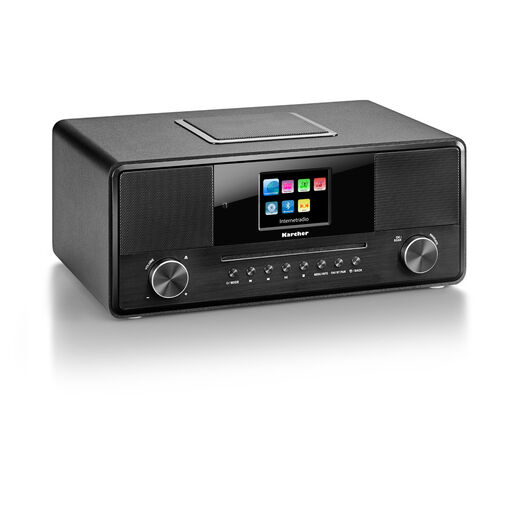
Could be a good fit if you want several playback options in one device rather than a separate hi-fi system.
The product name lists Wi-Fi, Bluetooth, DAB+, RDS, a built-in subwoofer, USB, AUX input, a headphone socket and a remote control.
 No image available
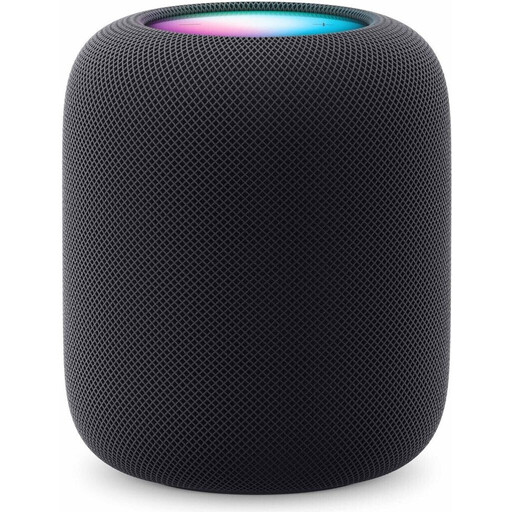
Could be a good option if you want to listen to music without a separate stereo system.
According to the product description, setup requires a compatible iPhone or iPad. It also warns that magnets and electromagnetic fields may interfere with medical devices such as pacemakers or defibrillators; follow the safety guidance on the recommended distance given there.
Connect the player’s audio output to a suitable spare input, then select that input on your amplifier. Sonos describes this process for the Port; you can then complete setup using the relevant app or the instructions for your model.
First, check the selected amplifier input and the audio cables. Sonos also recommends setting up the Port in the app; if you have Wi-Fi issues, Sonos suggests moving it to another location or using a wired network connection.
Not necessarily for every use: WiiM says the Mini supports Spotify Connect with Spotify Free, while the LEMEGA IR4S product description requires a Spotify Premium account for Spotify Connect. Check the terms for the service and model before deciding.
GEMA says there’s no fee for private music playback, such as at a private celebration. For public use, registration and payment may be required; it depends on the specific event.
According to the German consumer advice centre, online purchases of goods generally come with a 14-day right to cancel from the date you receive the goods; exceptions and the specific contract should be taken into account. Your statutory rights relating to faulty goods and a voluntary manufacturer’s warranty are separate entitlements.