What should you look for?
First, check how your audiobook service connects to the streamer. Then compare the connections with your sound system and decide who will control the device and account in a shared space.
| What matters |
What to check before buying |
Who it matters most to |
| Audiobook service and playback method |
Check the service, account, control device and audiobook features you want to use together. |
If I mainly use Audible, I want to know in advance whether my account, control device and the features I need will work together. Around 33% of consumers put access to the service first. |
| Shared control |
Agree on who can use the app and where to adjust the volume and mute the sound. |
If several people use the room, it’s important to me that everyone knows how to use the system. Around 27% of consumers prioritise shared control. |
| Connection to your sound system |
Compare the streamer’s outputs with your sound system’s inputs; passive speakers need an amplifier. |
If I want to keep using my existing sound system, the streamer, amplifier and speakers need to work together. Around 20% of consumers put compatibility with their sound system first. |
| Account access and privacy |
Decide who can access the control app and service account, and whether you want to use voice control. |
If I’m setting up a personal account or voice assistant in a shared space, I want to agree how it will be accessed and used beforehand. Around 20% of consumers prioritise privacy. |
Joybuy product selection
The Joybuy picks below are standalone Wi-Fi smart speakers, rather than streamers for an existing stereo system. Before buying, check that your audiobook service and preferred playback method work with the model you’re considering.
 No image available
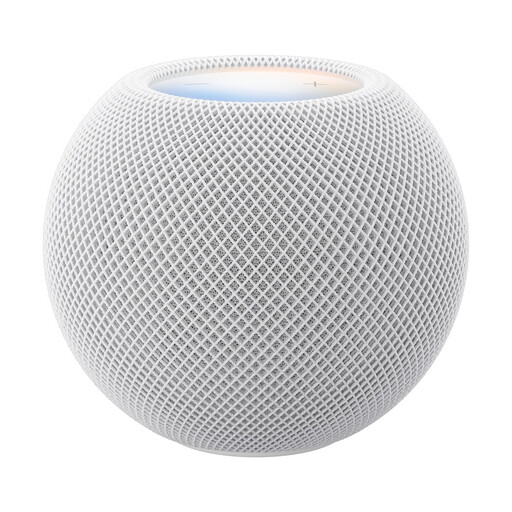
Apple HomePod Mini 2 Smart Speaker, White
This model may suit you if you want a standalone smart speaker rather than connecting a streamer to your existing sound system. Check which audiobook services and playback methods work with this specific model.
Setup requires a compatible iPhone or iPad and Wi-Fi. If you use Siri in a shared space, bear in mind Germany’s Federal Office for Information Security’s advice about potential privacy concerns with digital assistants.
View at Joybuy
 No image available
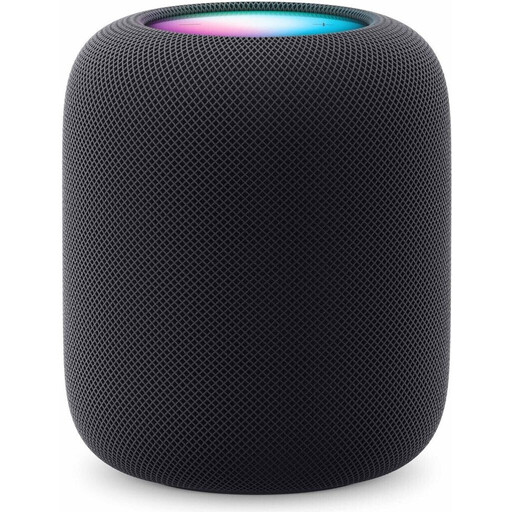
Apple HomePod (2nd Generation), Midnight
This standalone smart speaker may suit a shared space if you don’t need a separate streamer for a stereo system. Check in advance how your audiobook service will play on this specific model.
Use requires a compatible iPhone or iPad and Wi-Fi. If you set up Siri, bear in mind that Germany’s Federal Office for Information Security says digital assistants can involve private information that is often processed in the cloud.
View at Joybuy
Frequently asked questions
Can I open Audible in any network streamer app?
No. The playback method depends on the streamer and control device. Sonos lists Audible as a service; for Audible, WiiM describes using Alexa or AirPlay from a compatible Apple device, among other options. Also check that the audiobook features you care about are available: Audible lists limitations with Sonos, including playback speed control and chapter navigation.
Can I connect passive speakers directly to a Sonos Port or WiiM Pro?
Not as a complete setup: you’ll need a suitable amplifier or receiver between the streamer and passive speakers. With active speakers, their inputs need to match the streamer’s outputs.
Can I play an audiobook in a shared lounge or common room?
You can’t answer yes or no based on the term “shared lounge or common room” alone. Under Section 15(3) of the German Copyright Act (UrhG), whether playback is public depends, among other things, on whether it is intended for several people who are not connected by personal relationships. If the room is used by people who come and go, or who aren’t personally connected, check what usage rights you need before playing the audiobook. A personal audiobook account alone doesn’t prove that you have permission. The relevant source is the legislation on Gesetze im Internet, provided by Germany’s Federal Ministry of Justice and Federal Office of Justice.
Does a voice assistant need to be switched on in the lounge?
No. Voice control isn’t a general requirement for a network streamer. If you set up a digital assistant, bear in mind Germany’s Federal Office for Information Security’s advice that voice commands are often processed in the cloud.
What’s the difference between statutory rights and a guarantee when you buy?
Your statutory rights against the seller are separate from any voluntary guarantee. For purchases in Germany, the Verbraucherzentrale (consumer advice centre) explains that goods are generally covered by a two-year statutory period during which they must be supplied free from defects. The specific rights available depend on the circumstances.


