
Lieferung heute & morgen

Qualitätsgarantie

Willkommens-Angebote freischalten: KOSTENLOSE Lieferung | Bis zu 80 % RABATT | Kostenlose 30-Tage-JoyPlus-Testphase
App herunterladen
A stable and fast network is the foundation for modern work and entertainment. However, the LAN ports on a router are often insufficient, or the Wi-Fi is too unreliable for data-intensive applications like 4K streaming, online gaming, or data exchange in a home office. A network switch is the simple and effective solution. But be aware, there are several pitfalls when buying one that can lead to frustration and unnecessary expenses. As your Joybuy Product Recommendation Officer, I'm here to help you navigate these hurdles and make an informed decision.
The two most common traps when buying a network switch are:
To avoid a bad buy, you should check three core technical specifications. These determine whether a switch is suitable for your use case—be it a home network or a small business.
The number of ports determines how many devices you can connect via cable. Common sizes are 8 Port Switch, 16 Port Switch, or 24 Port Switch models. Always plan for one or two spare ports for future expansions.
Even more important is the speed. Ensure that all ports support the Gigabit standard (10/100/1000 Mbps). A pure Fast Ethernet switch (10/100 Mbps) is outdated for today's needs and would severely limit the performance of modern devices. A true Gigabit Switch ensures that data is transferred at high speed within your local network.
A PoE Switch is essential if you want to install devices in locations where no power outlet is available. This includes IP surveillance cameras, Wi-Fi access points, or VoIP phones.
Two values are crucial here:
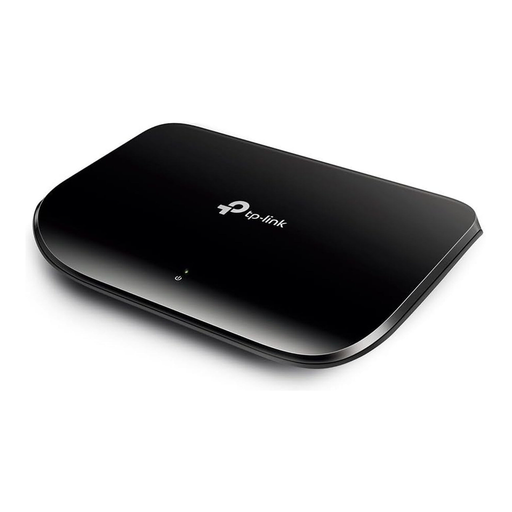
Why This Fits Their Persona: Ideal for expanding a home network. It provides stable Gigabit speed for smooth 4K streaming, online gaming, and fast data transfers in the home office, without any unnecessary configuration hassle.
This model bypasses the "Gigabit bait-and-switch" because all 5 ports deliver the full 1000 Mbps speed. As an unmanaged switch, it also avoids unnecessary costs for complex features not needed in a home environment.
Simple plug-and-play installation; fanless design for silent operation; energy-efficient technology automatically adjusts power consumption.
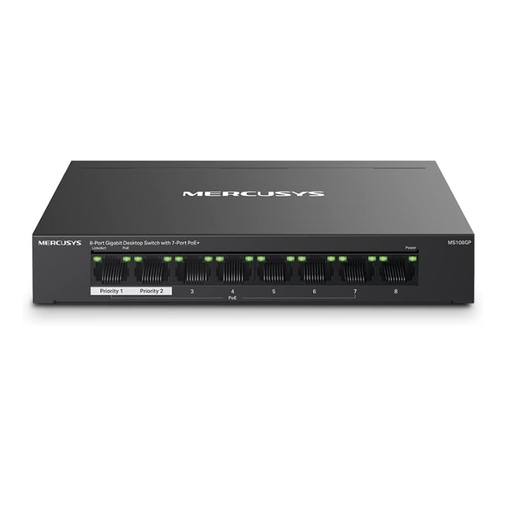
Why This Fits Their Persona: Perfect for small businesses or for setting up a home surveillance system. Reliably supplies power and data to up to seven PoE+ devices like IP cameras, access points, or VoIP phones over a single cable.
This model directly addresses the trap of an undersized PoE budget. With a clearly stated total budget of 65 watts and PoE+ support (802.3af/at), you can precisely plan the power supply for multiple devices.
7 PoE+ ports with up to 30W per port; Extend Mode for PoE transmission up to 250m; durable metal housing for longevity.
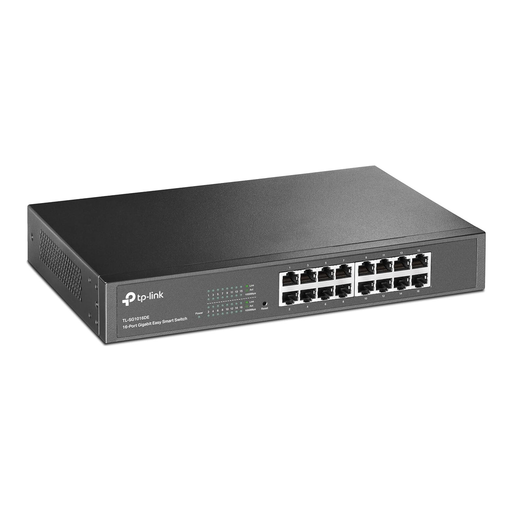
Why This Fits Their Persona: Provides enough ports for a growing office, can be professionally mounted in a server rack, and includes basic management features for network segmentation and traffic prioritization.
This "Unmanaged Pro" or "Easy Smart" model is an ideal middle ground. It avoids the limitations of a purely unmanaged switch without incurring the high complexity and cost of a fully managed device.
16 Port Gigabit Switch; suitable for 19-inch Rackmount Switch; supports key features like Port-based VLAN for enhanced security.
We have compiled a complete, up-to-date list of products that fully meet these strict selection criteria and local regulations.
Yes, this is easily done and is known as "daisy-chaining." You can connect a port on one switch to a port on another to expand your network. However, be aware that the connection between the two switches can become a potential bottleneck if many devices are communicating through this single link. For larger networks, structured cabling, where each switch is connected directly to the central router, is often the higher-performance solution.
No, a modern Gigabit Switch will not slow down your internet connection, as long as your internet speed is below 1 Gbps, which is the case for most home and small business connections. On the contrary, a switch significantly improves the speed and stability of connections within your local network compared to using only Wi-Fi.
Network switches are very durable devices. Since they have few to no moving parts, especially fanless models, the failure rate is low. A lifespan of 5 to 10 years or more is not uncommon. Technological obsolescence (e.g., the transition to multi-gigabit standards) is often an earlier reason for replacement than a technical defect.