
Lieferung heute & morgen

Qualitätsgarantie

Willkommens-Angebote freischalten: KOSTENLOSE Lieferung | Bis zu 80 % RABATT | Kostenlose 30-Tage-JoyPlus-Testphase
App herunterladen
By Joybuy Product Recommendation Officer, August 29, 2026
Is your Wi-Fi unreliable in certain rooms, or are the LAN ports on your router no longer enough for your PC, gaming console, and smart TV? A network switch is often the most straightforward and stable solution to expand a home network. But the market is flooded with devices whose technical specs can be confusing.
Many buyers invest in a device only to later discover that it's throttling their expensive internet connection or is unsuitable for planned projects, like installing an IP camera. Before you make a decision, you should know the three most common pitfalls that lead to unnecessary expenses or performance degradation.
This guide will help you avoid these problems and make an informed decision that is perfectly tailored to your current and future needs.
You don't need to be a network engineer to find the right LAN switch. Simply understanding three fundamental parameters that determine your network's performance and future-readiness is enough.
Perhaps the most important characteristic of a modern switch is its speed. There are two common standards:
Since most internet connections today already deliver speeds over 100 Mbps, a Fast Ethernet switch would act as a bottleneck and throttle your entire network performance. A Gigabit switch is therefore the fundamental requirement to ensure you get the full performance of your internet plan and fast data transfers between your devices (e.g., to a network-attached storage/NAS).
The number of ports determines how many devices you can connect via cable. Keep in mind that one port is always needed to connect to the router. Therefore, a 5-port switch effectively provides 4 additional connections.
Count the devices you currently want to connect (PC, printer, smart TV, gaming console, etc.) and add at least two to three ports as a reserve for future purchases. For a small home office, a 5- or 8-port model is often sufficient. For larger home networks or small businesses, a 16-port switch or even a 24-port switch is a sensible investment to remain flexible in the long run.
A PoE switch can supply connected devices not only with data but also with power—all through a single network cable. This is particularly useful for devices installed in locations without a nearby power outlet, such as:
Pay attention to the PoE standard (IEEE 802.3af for PoE with up to 15.4 watts per port and IEEE 802.3at for PoE+ with up to 30 watts) and the "total PoE budget." This budget specifies how much total power the switch can deliver to all connected devices simultaneously.
Based on these criteria, we have identified several products that represent well-thought-out solutions for typical user profiles.
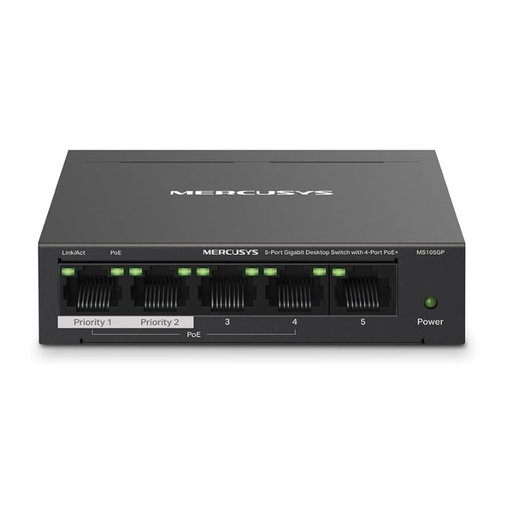
Why This Fits Their Persona: Ideal for users who need a stable wired connection for a PC, printer, and laptop, but also want to be future-proof. The PoE+ function allows for the easy integration of an IP camera later on, without needing to buy a new device.
Delivers full Gigabit speed, preventing the speed misconception. The integrated PoE+ ports bypass the pitfall of lacking power for future projects.
Plug-and-play installation with no configuration required; fanless design for silent operation in a sturdy metal housing.
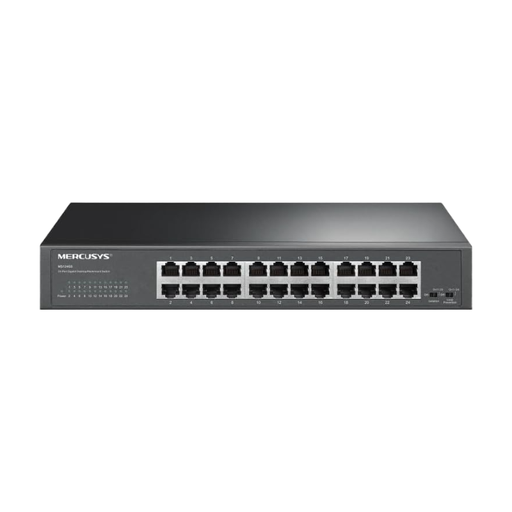
Why This Fits Their Persona: Perfect for small businesses or tech-savvy home users with a large number of devices. It offers enough capacity for multiple workstations, servers, NAS systems, and printers without hitting performance limits.
Permanently solves the "improper port planning" problem. With 24 ports, there is plenty of room for years of growth, eliminating the need to constantly buy new switches.
Very high port density (24 Gigabit ports), flexible mounting options (desktop or rack), and a durable metal housing for professional use.
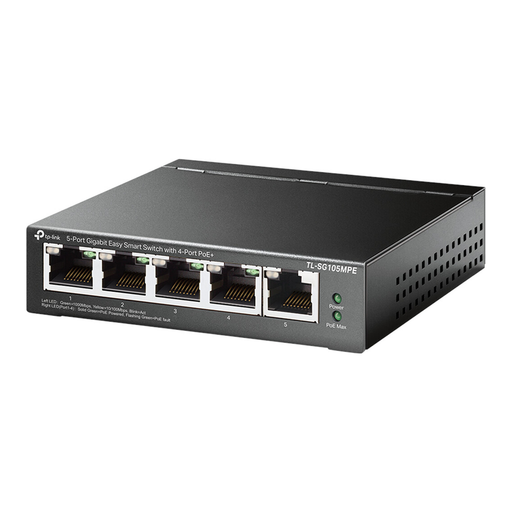
Why This Fits Their Persona: Designed for users who operate multiple PoE devices like IP cameras or access points and want to maintain full control over network traffic, for example, to prioritise video streams.
Specifically addresses the need for high and controllable PoE power with a 120-watt budget. The management features provide a level of control that unmanaged switches lack, which is crucial for stable surveillance networks.
High total PoE budget (120 W) for power-hungry devices and management features (VLAN, QoS) for network optimisation via a web interface.
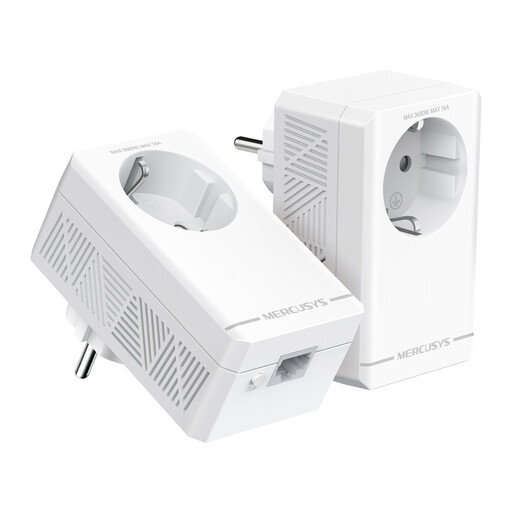
Why This Fits Their Persona: The alternative for anyone for whom running network cables through walls or ceilings isn't an option. A Powerline adapter uses the existing electrical wiring to create a stable, wired Gigabit connection in any room.
Solves the core problem of unstable Wi-Fi without needing to run cables or install a switch. The integrated pass-through socket ensures no valuable power outlet is lost.
Extremely simple plug-and-play installation without drilling; it uses existing infrastructure and provides a stable Gigabit connection over long distances within the house.
We have compiled a complete, up-to-date list of products that fully meet these strict selection criteria and rigorous safety standards.
In short: The router connects your home network to the internet and acts as the central management point. A switch expands your local network by providing additional cable ports and intelligently directing data to the correct destination device. A hub is an outdated technology that broadcasts data to all connected devices, making the network inefficient; it is practically no longer used today.
No, a modern Gigabit switch (1000 Mbps) will not slow down your internet connection, as long as its speed is not lower than your internet plan's speed. However, an outdated Fast Ethernet switch (100 Mbps) would limit a faster connection to 100 Mbps, thus acting as a bottleneck.
Yes, this is easily done. You can connect a port on one switch to a port on another to expand your network modularly. This method is also called "daisy chaining." However, for optimal performance and stability, it is generally better to connect each switch directly to a port on your main router, if possible.