PC users short on space
If you connect your desktop PC and a few other devices to your desk by cable, a compact, fanless model could be important. TP-Link, NETGEAR and D-Link list models with these features in their product information.


If your desktop PC can use a spare LAN port on your router, you don’t need an extra switch just for the PC. If you want to connect your PC and other devices over a shared network cable, a compact, fanless Gigabit switch is a simple place to start. Count the router uplink as a port in use. 2.5 GbE or management features are only worth considering if they suit your devices and how you plan to use them.
If you connect your desktop PC and a few other devices to your desk by cable, a compact, fanless model could be important. TP-Link, NETGEAR and D-Link list models with these features in their product information.
If you want to connect a printer, console or other fixed devices alongside your PC, check how many ports will still be free once the switch is connected to your router.
A faster local connection between compatible 2.5 GbE devices and configurable features such as VLANs are different requirements. Decide which, if either, you actually need before choosing a model.
First, check whether a spare router port will do the job. If you need a switch, count your devices, then look at speed and extra features.
| What matters | What to check when buying | Who should pay particular attention? |
|---|---|---|
| Compact, quiet connectivity | Check the dimensions, fanless design, and space needed for the power supply and connected cables. | If I have a PC and a few other devices on my small desk, footprint and fan noise matter to me. Around 36% of consumers prioritise a small footprint and quiet operation. |
| Enough ports | Count the router uplink, PC and other devices individually; one port will be used to connect to the router. | If I have several wired devices on my desk, I don’t want to end up with too few ports. Around 29% of consumers prioritise the number of ports available. |
| Speed for local transfers | Check the network ports on your PC and the other device, as well as the local data route you plan to use. | If I transfer large files between my PC and a compatible NAS, both ends of the connection need to support the speed I want. Around 21% of consumers prioritise the speed of local connections. |
| Configurable network features | Decide which specific features you need, such as VLAN, and check the specifications of the exact model. | If I need to set up separate network segments, I need the right management features, not just extra ports. Around 14% of consumers prioritise configurable network features. |
The uplink to the router uses one port. So, on a 5-port switch, four ports are left for your devices.
Count the router connection first, then your PC and all your other devices. Only choose a switch with more ports if your current or expected needs justify it.
A 2.5 GbE switch won’t provide a faster connection to a device whose network port supports Gigabit only.
Check the ports on your PC and the other device, as well as the local data route you plan to use, before choosing 2.5 GbE.
A basic switch for adding LAN ports and a model with configurable features are designed for different purposes.
Choose a managed switch only if you need a specific feature, and check that it’s available on the exact model.
The product ranges mentioned include compact Gigabit switches, an 8-port model and devices with management features.
The GS305v3 is described as a compact, unmanaged 5-port Gigabit switch for a straightforward workspace setup.
The DGS-105 is described as a fanless 5-port Gigabit switch for the workspace.
The QSW-1105-5T is a 5-port 2.5 GbE option for compatible local devices.
This selection includes 5- and 8-port Gigabit desktop switches, including models with PoE or management features.
 No image available
For a small workspace with a PC and other wired devices, when UniFi management is needed.
Five 10/100/1000 Mbps ports; dimensions: 107,16 × 70,15 × 21,17 mm.
Powered via USB-C or PoE input. The PoE port is input-only; the switch doesn’t provide PoE output. Management is handled through the UniFi Network application.
 No image available
For a PC and a few other devices, if four PoE+ ports and a fanless design suit your setup.
Five Gigabit ports, four of which are PoE+ ports; stated PoE budget: 60 W.
Fanless metal casing and plug-and-play operation, according to the product information.
 No image available
For a desk with PoE-enabled devices or a specific need for configurable network features.
Five Gigabit ports, four of which are PoE+ ports; stated PoE budget: 65 W.
The product information lists VLAN, QoS and IGMP Snooping, as well as a fanless metal casing.
 No image available
For more wired devices, if eight ports and four PoE ports justify the extra space required.
Eight Gigabit ports, four of which are PoE ports; stated PoE budget: 55 W.
Fanless, plug-and-play operation according to the product information. Dimensions: 171 × 98 × 27 mm.
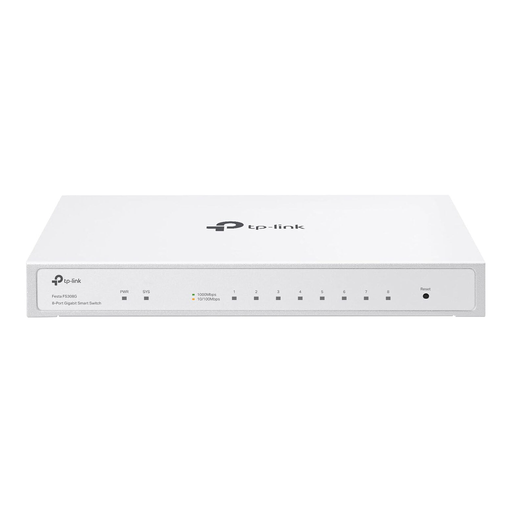 No image available
For several wired devices, when you need eight ports and management features and have enough desk space.
Eight Gigabit ports; dimensions: 20,9 × 12,6 × 2,6 cm. The product information lists VLAN, ACL, static routing and cloud management.
Fanless design. For PoE input, a compatible PoE source should be connected to port 8; a 12 V power supply is also listed as an option.
No, not if you can connect the PC directly to a spare LAN port on your router. A switch is useful if you want to connect other devices over the same cable connection.
Connect a LAN port on your router to the switch with a network cable, then connect your PC to a free switch port. According to the relevant manufacturers, the basic connections on models described as plug-and-play don’t need any configuration. Any extra features on a managed switch will need to be set up separately.
If one of the five ports is used to connect to the router, four ports remain for your devices. So, count the router uplink, PC and any other devices together before deciding between a 5- or 8-port model.
2.5 GbE is worth considering if your PC and the other device have compatible network ports and you need a faster local connection. Management features are useful if you need specific settings, such as VLAN. They aren’t necessary just to connect a PC.