A streaming box and a few LAN devices
You want to add more wired connections in your home office. First, check whether your box has a LAN port at all; Telekom says the MagentaTV Stick connects via Wi-Fi.


If your streaming box has a LAN port and your router doesn’t have enough spare ports, a fanless, unmanaged Gigabit switch is usually all you need for a few extra devices. Remember to count the port connecting to your router: more ports are useful if you need to connect additional devices, while IGMP snooping is only relevant for a compatible multicast IPTV setup, and 2.5 GbE only matters if your network devices support it. A streaming stick without a LAN socket can’t connect directly to an Ethernet switch; Telekom confirms this for the MagentaTV Stick.
You want to add more wired connections in your home office. First, check whether your box has a LAN port at all; Telekom says the MagentaTV Stick connects via Wi-Fi.
If you want to connect your work computer or other devices to your home network by cable as well as your streaming box, make sure you count all the ports you need, including the one connecting to your router.
IGMP snooping may be relevant for a specific multicast IPTV setup; faster local connections require compatible devices. The OPNsense documentation describes IGMP snooping for its MagentaTV setup, while QNAP lists 2.5 GbE for devices equipped to support it.
| What to consider | What to check before buying | Who is it important for? |
|---|---|---|
| Enough LAN ports | Count your box, other devices and the connection to your router. Also check whether a spare port on your router would be enough. | If you want to connect several devices by cable in your home office, you’ll need enough spare ports after connecting the switch to your router. Around 46% of consumers prioritise having extra LAN ports. |
| Simple, quiet operation | Check the exact model’s fan specifications and power supply, and consider whether you really need any management features. | If the switch is going on your desk, you’ll want one that’s easy to set up and won’t make distracting fan noise. Around 27% of consumers prioritise simple, quiet operation. |
| A compatible IPTV setup | Check whether your service and network setup use multicast; only look for IGMP snooping if it’s required for your setup. | If your specific IPTV setup uses multicast, your network equipment needs to support it. Around 18% of consumers prioritise a suitable connection for this type of IPTV setup; the OPNsense documentation specifies IGMP snooping for its MagentaTV configuration. |
| Fast local data transfers | Compare the network interfaces on the devices you’ll be using, and consider local data transfers separately from your internet speed. | If you want to transfer large amounts of data between a NAS and other devices, the speed of the entire local connection matters. Around 9% of consumers put this first. |
The switch itself needs to connect to your router. Once it’s connected, that port won’t be available for another device.
Before buying, count all the cable connections you’ll need at the same time, including the one to your router. Then choose between five and eight ports.
An Ethernet switch can’t connect a device without a LAN port directly by cable. Telekom says the MagentaTV Stick connects via Wi-Fi.
Check the exact streaming device before choosing a switch to solve its network connection needs.
2.5 GbE ports won’t change the interface on a streaming box with a slower LAN connection or increase the speed of your internet package.
Choose 2.5 GbE for a specific need involving local data transfers, and check that the other devices in the connection support this speed too.
The models listed offer everything from basic Gigabit connections to a management interface.
The GS305v3 is a compact option with five Gigabit ports for several wired devices.
The DGS-105 combines five Gigabit ports with a documented IGMP snooping feature.
The QSW-1105-5T offers five 2.5 GbE ports for networks with compatible devices.
The models below range from basic Gigabit connections to switches with PoE or management features. Before choosing, check which ports and features your devices actually need.
 No image available
A good choice if you need PoE+ for compatible devices as well as Gigabit connections.
Five Gigabit ports; four PoE+ ports with up to 30 W per port and a total power budget of 60 W.
 No image available
An option if you have several network devices and genuinely need management features.
Eight Gigabit RJ45 ports and two SFP slots; features listed include IGMP snooping, VLAN support and a web interface.
 No image available
A good choice if you want to connect devices by cable as well as your streaming box, or power compatible devices over Ethernet.
Eight Gigabit ports; four ports support PoE to IEEE 802.3af, with a total power budget of 55 W.
 No image available
A straightforward way to connect a few wired devices if you don’t need any management features.
Five Gigabit RJ45 ports; automatic speed adjustment, Auto-MDI/MDIX and plug-and-play setup with no configuration required.
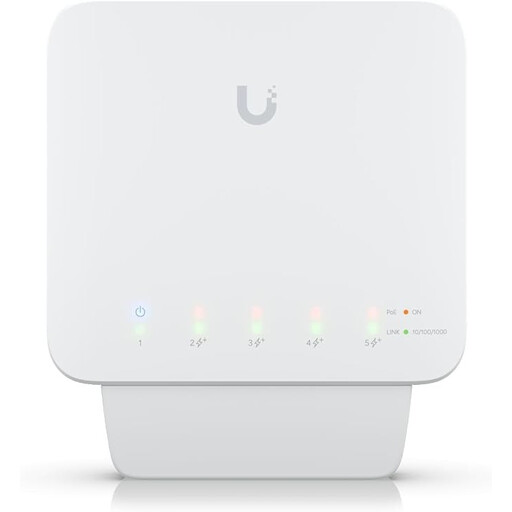 No image available
An option if you need PoE+ outputs or manageable network features, and have planned for the power supply.
Five Gigabit RJ45 ports; four PoE+ outputs with up to 25 W per port. Requires a compatible PoE++ source or a 60 W PoE adapter; PoE injector and power supply not included.
No, the box needs a LAN port. Telekom says the MagentaTV Stick connects via Wi-Fi, while the MagentaTV One is listed as supporting LAN too. If there’s already a suitable spare port on your router, you may not need an extra switch for a single box.
Connect one of the switch’s ports to your router with a network cable, then plug your box and other devices into the remaining ports. According to the manufacturers, the unmanaged models listed don’t need configuring; then check the connection lights and your box’s network settings.
No, it depends on your specific IPTV setup. The OPNsense documentation mentions IGMP snooping for its MagentaTV multicast configuration; this doesn’t mean it’s required for every streaming service. First, check which service and network setup you’re using.
A switch needs a power supply; check the specifications for the exact model’s power supply and consumption. D-Link’s German product page lists a five-year warranty for the DGS-105 and says you can extend it by registering the product.
The Bundesnetzagentur includes CE marking and product and manufacturer details among the points it checks when monitoring the market; this isn’t an assessment of network performance. The Umweltbundesamt advises that waste electrical and electronic equipment must be collected separately from unsorted household waste.