What should you look for when buying?
First check whether your halls’ network connection allows multiple devices. Then count the ports you need and only consider PoE or management features if they’re genuinely useful.
The proportions below relate to the most important buying consideration for a switch for a smart home hub in a student room.
| Consideration |
What to check before buying |
Who is this particularly important to? |
| Halls’ network rules |
Check with your specific provider whether multiple devices and additional MAC or IP addresses are allowed, and whether registration is required. |
If I need to know whether the socket in my room supports multiple devices, I don’t want to buy a switch for a connection that won’t allow me to use it. Around 33% of consumers put approval from their halls first. |
| Simple hub connection |
Check the hub’s connection type, an available router port, space for the switch and access to a power socket. Philips says the Philips Hue Bridge Pro can connect via Wi-Fi or Ethernet. |
If I just want to connect my hub to a network where this is already allowed, I’m looking for a simple solution without unnecessary features. Around 27% of consumers prioritise an easy connection for their hub. |
| Number of ports |
Count all the devices you want to connect by cable, then allow one port for the uplink. Assuming five ports in total, that leaves four for devices; with eight ports, there are seven. |
If I want to connect other devices by cable as well as my hub, I need to make sure there are enough ports. Around 20% of consumers prioritise having room to add more connections. |
| PoE power supply |
Compare the PoE standard and power requirements of your specific devices with the switch’s power budget. TP-Link specifies up to 30 W per PoE port and 40 W in total for the TL-SG1005LP. |
If a specific device is confirmed to support power over Ethernet, I want to choose a suitable standard and power output. Around 13% of consumers put a specific PoE requirement first. |
| Network management |
Decide in advance which settings you need to change and whether you’re allowed to manage the network in question. TP-Link says the TL-SG105E offers management features through a user interface and configuration utility. |
If I want to manage settings on my own network, the right configuration matters more to me than straightforward plug-and-play operation. Around 7% of consumers prioritise management features. |
Joybuy products for extra network ports
This selection includes Ethernet switches for adding wired connections to an approved private network, including basic, PoE and managed models.
 No image available
Ubiquiti UniFi Flex Mini 2.5G Managed
For a wired network that needs 2.5 GbE connections and UniFi Network management. Check that these features suit your devices and network.
Product name: 2.5 GbE Ethernet, PoE and desktop format.
View at Joybuy
 No image available
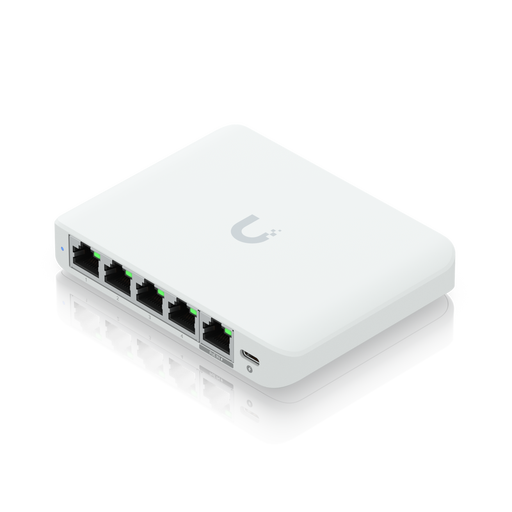
Ubiquiti UniFi Switch Flex Mini USW-FLEX-MINI-EU
For a small managed network with wired devices. Check first whether you actually want to use UniFi Network management.
Five Gigabit Ethernet ports; according to the product name, power is supplied via USB-C or 802.3af/at PoE. Stated switching capacity: 10 Gbit/s.
View at Joybuy
 No image available
D-Link DGS-1005P/E
For a network with compatible PoE+ devices that also needs a Gigabit switch. Check the power requirements of your devices and the shared power budget.
Five Gigabit ports, four of which are PoE+ ports; the product name specifies a 60 W PoE budget, a fanless metal casing and plug-and-play operation.
View at Joybuy
 No image available
D-Link DGS-1210-10/E
For a network that needs extra wired connections and specific management features. Check whether you manage the network yourself and need the additional ports.
Eight Gigabit RJ45 ports and two SFP slots; the product name specifies smart management with L2/L3 management. Stated switching capacity: 20 Gbit/s.
View at Joybuy
 No image available
TP-Link TL-SG1008P
For a wired network that needs PoE for compatible devices as well as extra Ethernet ports. Check the PoE standard and total power available.
Unmanaged Gigabit Ethernet switch with PoE; the product description specifies Ethernet at 10/100/1000 Mbit/s.
View at Joybuy
Frequently asked questions
Will a switch turn the network socket in my halls into a private network?
No. The unmanaged switches covered here add Ethernet ports, but they don’t act as a router or register devices with your halls network.
Does every smart home hub need a switch and PoE?
No. It depends on the connection and power supply used by the hub. According to Philips Hue’s German instructions, the Hue Bridge Pro can connect via Wi-Fi or Ethernet and is powered via USB-C, so this model doesn’t need PoE.
What should I check if my hub isn’t accessible after connecting it?
First check that the hub has power and is connected to Ethernet, then check registration and address allocation on your specific network. Halls may use different access procedures; adding another switch port won’t override these requirements.
What ongoing costs and rights should I consider when buying?
The switch and connected devices need power, so check whether a power adapter is included with the specific product. According to the Verbraucherzentrale, consumers in Germany generally have a 14-day right to cancel an online purchase. Before ordering, check the terms that apply to your purchase and any delivery or return costs.
How should I dispose of a faulty switch?
Don’t put electrical equipment in household rubbish. The German Environment Agency recommends taking old electrical equipment to a suitable collection point.


