
Lieferung heute & morgen

Qualitätsgarantie

Willkommens-Angebote freischalten: KOSTENLOSE Lieferung | Bis zu 80 % RABATT | Kostenlose 30-Tage-JoyPlus-Testphase
App herunterladen
A network switch expands a wired LAN when the router or existing network devices do not provide enough connections. However, for home working, gaming, IP cameras, access points and office workstations, the choice is about more than just the number of ports. An affordable Ethernet switch may be unsuitable if its speed, power supply or management features do not match your intended use.
A 5-port switch provides five RJ45 connections, but one is often used to connect to the router. This leaves four connections for end devices. With an 8-port switch, you will usually have seven free ports for computers, printers or access points.
So plan for at least one additional connection as a spare. For growing home networks or small offices, a 16-port switch or 24-port switch may be a better choice than a model with too few ports.
Not every LAN switch operates at 1,000 Mbit/s. A Fast Ethernet model generally supports 10/100 Mbit/s, while a Gigabit switch can negotiate data rates of up to 1,000 Mbit/s per port. For high-bandwidth internet connections, NAS file sharing, video streaming or gaming, Gigabit Ethernet is usually the more suitable interface.
According to the product specifications, the TP-Link TL-SF1016D and TP-Link TL-SF1048 operate at 10/100 Mbit/s. This may be sufficient for basic printer connections or older surveillance systems. For new workstations or fast local data transfers, however, the switch should explicitly support Gigabit Ethernet.
A PoE switch transmits power and data over an Ethernet cable. Three figures are key:
For example, a switch with four PoE ports and a total budget of 65 watts can power several IP cameras, provided their individual power requirements and combined consumption remain within the manufacturer's specifications. For installation, check compatibility with PoE standards such as IEEE 802.3af or IEEE 802.3at.
An unmanaged switch, also known as a plug-and-play switch, normally requires no configuration. Simply connect the devices and network cables, then connect the power supply. This option is suitable for homes, straightforward home-working setups and small network expansions.
A managed switch provides additional settings. These may include VLANs, port mirroring, access control, loop prevention or Quality of Service. A VLAN switch can, for example, logically separate office devices, guest access and cameras. However, these functions require networking knowledge and a specific use case.
The stated switching capacity describes how much data traffic a device can process internally. A 5-port Gigabit model with a switching capacity of 10 Gbit/s is theoretically designed to handle five Gigabit ports. For the actual speed, the router, network adapter and cables must also be suitable.
Cat5e cables or higher are commonly used for Gigabit connections. With long cable runs, unsuitable installation or older cables, the connection may automatically drop back to 100 Mbit/s. Features such as auto-negotiation and Auto-MDI/MDIX simplify connectivity, but they cannot replace sound cabling.
A fanless switch operates without a fan, making it suitable for quiet workspaces. Nevertheless, it needs adequate ventilation. Do not cover the ventilation openings. For network cabinets, 19-inch models with rack mounting are relevant, while compact desktop devices can be placed on a desk or mounted on a wall.
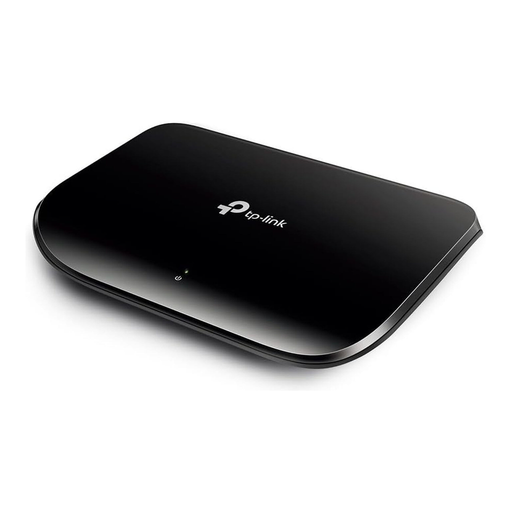
Why this product suits the profile: This model offers five 10/100/1000 Mbit/s RJ45 ports and, according to the product specifications, requires no additional configuration. It is therefore suitable for a straightforward expansion of a home network or home-working setup.
The Gigabit specification is clearly stated. At the same time, the number of ports remains manageable, so you do not need to choose an unnecessarily large device for just a few end devices.
Five Gigabit ports, auto-negotiation, Auto-MDI/MDIX and, according to the specifications, fanless operation.
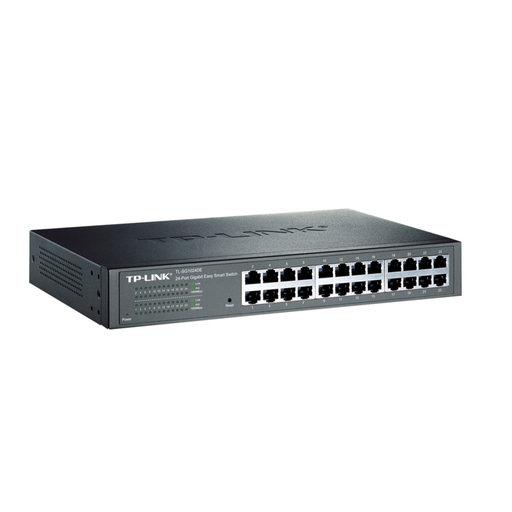
Why this product suits the profile: This 24-port switch is aimed at offices and small businesses that need to connect numerous wired devices and want to use basic monitoring and VLAN features.
The specification goes beyond the number of ports: web management, port mirroring, loop prevention and cable diagnostics are all explicitly listed.
24 Gigabit RJ45 ports, metal housing, rack mounting and support for Jumbo Frames of up to 10 KB, according to the product description.
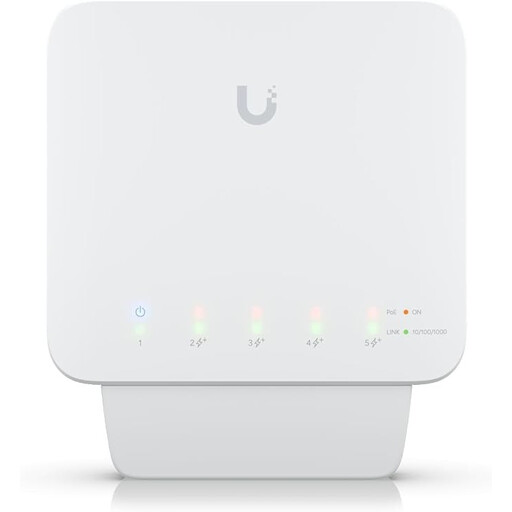
Why this product suits the profile: This compact managed switch is designed for installations with PoE devices and flexible mounting locations. It can be placed on a desk, mounted on a wall or attached to a pole.
The power supply is not overlooked: a compatible PoE++ source or PoE adapter is required and, according to the product specifications, is not included.
Four PoE+ outputs, up to 46 watts of total power with a suitable input supply, plus VLAN and port isolation features.
We have put together a complete, regularly updated list of products that fully meet these strict selection criteria and the safety regulations applicable in the EU.
Add up all the wired devices you plan to connect and reserve at least one port for the connection to the router. For a small number of devices, a 5-port switch or 8-port switch is often sufficient. In offices and installations with several workstations, 16 or 24 ports plus some spare capacity is a sensible choice.
A suitable Gigabit switch does not normally reduce the speed automatically. However, the actual data rate depends on the router, end devices, cables and the standard supported by the relevant port. With a Fast Ethernet switch, the connection is limited to 100 Mbit/s.
The cost depends on power consumption, operating time and your electricity tariff. A fanless desktop model often uses less energy than a large PoE or rack-mounted unit. With PoE switches, the power consumed by connected cameras, access points or telephones is added to the switch's own consumption. You should therefore compare the manufacturer's stated power consumption and PoE budget before buying.