
Lieferung heute & morgen

Qualitätsgarantie

Willkommens-Angebote freischalten: KOSTENLOSE Lieferung | Bis zu 80 % RABATT | Kostenlose 30-Tage-JoyPlus-Testphase
App herunterladen
A network switch expands a wired network when the ports on your router are no longer sufficient. Computers, printers, games consoles, NAS systems, IP cameras, access points and VoIP telephones can all be connected via Ethernet. The choice may seem straightforward at first, but some product specifications can lead to the wrong purchase.
A 5-port switch does not automatically provide five free connections. One of the ports is usually used to connect to the router. This leaves four ports for end devices on a 5-port switch. That may be enough for a home office with a PC, printer, smart TV and NAS, but connecting additional devices later will not be straightforward.
It is therefore best to plan for at least one spare port. For several workstations or a small office, an 8-port switch, 16-port switch or 24-port switch may be the better choice.
A Gigabit switch supports speeds of up to 1,000 Mbit/s per port. However, the actual speed also depends on the router, network card, cable quality and connected device. An older device with 100-Mbit/s Ethernet will not become faster simply because it is connected to a Gigabit switch.
Also check the switching capacity. For example, a model with five Gigabit ports may have a switching capacity of 10 Gbit/s. This figure describes the total internal performance and should not be confused with your internet speed.
A PoE switch transfers data and power over an Ethernet cable. This is convenient for IP cameras, access points and VoIP telephones, but compatible standards are required. Check the end device’s standard, such as IEEE 802.3af or IEEE 802.3at, as well as its maximum power consumption per port.
The total PoE budget is also crucial. A switch with a total budget of 65 watts cannot supply an unlimited number of devices requiring 30 watts each. When connecting several devices, their combined power consumption must remain within the stated budget.
For new installations in the home, Gigabit Ethernet with 10/100/1000 Mbit/s is a versatile choice. Wherever possible, use Ethernet cables rated Cat5e or higher. With older existing cables, damage or an insufficient category rating can limit the connection.
A Fast Ethernet switch with 10/100 Mbit/s may be sufficient for basic printer or office applications. For file transfers, NAS use, gaming and several simultaneous streams, however, a Gigabit switch provides greater performance headroom.
An unmanaged switch, also known as a plug-and-play switch, normally requires no configuration. Simply plug in the cables, connect the power supply and attach your devices. This is ideal for home networks, home-office workstations and small installations without separate network segments.
A managed switch, on the other hand, allows you to configure features such as VLAN, QoS, port monitoring, port isolation and IGMP Snooping. These functions are useful when, for example, guests, cameras and office devices need to be kept separate. However, they do increase the setup effort.
A fanless enclosure operates quietly and is suitable for desks or living spaces. Metal housings can help dissipate heat, but they do not replace adequate ventilation. Do not cover the ventilation openings, and use only the supplied power adapter or one explicitly confirmed as compatible.
For server rooms and office environments, rackmount switches with 19-inch or 13-inch-compatible mounting can be worth considering. For connecting a laptop without an RJ45 port on the move, you will instead need a USB Ethernet adapter or USB-C Ethernet adapter. Check whether the adapter supports only 100 Mbit/s or speeds of up to 1,000 Mbit/s.
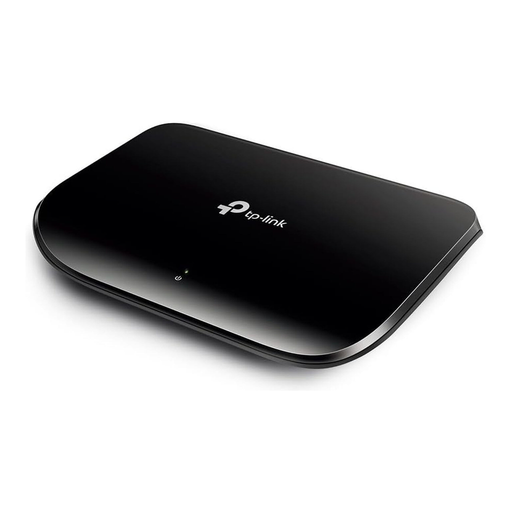
Why this product suits the profile: This unmanaged desktop switch connects up to five RJ45 devices at 10/100/1000 Mbit/s and requires no software configuration. It is ideal for extending a home or home-office network without unnecessary complexity.
The Gigabit specification applies to all five ports, while the 10 Gbit/s switching capacity is clearly stated. If you expect to connect more devices, you should nevertheless choose a model with more ports.
5 Gigabit RJ45 ports, a fanless design and automatic speed adjustment.
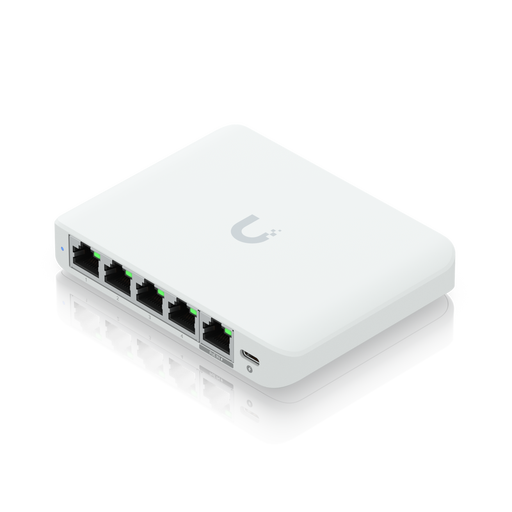
Why this product suits the profile: This managed switch provides five 2.5 GbE RJ45 ports, making it suitable for NAS systems, modern workstations and high-performance Wi-Fi access points.
The higher port speed is clearly specified, together with a switching capacity of 25 Gbit/s and Layer 2+ management functions.
2.5 GbE ports, VLAN support, port mirroring and PoE input; USB-C power is also supported as an alternative.
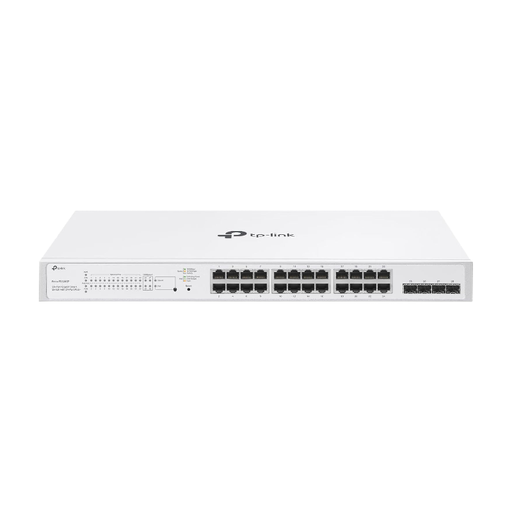
Why this product suits the profile: With 24 Gigabit PoE+ ports and four SFP slots, it is designed for small businesses, offices and larger installations.
The 250-watt PoE budget and the limit of up to 30 watts per port are clearly stated. This allows you to calculate the power requirements of connected devices before buying.
24 PoE+ ports, four SFP slots, VLAN, ACL, IGMP Snooping and cloud management.
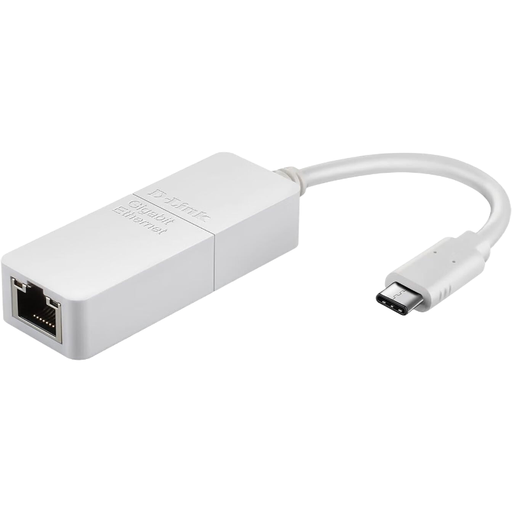
Why this product suits the profile: This USB-C Ethernet adapter gives laptops and desktop computers without an integrated network port a wired connection.
The USB 3.0 interface and support for 10/100/1000 Mbit/s are clearly specified. Nevertheless, check your computer’s USB-C functions.
Gigabit RJ45 connection, plug-and-play installation and support for Windows and macOS according to the product specifications.
We have compiled a complete, regularly updated list of products that fully meet these strict selection criteria and the safety regulations applicable in the EU.
A switch does not replace a router. It distributes the wired network connection, but normally does not handle internet dial-up or the allocation of IP addresses.
Do not count the router uplink as a free port, and plan for at least one spare port. A 5-port or 8-port switch is often sufficient for a few devices. For several workstations, cameras or network printers, a 24-port switch provides more flexibility.
An Ethernet switch does not automatically increase the speed of your internet connection. However, it can connect several wired devices and prevent bottlenecks caused by too few router ports. The connection is limited by the slowest relevant component, such as a 100-Mbit/s port or an unsuitable cable.
This depends on the model, workload and PoE consumption. A small unmanaged switch often requires only a few watts. PoE models also use power for connected devices. Therefore, compare the stated power consumption and calculate the PoE budget separately from the switch’s own power usage.