Editing text on the go
You mainly check paragraphs, links and subject lines, and want to type comfortably on a small table.


If you’ll mainly be editing text at a café table, a compact tablet with a keyboard designed for that specific model is a sensible starting point. A larger display gives you more room to make layout changes and preview your work, but takes up more space. Check how your newsletter workflow actually works in the app and browser: Mailchimp documents editing on mobile, but some features are only available in the browser. Also factor in accessories, connectivity and how you’ll protect your work data.
You mainly check paragraphs, links and subject lines, and want to type comfortably on a small table.
You move content blocks, add images and check different layouts. The screen size and the editor you use are key.
You move between cafés and need a portable set-up that takes connectivity, battery life and the security of your work data into account.
First, check that your newsletter editor lets you complete the tasks you need on a tablet. Then weigh up the keyboard, screen space, portability and connectivity to suit your café routine.
| What matters | What to check before buying | Who is this important to? |
|---|---|---|
| Typing and the editor | Edit a test draft in the app and browser; check the keyboard layout, model compatibility and what’s included. | If I’m editing longer pieces of text and subject lines, I want to type comfortably and use the editor features I need. Around 28% of consumers put typing and editor features first. |
| Layout and preview | Check your newsletter in mobile and desktop previews, and make sure it’s easy to read on the size of table you usually use. | If I’m editing images and content blocks, I need enough screen space to assess the draft properly. Around 22% of consumers prioritise layout space and preview features. |
| Portability and power | Compare the weight and design of the specific tablet and keyboard combination, and consider how you’ll typically work when there’s no socket nearby. | If I’m carrying my device between cafés and working in a small space, I want the complete set-up to be easy to transport. Around 17% of consumers mainly value a lightweight working set-up. |
| Connectivity and data protection | Work out whether you need mobile data when you’re out and about. If you’re handling sensitive information, follow the Federal Office for Information Security’s advice on using public Wi-Fi networks. | If I’m accessing my work account in a café, I want a suitable connection and to handle my data carefully. Around 17% of consumers prioritise connectivity and protecting their work data. |
| Device and accessories | Check which keyboard is compatible with the exact model variant and what accessories are included in each listing. | If I’m looking for a complete typing set-up, I want to know in advance exactly what I’ll need. Around 16% of consumers first look at the overall device and accessory configuration. |
Mailchimp documents editing in its mobile apps, but directs users to the browser version for features that aren’t available there.
Try the tasks you want to do at the café on a test draft.
If a feature you need isn’t available in the app, you may have to take an extra step in the browser.
Keyboards and other accessories aren’t automatically compatible with every model variant. Microsoft notes that the Surface Keyboard and Slim Pen are sold separately.
For each model you’re considering, check what’s included and whether the accessories are compatible with that exact version.
Apple lists its Wi-Fi iPad Air models at 464 g for the 11-inch version and 616 g for the 13-inch version. Samsung lists the Galaxy Tab S10 FE at 10.9 inches and the FE+ at 13.1 inches; compare the right variant, including accessories, for your café table.
Try out the complete set-up, including the device, stand and keyboard, on a table of a similar size.
Mailchimp notes that the appearance of an email can vary depending on the device and application.
Send a test email before sending the final version, and check the views that matter to your recipients.
The iPad Air comes in different display sizes, so you can choose the one that best suits the space you have for editing.
The Galaxy Tab S range includes Android options with different amounts of screen space.
Surface Pro is a Windows 2-in-1 option for a more browser- or laptop-focused way of working.
The IdeaPad Duet 3i Gen 8 is a Windows 2-in-1 that can be used in tablet or laptop mode.
The Pad 7 is an Android option with a documented keyboard accessory.
The options below include compact Android tablets with keyboards, as well as larger tablets for working on layouts. Check the exact device variant and which accessories are included in each case.
 No image available
This compact tablet and keyboard set is an option if you mainly want to edit text at a café table.
Android 16, a 10.1-inch display and Wi-Fi 6 are listed in the product name.
 No image available
The Pad 7 with keyboard is worth considering if you want to edit text and check newsletter content on an Android tablet.
Xiaomi lists the Pad 7 as having an 11.2-inch display and weighing 500 g. The product title also mentions a 3.2K display with 144 Hz; check that the keyboard is compatible with the version on offer.
 No image available
The larger screen could be useful for making layout changes, but it takes up more room on a small café table than a compact tablet.
The product title lists Android 16, a 13.4-inch 2K display, keyboard, mouse, stylus, case and stand.
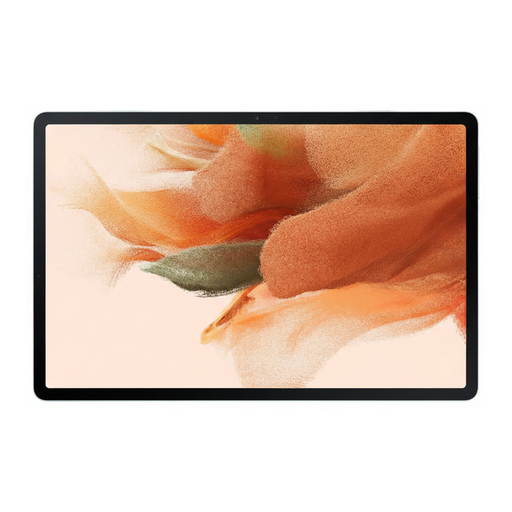 No image available
The larger display is worth considering if you want more room to view newsletter content and have enough space at your café table.
The product details list a 12.4-inch display, 2560 × 1600 pixels and an included S Pen.
 No image available
The large display and the keyboard listed in the product title make this an option for working on layouts, provided you have enough table space.
Android 15, Dual-SIM 4G LTE and a 12.7-inch 2K display are listed. The set also includes a stylus, protective case and English Bluetooth keyboard.
It depends on the newsletter software you use and the features you need. Mailchimp explains how to create and edit newsletters in its mobile apps, but directs users to the browser version for features that aren’t available there. Before you buy, try a real draft in both the app and browser.
Check both the mobile and desktop previews, and test the email on the devices your recipients are likely to use. Mailchimp notes that how an email looks can vary depending on the device and application.
Set up your app or browser, account and keyboard before you start working. The Federal Office for Information Security recommends avoiding access to sensitive data over public Wi-Fi where possible. If you have no alternative, it recommends using a VPN. This is security advice, not a requirement to buy a tablet with mobile data.
For eligible consumer contracts, you generally have a 14-day right to cancel. If an item is faulty, statutory rights against the seller are different from a voluntary guarantee. The Verbraucherzentrale also explains that additional rules apply to purchases made from 31 July 2026; check the terms that apply to your contract.
Look for clear product and manufacturer details, as well as documentation confirming that the specific device complies with relevant requirements. For its market surveillance, the Federal Network Agency lists checks including correct CE marking, identifiable manufacturer details, instructions in German and a declaration of conformity.