Leading meetings with lots of contributions
If you often lead meetings from an office where conversations can be heard, what matters most is how clearly remote participants can hear you.


For a planning meeting in a noisy office, choose a headset whose microphone performance you can check against background conversations; noise cancellation (ANC) in the earcups alone doesn’t show whether your voice will come through clearly. Then decide between wired USB for a fixed desk and wireless freedom of movement, and between mono and stereo depending on whether you need to hear people in the room. A test call in similar conditions will tell you more than a general ANC claim.
If you often lead meetings from an office where conversations can be heard, what matters most is how clearly remote participants can hear you.
If you switch between remote and in-person participants, consider how much isolation you need to listen comfortably and how much you want to stay aware of what’s happening around you.
If you don’t always use the same computer, make sure you consider the connection, any adapters you’ll need and, for wireless models, the battery level before your meeting.
First, check how clearly your voice comes through when there are background conversations. Then choose the connection, level of isolation and comfort that best suit your meetings.
The percentages reflect consumers choosing a headset to lead a planning meeting in a noisy German office. Each person is assigned to the factor they consider most important when buying.
| Priority | What to look for | Who is this especially important to? |
|---|---|---|
| Clear voice transmission | Check for a microphone boom and clearly stated microphone noise reduction; before using the headset, make a test call with similar background voices. | When I lead meetings regularly, I want remote participants to hear me clearly despite conversations in the office. Around 36% of consumers prioritise clear transmission of their own voice. |
| Listening while staying aware of the room | Compare mono and stereo, as well as the fit and isolation of the specific model; don’t assume ANC will reliably block intelligible speech. | When people take turns speaking, I want to hear remote participants while still being able to respond to colleagues in the room. Around 29% of consumers focus mainly on this balance. |
| Connection and call controls | Check USB-A or USB-C, any adapters you need and the specific Teams or UC version against your computer and meeting app. | When I lead meetings on different computers, I want to know that the connection and call controls I need are compatible. Around 21% of consumers prioritise connectivity and platform features. |
| Comfort and readiness | Try the fit if possible; with wireless models, check the charging method, included accessories and battery level before your meeting. | For longer meetings, I want a comfortable headset that’s ready to use. Around 14% of consumers focus especially on comfort and preparation. |
ANC in the earcups and noise filtering at the microphone deal with different sides of a conversation. In tests on headphones from 2019 and 2020, the German Federal Institute for Occupational Safety and Health found no evidence that ANC is particularly effective against intelligible background speech.
Read information about microphone filtering separately from ANC claims, and test how your voice comes through on a call in similar office conditions.
Different versions may vary in features such as mono or stereo, connection, platform compatibility and included accessories. As a result, one version may not suit the computer or meeting app you use.
Compare the full model and version names, and check the connection and exactly what’s included in the box.
A headset won’t automatically fix noise levels in your workplace. The ASR A3.7 from the German Federal Institute for Occupational Safety and Health covers the design and operation of workplaces and workstations in workrooms.
If disruptive noise persists, also discuss whether you can change the meeting location or make adjustments to the layout or working arrangements.
According to the manufacturer, business headsets such as the Evolve2 65 Flex combine a compact, foldable design with wireless use.
The Zone Wired 2 for Business is a wired USB option for leading meetings from a fixed workstation.
The Voyager Focus 2 and Blackwire 8225 are wireless and wired business options with different types of connections.
According to EPOS, the IMPACT-1000 series includes different mono and ANC versions.
The BH76 is a wireless option with a retractable microphone boom.
This selection includes wired USB headsets, wireless models and mono versions for different meeting situations. Before you buy, check that the connection, version and meeting app suit your workstation.
 No image available
For conference calls on your computer when you want a wired headset at your desk.
Stereo; USB; 2.4 m cable; the product name states that it’s for PC, Mac and laptop.
 No image available
For leading meetings with freedom to move around, if you’re looking for a wireless model.
Wireless PC headset with charging dock; the product name also mentions 8-Microphone Technology.
If you use it wirelessly, remember to check the battery level before your meeting.
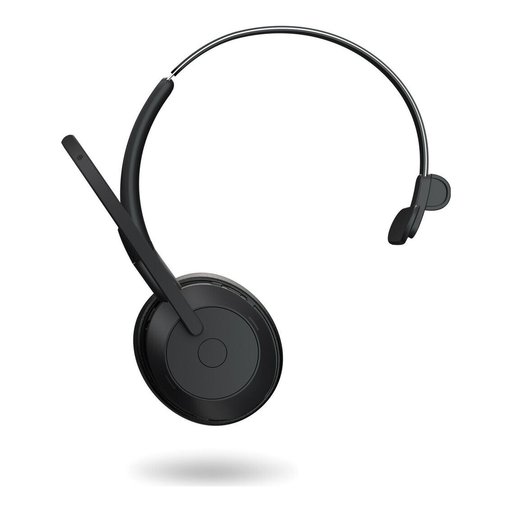 No image available
A mono version may suit you if you want to keep one ear free to hear people in the room while leading a meeting.
Mono; wireless.
 No image available
For leading meetings on your computer, if a mono version suits your needs.
Mono; USB port; in-line volume control and mute with LED indicator.
Check that your computer has the right USB-A port.
 No image available
For meetings on your computer; before buying, check that a USB-A port is available and that this version works with your meeting app.
No. Check microphone noise reduction and ANC for your ears separately. In tests on headphones from 2019 and 2020, the German Federal Institute for Occupational Safety and Health found no evidence that ANC is particularly effective at blocking intelligible background speech. This doesn’t tell us how well any specific current microphone performs.
Check the connection on the computer you’ll be using, then select the headset for both input and output in your meeting app. Test the mute control and record your voice with background noise present; with wireless models, also check the battery level and any adapters you need. If you want to use call controls in Microsoft Teams, check the certification of the specific version.
No. The ASR A3.7 from the German Federal Institute for Occupational Safety and Health sets out requirements for reducing noise when designing and operating workplaces and workstations in workrooms. If disruptive noise persists, consider changes to the layout or working arrangements as well as your choice of headset.