Joybuy products for hosting meetings in the office
This selection from Joybuy includes wired and wireless headsets for hosting at your computer or while moving around. For each model, check that the connection and microphone features suit the way you run your meetings.
 No image available
Jabra Evolve2 75 Wireless PC Headset with Charging Dock, USB-C
For hosting wirelessly when you want to move around and reduce background noise while listening.
Bluetooth 5.2 and USB-C are listed; the product description specifies eight microphones and ANC. ANC alone doesn’t tell you how clearly your voice will come across to others.
View on Joybuy
 No image available
Jabra Engage 75 SE Wireless Stereo Headset
For wireless calls when the stated microphone noise cancellation and base station suit your workspace.
The product description lists DECT and a range of up to 150 m. A USB-C-to-USB-A connection and phone connection accessories are also listed; check they’re compatible with your devices.
View on Joybuy
 No image available
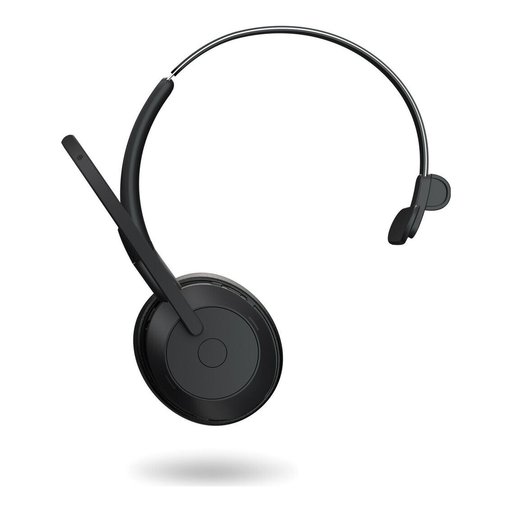
Jabra Evolve2 55 Mono Wireless Headset
For wireless calls if you’re looking for a mono headset with specified microphone features and ANC.
Bluetooth 5.2, USB-C and a Link-380 adapter are listed. The product description states up to 37 hours of battery life without ANC; Teams certification is listed for the specified version.
View on Joybuy
 No image available
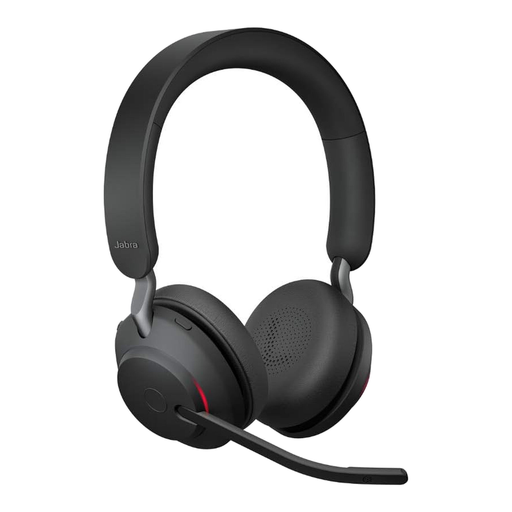
Jabra Evolve2 65 Wireless PC Headset with USB-C Bluetooth Adapter
For hosting wirelessly if a rotatable boom microphone suits the way you run your meetings.
The description lists three microphones, a USB-C Bluetooth adapter and up to 37 hours of battery life. It also specifies a weight of 176,4 g and an on-ear design.
View on Joybuy
 No image available
Logitech H151 Stereo Headset with Adjustable Noise-Cancelling Microphone
For a fixed workstation if you prefer a wired connection and an adjustable microphone.
A 3.5 mm connection, volume control and mute function on the cable are listed. Your device needs a compatible audio port.
View on Joybuy
Frequently asked questions
Will my headset pick up everyone speaking in the office?
You shouldn’t assume it will. Zoom Support notes that a single microphone may not pick up every voice in medium-sized or large rooms. If several people will be speaking in person, plan for room audio separately and test it with people joining remotely.
How can I check my equipment before the club meeting starts?
Select the headset for both input and output in your meeting app, then test the microphone, speakers and mute function. If you need Teams call controls, check the certification for the specific version; Microsoft describes this feature for certified devices. If several devices in the same room have audio switched on, echo can occur. Zoom Support recommends disconnecting the audio on additional devices.
What should I check when choosing a wireless headset?
Check the battery level before longer meetings and confirm how the headset is meant to connect to your computer. For the IMPACT-106x-ANC versions described, EPOS notes that ANC can only be activated when the headset is switched on and sufficiently charged. This condition applies to the versions mentioned.
Who is responsible if a headset is faulty in Germany?
For a consumer purchase, the seller is generally responsible for the statutory warranty, not the manufacturer. The Verbraucherzentrale states that this generally lasts for two years from delivery; a manufacturer’s guarantee is separate. Check the terms of your specific purchase.
Can I simply record the online club meeting?
Using a headset doesn’t give you permission to record. If you plan to make a recording, the responsibilities, legal basis and information provided to those affected need to be appropriate for the specific circumstances. The Datenschutzkonferenz covers these matters in its checklist for video conferencing systems. The Federal Commissioner for Data Protection and Freedom of Information notes that users determine which content and personal data are part of the communication.


