
Lieferung heute & morgen

Qualitätsgarantie

Willkommens-Angebote freischalten: KOSTENLOSE Lieferung | Bis zu 80 % RABATT | Kostenlose 30-Tage-JoyPlus-Testphase
App herunterladen
If you’re looking for Norton VPN Plus 5 Devices, 1 Year, you’re probably hoping to connect several devices to an annual VPN subscription, protect your personal data more effectively or access content from other regions while you’re away from home. Many offers can look similar at first glance. Differences often only become clear when you check the number of devices, supported platforms, additional features and activation requirements.
This buying guide helps individuals, families, gamers and streaming fans in Germany, the EU, Switzerland and the UK assess product details objectively.
A VPN may be licensed for multiple devices without allowing every family member to use as many connections as they like at the same time. Before buying, check whether the offer specifically states five devices and which operating systems it supports.
Norton VPN Plus is listed for 5 devices for 1 year. According to the product details, it’s designed to work with Windows, macOS, Android, iOS and Smart TVs, among other platforms. However, not all features may be available on every platform.
A VPN that lets you change your location can alter your virtual location. That doesn’t automatically mean every streaming service will give you access to every library. Providers may detect VPN connections or license their content differently in each region.
If you’re looking for a VPN for streaming, don’t just check the number of server locations. You should also consider the streaming service’s terms of use, whether its app is available on your device and whether you can set up a connection on a Smart TV.
A VPN with a password manager and dark web monitoring brings together several security features, but it doesn’t replace strong passwords, software updates or caution when dealing with unfamiliar messages. According to the product description, dark web monitoring can alert you if stored personal information is found. It doesn’t automatically prevent identity theft or guarantee that the entire internet is monitored.
According to the product details, Norton VPN Plus uses AES-256 encryption and creates an encrypted VPN tunnel. AES-256 is an encryption standard often used to describe how digital connections are secured. When choosing a VPN, it’s also worth checking that you can set up the app reliably on your devices and that your connection is protected automatically when you switch networks.
A VPN protects the connection between your device and the VPN server. It doesn’t automatically make every website trustworthy, though. Phishing links, tampered downloads and insecure accounts remain potential risks.
Before buying, check:
According to the description, this product must be activated in the European Economic Area, Switzerland or the United Kingdom. This regional requirement is particularly important for households in Germany.
A VPN connection can affect your internet speed. Actual performance depends on factors such as your broadband connection, distance from the server, server load and the platform you’re using. According to the product details, Norton VPN Plus automatically selects a fast server location and lets you change location with one click. These are handy features, but they don’t guarantee a particular speed on every connection.
For gamers, latency and distance from the server are also important. Choosing a location further away can increase your ping. For streaming, you’ll need a stable enough connection for the resolution you want.
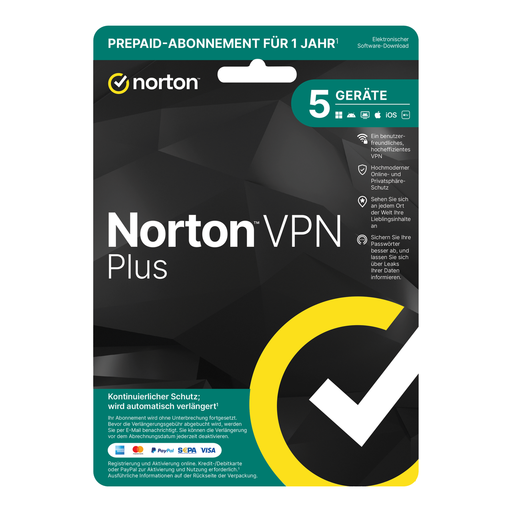
Why this product suits this profile: An annual subscription for up to five devices can be easier to manage than several individual VPN licences, for example for a mobile phone, laptop and tablet.
The number of devices and subscription length are clear from the product name. Before buying, check whether five devices are enough for your household.
1-year subscription; supports Windows, macOS, Android, iOS and Smart TVs according to the product details.
Why this product suits this profile: A good fit for users who want to consider VPN protection, password management and alerts about their personal data in one package.
The additional features serve different purposes: AES-256 encryption, a password manager and dark web monitoring each do a different job.
Encrypted VPN tunnel; according to the product description, an integrated digital vault for creating and managing complex passwords.
Why this product suits this profile: For households with several devices, and for users who want to use a VPN connection while travelling, gaming or watching on a Smart TV.
Automatic server selection and location switching are handy features, but they don’t replace checking latency, streaming rules and platform compatibility.
Change your location with one click; also designed for Smart TVs according to the product details.
We’ve put together a complete, regularly updated list of products that meet these strict selection criteria and fully comply with the security regulations in force in the EU.
After buying, activate the product within the specified region. Then install the relevant app on the devices you plan to use and choose a separate, strong password for each account. Setup on a Smart TV may vary depending on the model.
For secure browsing on public Wi-Fi, it’s a good idea to switch on your VPN connection before opening any sensitive services. Also check for app and operating system updates regularly. When gaming online, choose the nearest suitable server, as changing location can affect latency.
The product name states 5 devices. According to the description, the offer is compatible with Windows, macOS, Android, iOS and Smart TVs. The exact features available may vary by platform and country.
A VPN can change your virtual location and provide an encrypted connection. However, whether you can use it for streaming depends on the service, its terms of use, server availability and device compatibility.
According to the product description, the package includes a password manager with a digital vault, as well as dark web monitoring. These features help you manage and check stored information, but they don’t automatically prevent security incidents.