What should you look for?
First compare the operating system, keyboard layout and how well you can use your development tools. Then choose a display, ports, portability and included accessories to suit your actual workspace.
| What matters |
What to check before buying |
Who is it important to? |
| Keyboard control |
Check the layout of the exact version and the operating system’s keyboard controls. Later, test the application using Tab, Shift+Tab, Enter and Space. |
If I need to test every task without a mouse, I look for controls I can reach and a visible focus indicator; around 31% of consumers put keyboard control first. |
| Development environment |
Check that the operating system and exact configuration work with your editor, browser and, if needed, local development environment. |
If my development tools depend on a particular system, I check compatibility first; the right development environment is the top priority for around 25% of consumers. |
| Room for code and previews |
Compare the display size, resolution and finish of the exact version. If you have a permanent workspace, check that it connects to your existing monitor. |
If I want to see code and a browser preview at the same time, the available screen space matters most to me; around 19% of consumers prioritise this. |
| Mobile setup |
Check the weight and ports of the exact model, along with the accessories you’ll need when working in different locations. |
If I work in different places regularly, I need to consider how much equipment I can carry; a mobile setup is the main priority for around 13% of consumers. |
| Total cost and what’s included |
Check the power supply, any accessories you’ll need and the service terms for the exact configuration. Distinguish optional warranties from your statutory rights. |
If I need to budget for accessories as well as the laptop, I want to know exactly what’s included; around 12% of consumers prioritise total cost and support. |
Joybuy products
The Windows laptops below can be compared by their stated specifications, including development environment, display and workspace setup. For each exact version, check the keyboard layout and how well your tools work with keyboard controls.
 No image available
Lenovo Yoga Slim 7i Aura Edition, 14-inch
A Windows configuration to compare if you want to check your development tools against the exact operating system and keyboard layout.
2.8K OLED display, Core Ultra 7 355, 16 GB RAM, 1 TB SSD, Windows 11 Evo.
View at Joybuy
 No image available
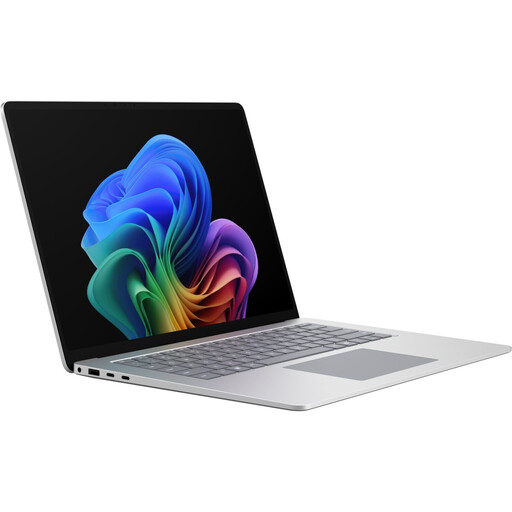
Microsoft Surface Laptop 8 for Business, 15-inch
A Windows configuration to compare if you want to factor a larger built-in display into your development workflow.
Core Ultra X7, 16 GB RAM, 512 GB SSD, 65 W, Windows 11 Pro.
View at Joybuy
 No image available
Samsung Galaxy Book6 Enterprise Edition, 14-inch
A Windows configuration to check against your development tools and existing network connections.
Intel Core Ultra 7 355, 32 GB RAM, 512 GB NVMe SSD, Windows 11 Pro, RJ45.
View at Joybuy
 No image available
HP OmniBook Ultra Flip 14-fh0670ng, 14-inch
A Windows 2-in-1 configuration to compare if you’re planning your workspace around the display and ports. The touchscreen doesn’t replace testing the web application with a keyboard.
Core Ultra 7 258V, 32 GB RAM, 1 TB SSD, 2.8K OLED touchscreen, two Thunderbolt 4 ports, Windows 11 Home.
View at Joybuy
 No image available
HONOR Magicbook X16 AMD 2025
The German keyboard listed in the product name is worth checking if you regularly type German text and use keyboard shortcuts.
16-inch, AMD Ryzen 5 6600H, 16 GB RAM, 512 GB SSD, German keyboard.
View at Joybuy
Frequently asked questions
Will a laptop with a good keyboard automatically make the noticeboard keyboard-accessible?
No. The web application itself needs controls that can be reached and activated using a keyboard, a logical focus order and a clearly visible focus indicator. Where possible, use suitable native HTML elements and test complete tasks without a mouse.
How can I set up my laptop for longer working sessions?
If you regularly work for long periods at a permanent desk, consider an external monitor and a separate keyboard. The German Social Accident Insurance (DGUV) describes this arrangement as one way to position equipment ergonomically; the accessories you need will depend on your workspace.
Can I use macOS entirely with a keyboard if I need to?
Apple explains how to turn on Full Keyboard Access in the macOS accessibility settings. Also check whether the development and browser applications you actually use support the tasks you need to perform with a keyboard.
What costs and rights should I consider besides the price of the laptop?
Check whether the power supply and accessories are included with the exact configuration; Dell specifically states that the DB14250 version without a charger does not include a power supply. For consumer purchases in the EU, a statutory minimum two-year guarantee also applies from the date you receive the goods, as the European Commission explains.
Does every community noticeboard in Germany have to comply with the BFSG simply because it is published online?
You can’t determine that from its publication alone. The German Accessibility Centre explains that, for services in electronic commerce, this includes a connection to an individual request from a consumer to enter into a consumer contract. The BFSG came into force on 28 June 2025 and covers certain products and services. Whether a particular noticeboard falls within its scope depends, among other things, on who operates it and what features it offers. Keyboard accessibility remains a worthwhile project goal regardless.


