Writers who spend hours at the keyboard
If you write long chapters, choose a key feel and layout that feel familiar during extended typing sessions. CHERRY and Logitech offer different keyboard designs and key types to choose from.


For long writing sessions, start by choosing a typing feel and layout that suit you. If you switch between your draft and historical notes, easy-to-reach navigation keys and shortcuts for your specific software are key. A split editor is a software view, so it doesn’t require a physically split keyboard, as Literature & Latte explains for Scrivener. An ergonomically split design may be an option if you want to change your hand position, but it could take some getting used to and need more desk space.
If you write long chapters, choose a key feel and layout that feel familiar during extended typing sessions. CHERRY and Logitech offer different keyboard designs and key types to choose from.
If you want to view your draft and historical notes side by side, the right editor view and easy-to-reach navigation and editing keys can help. Literature & Latte describes horizontal and vertical split views in the Scrivener editor.
If you want to try a different hand position during long sessions, remember to allow space for your keyboard, mouse and arm support. Germany’s Federal Institute for Occupational Safety and Health recommends arranging these items flexibly at your workstation.
| What matters | What to check before buying | Who it matters most to |
|---|---|---|
| Key feel and layout | Check that it has a German QWERTZ or ISO layout, the key type you want and the special characters you use most. | If I write many pages in one sitting, I want a familiar typing feel and easy-to-reach editing keys. Around 31% of consumers put key feel and layout first. |
| Navigation in the editor | Check your software shortcuts against the keys on the specific keyboard. On compact layouts, pay particular attention to the Fn and navigation keys. | If I have my draft and historical references open side by side, I want to switch focus without unnecessarily interrupting my flow. Around 25% of consumers prioritise navigation between editor areas. |
| Hand position and space | Consider the desk space available, where your mouse will go and how you want to position the keyboard halves. | If I want to change my hand position during long sessions, I need a setup that suits my workspace and gives me time to get used to it. Around 25% of consumers prioritise hand position. |
| Typing noise | Check the specific switch type and, if possible, listen to the keyboard yourself in a similar setting to where you’ll use it. | If I write in a shared space, I want to keep the noise at a level that suits the people around me. For around 19% of consumers, typing noise in their writing environment is the top priority. |
The editor is split in the software. A physically split keyboard, on the other hand, changes the position of your hands and keys.
Choose a split design because you want to change your hand position, not simply because you use two editor panes.
A new key layout may take some getting used to and need extra desk space.
The CHERRY KC 6000 SLIM is available in a German version, JK-1600DE-2. The JK-1600EU-2 described by Joybuy, however, has a US/EU layout.
Before buying, check the exact model number and actual key layout, especially if you often type German special characters.
An unsuitable layout could mean returning the keyboard or choosing another product.
A programmable key will only run an editor command if you can set it up in the software you use.
Check that your writing software supports the command you want, then test how to assign it on the specific keyboard.
Setting up and testing your own shortcuts takes extra time.
The KC 6000 SLIM is a low-profile keyboard with scissor switches. CHERRY offers a German version, model JK-1600DE-2.
The MX Keys S and ERGO K860 take different approaches: low-profile keys and programmable functions on one hand, a fixed split keyboard on the other.
According to the manufacturer, the K8 Pro offers a choice of mechanical switches and customisable key assignments.
According to the manufacturer, the Split Break Version 2 consists of two keyboard sections that can be positioned independently.
The PERIBOARD-512 B is a wired keyboard with a split key layout.
The range includes mechanical keyboards with a German QWERTZ layout, a wireless keyboard and mouse set, and an ergonomically split keyboard.
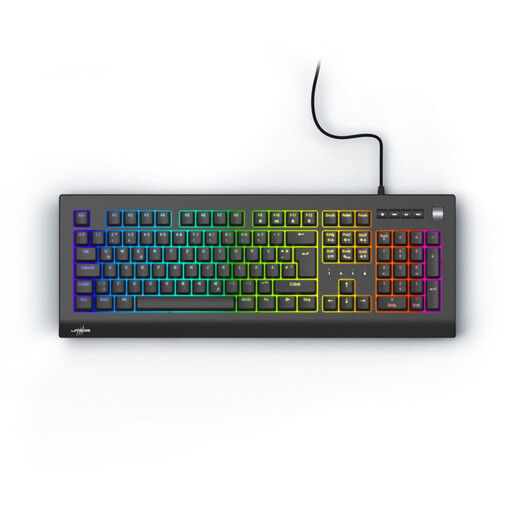 No image available
The programmable macro keys are useful if you want to assign your own editor commands.
German QWERTZ layout, linear Outemu Red switches, full-size design with number pad and macro programming.
 No image available
This set is worth considering if you want to use a low-profile keyboard, mouse and number pad together.
German QWERTZ layout, 2.4 GHz USB connection, full-size design, quiet keys and detachable wrist rest.
 No image available
This wired mechanical keyboard is an option if you prefer a full-size German layout.
German ISO layout with 110 keys, linear CHERRY MX2A Red switches and USB-A connection.
 No image available
The fixed split key layout is worth considering if you want to try a different hand position.
German QWERTZ layout, Bluetooth and USB receiver, concave keys and adjustable tilt feet.
 No image available
The separate navigation block can come in handy if you often switch between your draft and reference material.
Tri-mode connection via Bluetooth, 2.4 GHz or USB-C; function row, number pad and replaceable switches.
No, splitting the editor doesn’t require a split keyboard. Literature & Latte describes horizontal and vertical splits as Scrivener features. The relevant shortcuts depend on the software and version you use.
First, check the commands and keyboard shortcuts available in your writing software for your operating system. Programmable keys may let you add custom assignments, but they can only run commands that the software allows you to set up.
Allow room to arrange your keyboard, mouse and arms flexibly. The guidance from Germany’s Federal Institute for Occupational Safety and Health relates to screen-based work in the workplace. Here, it serves as a guide, not a blanket legal requirement for a home desk.
For a consumer purchase, statutory rights against the seller are separate from a voluntary manufacturer’s warranty. The German government describes a general two-year statutory warranty period, extended to three years if you choose to have the fault repaired during the warranty period. This does not give you a blanket, standalone right to have any keyboard repaired by its manufacturer.