
Lieferung heute & morgen

Qualitätsgarantie

Willkommens-Angebote freischalten: KOSTENLOSE Lieferung | Bis zu 80 % RABATT | Kostenlose 30-Tage-JoyPlus-Testphase
App herunterladen
An NVIDIA GeForce RTX graphics card shouldn’t be chosen on the basis of its model number, boost clock or lighting alone. There are significant differences between an RTX 5060 graphics card, an RTX 5070 Ti and an RTX 5080 when it comes to video memory, power consumption, size and power supply requirements.
Three common pitfalls can make buying a graphics card more difficult:
8 GB GDDR7 may be enough for Full HD and many 1440p games, depending on the game, texture quality and effects used. If you regularly play at 1440p with high texture detail or ray tracing, or use creative applications, you should also consider models with 12 or 16 GB VRAM.
For 4K gaming, video editing and large content creation projects, 16 GB offers more headroom. However, memory capacity alone doesn’t guarantee a particular frame rate. GPU class, memory bandwidth and software optimisation all play a part.
The RTX 50 Series is based on the NVIDIA Blackwell architecture and supports features such as DLSS 4. DLSS can affect image quality and frame rates in compatible games, but the results depend on the game and settings you choose. Ray tracing increases the graphics processing workload, so sufficient GPU performance matters more than any single feature.
AI-powered features such as NVIDIA Broadcast and Video Super Resolution may also be useful with a gaming graphics card for streaming. Before you buy, check that the application and software you use support the feature you need.
Current models often use PCIe 5.0, as well as DisplayPort 2.1b and HDMI 2.1b. These connections are suitable for high refresh rates and multi-monitor setups, as long as your monitor, cable and graphics settings are compatible too.
Before placing your order, check:
An RGB graphics card can complement the look of your system, but it shouldn’t determine your choice of memory, cooling or power supply.

Why this product suits this user: The RTX 5060 is aimed at users building a modern desktop PC for gaming and streaming who also need to consider case compatibility and moderate power requirements.
Its 3.125-slot design, stated minimum power supply rating of 550 W and single 8-pin connector make system planning straightforward. You should still check the card’s dimensions against your case.
8 GB GDDR7, PCIe 5.0, three DisplayPort 2.1b outputs and customisable Aura ARGB lighting.
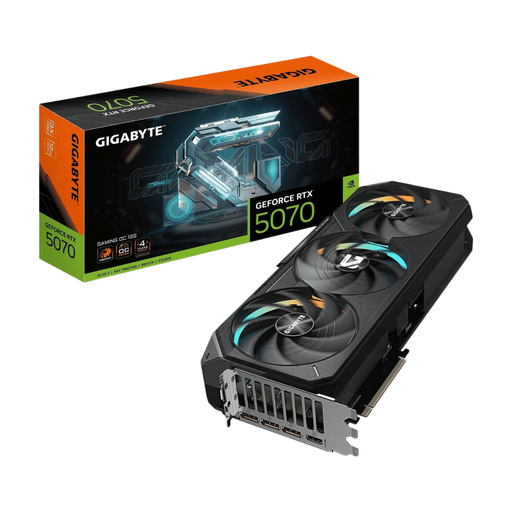
Why this product suits this user: The combination of 16 GB GDDR7, a 256-bit memory interface and 896 GB/s memory bandwidth is designed for demanding 1440p and 4K use.
The larger memory capacity makes it less likely you’ll hit capacity limits early when using high texture detail. Make sure to allow for its 3-slot design and 340 mm length when planning your build.
8,960 CUDA cores, 16 GB GDDR7, triple-fan cooling, RGB lighting and support for up to four monitors.
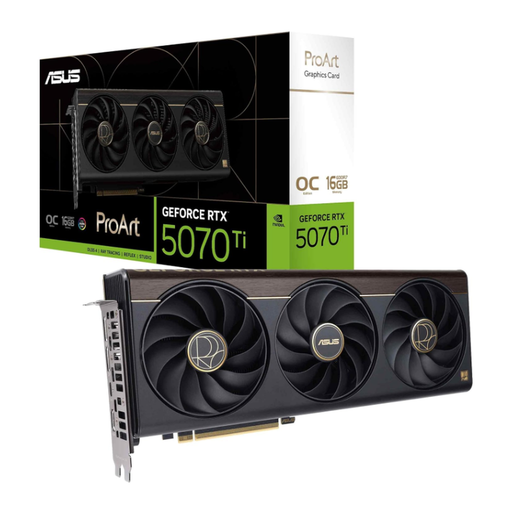
Why this product suits this user: This card is worth considering if you want to combine gaming with video editing, 3D applications or a range of modern connections.
Its 2.5-slot design is more compact than many high-performance alternatives. Before buying, check your case’s available length, 12V-2x6 power connection and the exact port layout.
16 GB GDDR7, PCIe 5.0, USB-C connection and a stated boost clock of up to 2,610 MHz in OC mode.
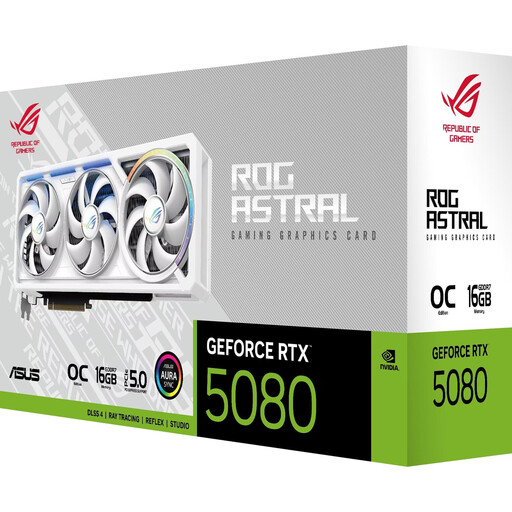
Why this product suits this user: This card is designed for users looking to combine high resolutions, demanding 3D applications or large multi-monitor setups with a high-performance desktop build.
The four fans and large heatsink are designed to handle demanding workloads. However, with a 3.8-slot design, a length of 357.6 mm, power consumption of 360 W and a recommended 850 W power supply, this card is suited only to systems planned accordingly.
10,752 CUDA cores, 16 GB GDDR7, 960 GB/s memory bandwidth, 3× DisplayPort 2.1b and 2× HDMI 2.1b.
We’ve put together a complete, regularly updated list of products that meet these strict selection criteria and fully comply with the safety regulations in force in the EU.
For 1440p, models such as the RTX 5060 Ti or RTX 5070 are worth considering, depending on the game, refresh rate and ray tracing settings. If you use high texture detail or plan to keep the card for longer, a version with 16 GB GDDR7 may be a good choice. Make sure your choice is suited to your processor, monitor and power supply.
It depends on the model. Product specifications, for example, list 550 W for the ASUS RTX 5060, 750 W for various RTX 5070 Ti models and 850 W for the ASUS RTX 5080. These figures refer to the recommended power supply rating for the system. You’ll also need to consider compatible cables and enough capacity for the rest of your PC.
There’s no reliable way to guarantee a set lifespan. It depends on workload, temperatures, dust levels, driver support and the games you want to play. A well-ventilated case, regular dust removal and a suitable power supply can help support long-term use. Advances in games and applications will determine when it makes sense to upgrade.