
Lieferung heute & morgen

Qualitätsgarantie

Willkommens-Angebote freischalten: KOSTENLOSE Lieferung | Bis zu 80 % RABATT | Kostenlose 30-Tage-JoyPlus-Testphase
App herunterladen
Choosing a new SSD can fundamentally transform a computer's performance. Shorter load times, a faster system boot, and a smoother overall experience are the most commonly cited benefits. However, the market is filled with technical jargon, marketing promises, and a vast array of models, which makes the selection process difficult. Many buyers fall into traps that lead to disappointment or unnecessary expenses.
This guide will help you understand the crucial criteria and avoid typical pitfalls. We focus on the objective parameters that truly matter, so you can make an informed decision.
Common Pitfalls When Buying an SSD:
Before you dive into speeds, you need to ensure the SSD is physically and technically compatible with your system.
Before purchasing, always check your motherboard or laptop manual to determine which form factors and interfaces (e.g., M.2 NVMe PCIe 4.0) are supported.
An SSD's performance is described by several key metrics.
Here are some recommendations tailored to specific user groups and their needs.
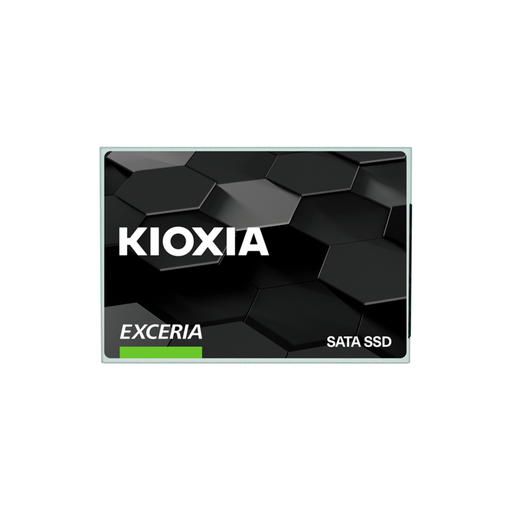
Why This Fits Their Persona: Ideal for breathing new life into an older laptop or desktop PC. Upgrading from a mechanical hard drive to this SATA SSD provides an immediately noticeable performance boost in system startups and daily use, without breaking the bank.
This model bypasses the compatibility trap, as the 2.5-inch SATA standard works in almost any older system. It focuses on a solid price-to-performance ratio instead of NVMe speeds that wouldn't be usable in such devices anyway.
High compatibility and easy installation. With 240 TBW, it offers sufficient endurance for everyday use.
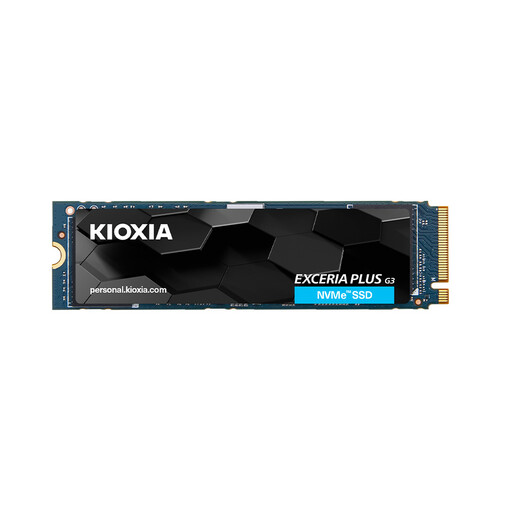
Why This Fits Their Persona: Delivers the necessary speed for modern gaming and demanding applications. As an SSD for gaming or for expanding a PS5's storage (separate heatsink required), it ensures minimal load times and a smooth gaming experience.
This NVMe SSD offers balanced performance with high sequential (up to 5,000 MB/s) and random read rates (up to 770,000 IOPS). The 600 TBW rating is designed to last for years of typical gaming and application use.
Strong PCIe Gen4 performance for fast load times. An excellent compromise between price, speed, and a solid 600 TBW endurance rating.
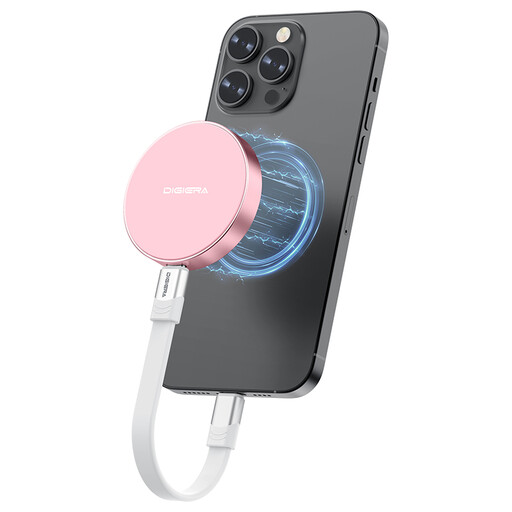
Why This Fits Their Persona: Perfect for users of the iPhone 15 Pro (or newer) who want to record videos directly in ProRes format. This external SSD attaches magnetically to the smartphone and, with speeds up to 2,000 MB/s, provides the necessary performance for 4K recording.
This product solves a specific problem for a mobile workflow. Instead of being a generic external drive, it is optimized for direct video recording with its magnetic mount and high write speeds.
Magnetic attachment for a secure hold on an iPhone. USB 3.2 Gen 2x2 for extremely fast data transfers.
We've compiled a complete, up-to-date list of products that fully meet these strict selection criteria and all applicable regulations.
An SSD's lifespan is primarily determined by its TBW (Total Bytes Written) rating. A 1TB SSD with a TBW of 600 means you can write 600 terabytes of data before the memory cells are expected to lose reliability. For an average user writing 20 GB per day, this would theoretically last over 80 years. For power users, a higher TBW rating is a crucial criterion for longevity.
No. It is critical to check for compatibility. An M.2 slot can be designed for SATA SSDs, NVMe SSDs, or both. Additionally, there are different "keys" (notches in the connector) that determine compatibility. An M.2 NVMe drive typically fits into an M-Key slot. Always consult your motherboard's manual to ensure the form factor, protocol (SATA/NVMe), and key match.
Yes, in almost every case. Replacing an old mechanical hard drive (HDD) is one of the most effective upgrades to boost a computer's overall performance. The system will boot in seconds instead of minutes, programs will open almost instantly, and the entire user experience will feel more direct and responsive.