
Lieferung heute & morgen

Qualitätsgarantie

Willkommens-Angebote freischalten: KOSTENLOSE Lieferung | Bis zu 80 % RABATT | Kostenlose 30-Tage-JoyPlus-Testphase
App herunterladen
An NVMe SSD can make a PC, laptop or games console noticeably more responsive. However, a high figure on the packaging does not automatically mean the drive is suitable. If you only look at the stated read speed, you can easily overlook the slot, heat output or the storage capacity you actually need.
A PCIe 5.0 SSD requires a compatible PCIe 5.0 M.2 slot to deliver its intended performance. Depending on the platform, it may be backwards compatible with a PCIe 4.0 or PCIe 3.0 system, but it will then operate at the speed of the older interface.
Conversely, a PCIe 4.0 SSD works without issue in many modern systems. Before buying, you should therefore check the motherboard manual, your laptop’s technical specifications or the console’s requirements. It is not enough to establish whether an M.2 slot is available: you also need to confirm that it supports NVMe over PCIe. An M.2 SATA slot is not automatically compatible with an NVMe SSD.
Manufacturer figures such as 7.400 MB/s or 14.000 MB/s usually refer to sequential transfers under specific test conditions. When starting Windows, opening small files or loading lots of individual game files, random read and write access, the controller, cache and system platform also matter.
For gaming and standard office applications, a reliable PCIe 4.0 SSD is often sufficient. A PCIe 5.0 SSD can be worthwhile for large video files, extensive projects or specialised professional applications. The benefit depends on your particular workflow.
Fast internal SSDs generate heat under sustained workloads. If the temperature gets too high, the speed may be reduced to protect the components. In desktop PCs, you should check whether an M.2 heatsink is available. With laptops, the drive height is also important.
A PS5 SSD has specific requirements: the console needs a suitable M.2 NVMe SSD with sufficient cooling. Models without an integrated heatsink will generally require a compatible additional heatsink. The console firmware should also be up to date, and the dimensions must fit the designated installation space.
The designation M.2 2280 describes dimensions of approximately 22 × 80 mm. On its own, it says nothing about the transfer protocol. Always check this combination:
A 2.5-inch SSD, like a conventional internal hard drive with a SATA connection, has a different form factor. It may still be suitable for older computers, but it cannot match the transfer rates of a modern M.2 NVMe SSD.
A 1TB SSD is suitable as a system drive with applications and a modest games library. If you store several large games, raw video footage or extensive project files locally, a 2TB SSD is a more practical choice. A 4TB SSD provides extra room for large media archives, numerous game installations or professional work data.
Bear in mind that the usable capacity is slightly below the advertised nominal capacity after formatting and allocation for system functions. Important data should also be backed up regularly to a second storage medium, independently of the SSD.
For intensive use, the TBW value is relevant. TBW stands for “Terabytes Written” and describes the write endurance specified by the manufacturer over the intended service life. This figure is not a guarantee against failure, but rather a technical point of reference.
Additional management software can provide firmware updates, SMART information, temperature monitoring and diagnostics. You should also check the specific warranty or statutory guarantee terms for the offer. Product data such as TBW, IOPS and speed should always be considered for the exact model and capacity in question.
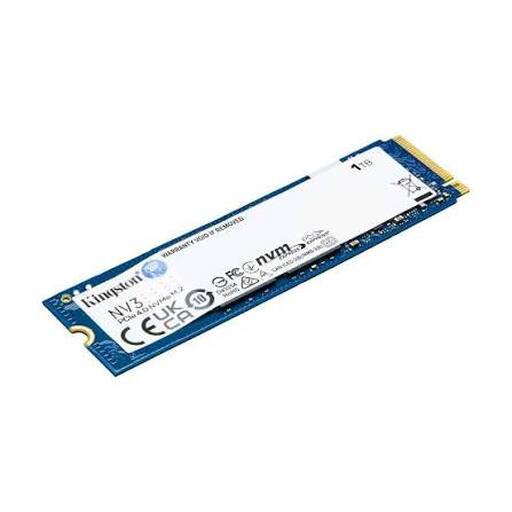
Why this product suits this profile: This 1 TB PCIe 4.0 NVMe SSD in the M.2 2280 format is designed for compatible PCs, laptops and compact systems.
The interface is clearly specified as PCIe 4.0 NVMe. This makes it easier to check compatibility accurately, rather than buying based solely on the M.2 form factor.
Up to 6.000 MB/s read and 4.000 MB/s write speeds according to the product specifications; compact dimensions of 22 × 80 mm.

Why this product suits this profile: This drive combines PCIe 4.0, 2 TB of storage and an integrated heatsink for PC and console applications.
The integrated heatsink reduces the need for a separate cooling solution. For the PS5, you should still check the specified dimensions and console requirements.
Up to 7.450 MB/s read and 6.900 MB/s write speeds; Samsung Magician supports monitoring and firmware management.
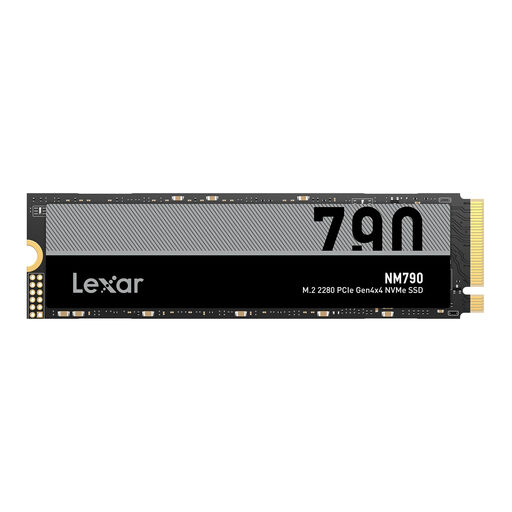
Why this product suits this profile: 4 TB of storage is ideal for large games libraries, 4K video projects and extensive local data collections.
The generous capacity reduces the need to keep moving games or project files between drives. A suitable heatsink is required for the PS5.
Up to 7.400 MB/s read and 6.500 MB/s write speeds; M.2 2280 format for compatible PCs, laptops and consoles.
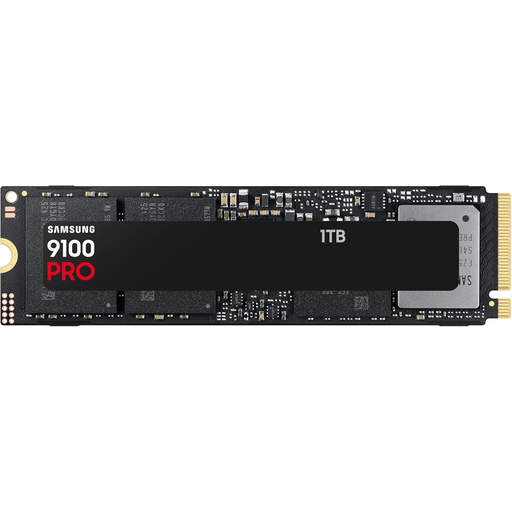
Why this product suits this profile: This model is aimed at systems with PCIe 5.0 support and data-intensive tasks such as video editing or large file transfers.
The PCIe 5.0 interface makes checking your system essential. This helps you avoid paying for performance that an older motherboard cannot support.
Up to 14.800 MB/s read and 13.400 MB/s write speeds according to the product specifications when used in a compatible PCIe 5.0 system.
We have put together a complete, regularly updated list of products that fully meet these strict selection criteria and the safety regulations applicable in the EU.
Switch off your PC or laptop completely and disconnect it from the mains. Before installation, touch an earthed metal surface or use an antistatic wrist strap. The M.2 SSD is usually inserted at a slight angle, then carefully pressed down and secured with the screw provided.
After the first start-up, a new drive may need to be initialised and formatted in Windows Disk Management. If it is being used as a system drive, you may also need to reinstall the operating system or clone the existing drive. Avoid unnecessary defragmentation; for SSDs, TRIM and the manufacturer’s management software are the more suitable tools.
Service life depends on the NAND technology, volume of data written, temperature and usage. The TBW value provides a useful indication. Regular backups remain essential, as even an SSD can fail without warning.
Many M.2 NVMe SSDs are suitable for expanding a PS5, provided they meet the requirements for PCIe generation, format, dimensions and cooling. A model without a heatsink will usually require suitable additional cooling. The specifications for the product and console should be checked against each other.
For large sequential file transfers and certain professional applications, PCIe 5.0 can offer a measurable advantage. For gaming, office work and many everyday tasks, a PCIe 4.0 SSD is often sufficient. The key factors are your platform, budget and actual usage profile.