
Lieferung heute & morgen

Qualitätsgarantie

Willkommens-Angebote freischalten: KOSTENLOSE Lieferung | Bis zu 80 % RABATT | Kostenlose 30-Tage-JoyPlus-Testphase
App herunterladen
An NVMe SSD can significantly speed up a desktop PC, laptop or mini PC. But the advertised read speed isn’t the only thing to consider when buying one. If you focus only on a big number in MB/s, you could overlook whether it fits your slot, how much heat it generates or how much storage space you’ll actually have available.
Gamers, content creators and professionals should check for three common pitfalls before buying:
Most internal NVMe drives use the M.2 2280 form factor. This refers to a width of 22 mm and a length of 80 mm. But the form factor alone doesn’t guarantee compatibility: what matters is whether the M.2 slot supports PCIe/NVMe. An M.2 SATA slot isn’t suitable for every NVMe SSD.
A PCIe 4.0 SSD with four data lanes typically reaches several thousand MB/s, according to product specifications. It will generally work in a PCIe 3.0 system, but at the lower interface speed. A PCIe 5.0 SSD, on the other hand, is mainly intended for modern motherboards that support PCIe 5.0. Without a compatible slot, buying a Gen5 model won’t give you a practical speed advantage.
Before placing your order, check the manual for your motherboard, laptop or mini PC:
A 2TB SSD gives you plenty of room for several large games, programmes and ongoing projects. A 4TB SSD is a good choice if you want to store large video files, AI datasets, raw footage or lots of games locally. After formatting and system reservations, the usable capacity will be less than the advertised figure.
The TBW (Terabytes Written) rating indicates the total amount of data the manufacturer says can be written under defined conditions. It’s a useful point of comparison, but it can’t predict the exact lifespan of an individual drive. If you’re choosing an SSD for video editing or frequent data imports, it’s worth checking the TBW rating, NAND type, warranty terms and intended use.
An SLC cache can speed up short-term write operations. During very long transfers, speeds may drop once the cache is full. So, for large video projects or regular backups, peak write speed isn’t the only figure that matters.
Fast SSDs generate heat under sustained workloads. An SSD heatsink or integrated heatsink can help manage temperatures. You’ll also need to check that the drive’s height is suitable for your device. For a laptop, a model without an additional heatsink is often a better fit, while a gaming PC or workstation may have more room.
An SSD for PlayStation 5 has specific requirements for form factor, interface and cooling. The M.2 drive must meet the console’s requirements and fit in its expansion slot. Some models require a compatible heatsink. Check Sony’s latest instructions before installation.
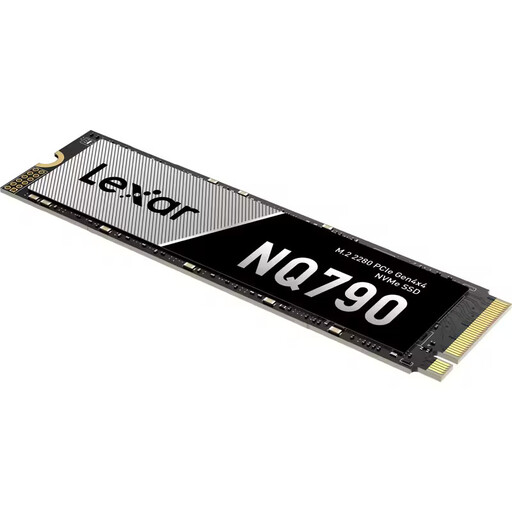
Why it suits this profile: This internal M.2 2280 SSD combines 2 TB of storage with a PCIe 4.0 x4 interface. It’s suitable for desktop PCs, laptops and compatible gaming systems.
PCIe 4.0 compatibility and the clearly stated M.2 2280 form factor make it easier to check whether it’s suitable before you buy. The stated performance depends on having a compatible system.
According to published product specifications: read speeds of up to 7.000 MB/s, write speeds of up to 6.000 MB/s, 800.000/600.000 IOPS and 1.200 TBW.

Why it suits this profile: The integrated heatsink makes this a good option for compatible desktop PCs and consoles, particularly when running games, large projects or data analyses for extended periods.
The heatsink helps manage heat during extended workloads. Before buying, though, check the height clearance and whether the specific expansion slot is compatible with the PS5.
According to published product specifications: PCIe 4.0, read speeds of up to 7.450 MB/s and write speeds of up to 6.900 MB/s, with integrated heat dissipation.
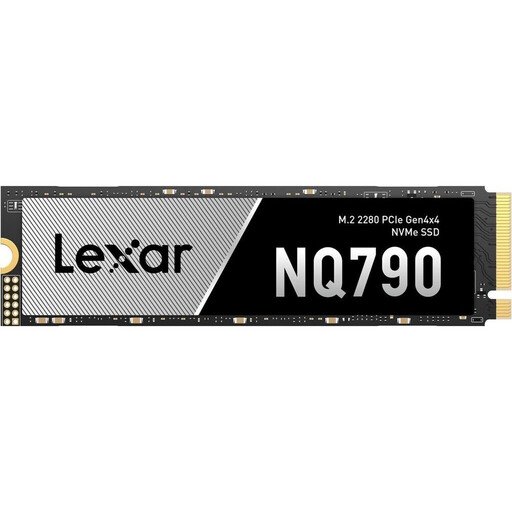
Why it suits this profile: 4 TB is ideal if you want to keep your games library, video projects, applications and large work files together on a single internal drive.
The larger capacity means you’ll need to move data to external drives less often. PCIe 4.0 is also backwards compatible, although older systems may limit performance.
According to published product specifications: 4 TB, read speeds of up to 7.000 MB/s, write speeds of up to 6.000 MB/s and 2.400 TBW.
We’ve put together a complete, regularly updated list of products that meet these strict selection criteria and the safety regulations in force across the EU.
Not every M.2 drive is automatically compatible. An SSD for PlayStation 5 must meet the console’s requirements for form factor, PCIe interface, speed and heatsink. Also check whether the specific model can be installed with a suitable heatsink.
Lifespan depends on the amount of data written, temperature, NAND technology and how you use the drive. Figures such as TBW and MTBF are technical guides, not a precise guarantee of how long a drive will last. You’ll still need to back up your data regularly, even with an internal SSD.
A portable external SSD can be a good choice for backups, transferring video files or using your storage across several devices. However, the USB connection and generation will limit its speed. For an operating system, game installations or sustained heavy workloads, an internal NVMe SSD in a compatible PCIe slot is usually the more straightforward choice.