
Lieferung heute & morgen

Qualitätsgarantie

Willkommens-Angebote freischalten: KOSTENLOSE Lieferung | Bis zu 80 % RABATT | Kostenlose 30-Tage-JoyPlus-Testphase
App herunterladen
An NVMe SSD can significantly reduce start-up times, file transfer times and loading times. However, not every M.2 SSD will make a noticeable difference. The key factors are the connection, form factor, storage capacity, cooling and how you plan to use it.
When buying an internal SSD, three common misconceptions can lead to unnecessary costs:
A PCIe 4.0 SSD needs a compatible M.2 slot. It may be backwards compatible with PCIe 3.0 in many systems, but will then be limited by the older interface. A PCIe 5.0 SSD, on the other hand, needs a suitably equipped motherboard to reach its potential transfer rate.
Before you buy, check:
For an SSD for a laptop, you’ll also need to consider the maximum drive height, heat dissipation and available installation space. A PS5 SSD must meet the console’s technical requirements; many internal models also need a compatible heatsink.
A 1TB SSD is suitable for your operating system, applications and a modest games library. If you store several large games, 4K video files or extensive project folders, a 2TB SSD or 4TB SSD gives you more room to work with.
For large media archives and professional workflows, 8TB SSDs are also an option. Don’t just compare the price per terabyte: also consider:
The TBW figure is the total amount of data the manufacturer says can be written to the drive. It’s a technical comparison figure, not an exact prediction of how long your individual SSD will last.
Manufacturers often quote the maximum sequential read speed. However, a fast SSD with speeds of up to 7,000 MB/s or more needs a compatible PCIe slot, and it won’t always make the same difference to everyday tasks.
For gaming and office applications, access times, random read and write performance, and temperature stability also matter. Content creators should pay particular attention to sustained write speed, storage capacity and the TBW rating.
An external SSD, portable SSD or USB-C SSD is more flexible than an internal drive. Actual speed depends on the USB port, cable and device you’re using. For example, a USB 3.2 Gen 2 connection will deliver different speeds from USB 3.2 Gen 2x2.
The models below cater to different needs. Their technical specifications are based on the respective product information.
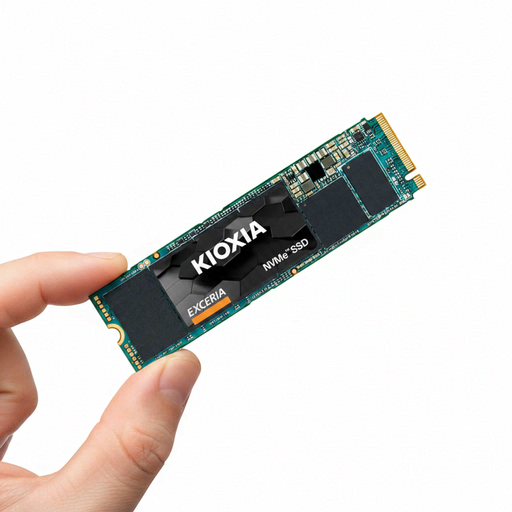
Why it’s a good fit: This 1TB M.2 SSD with PCIe Gen3 x4 is aimed at anyone looking to upgrade an older desktop PC or laptop with NVMe support.
The PCIe generation and M.2 2280 form factor are clearly specified, so you can check whether your existing system is compatible before buying.
1TB capacity, M.2 2280 form factor and a quoted read speed of up to 1.700 MB/s.
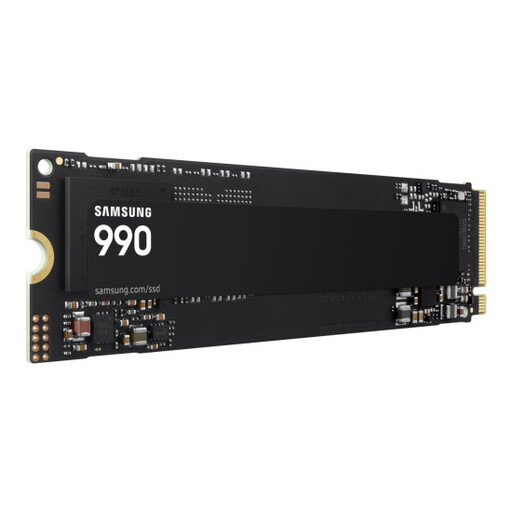
Why it’s a good fit: This internal SSD is designed for desktop PCs, laptops and compatible handheld consoles, and delivers high sequential transfer speeds.
Compatibility with PCIe 4.0 and PCIe 3.0 is specified. You’ll still need to check the exact M.2 slot before installation.
Read speeds of up to 7.150 MB/s, write speeds of up to 6.450 MB/s and a 3-year limited manufacturer’s warranty, according to the product information.
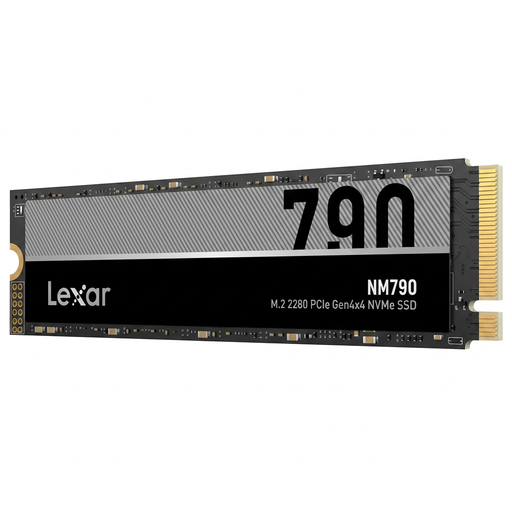
Why it’s a good fit: This 8TB internal NVMe SSD offers plenty of space for games libraries, 4K videos, archives and large work files.
Its generous capacity means you’re less likely to need multiple drives. Even so, you should consider your system’s cooling if you’ll be writing data for extended periods.
8TB storage capacity, M.2 2280 form factor and a quoted read speed of up to 7.400 MB/s.
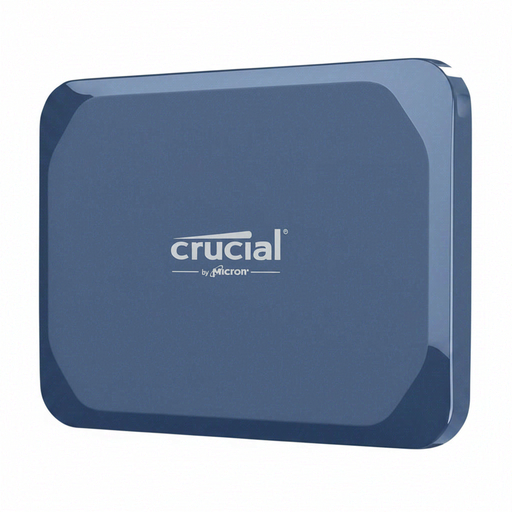
Why it’s a good fit: This portable SSD is designed for USB-C devices, laptops, tablets and taking large files on the go.
The USB-C interface and IP65 rating are specified. To get the maximum speed, the connected device must support USB 3.2 Gen 2x2.
Read speeds of up to 2.100 MB/s, write speeds of up to 2.000 MB/s and an IP65 rating, according to the product information.
We’ve put together a complete, regularly updated list of products that meet these strict selection criteria and fully comply with the safety regulations in force in the EU.
Before installing an internal NVMe SSD, make sure the device is completely switched off and disconnected from the mains. Avoid touching the contacts and take care to prevent electrostatic discharge. The SSD is usually inserted at an angle into the M.2 slot, then secured with a screw or retaining clip.
After installation, you may need to initialise and format the drive in your operating system. Back up any important files beforehand. If you’re installing a PS5 SSD, follow Sony’s installation instructions and check the requirements for capacity, read speed and heatsink.
Lifespan depends on the amount of data written, temperature, power supply and usage. Manufacturer figures such as TBW and MTBF provide technical guidance. Regular backups are still essential, as even an SSD with no moving parts can fail.
An NVMe SSD can improve loading times and system responsiveness on a gaming PC. The difference depends on the game, operating system and the rest of your system. Make sure you have a compatible PCIe slot, enough storage space and effective cooling.
An internal SSD usually connects directly via PCIe, making it suitable as a system or games drive. The price of an external SSD varies depending on its enclosure and connection, but you can use it with multiple devices. For either type, compare the actual interface and the capacity you need against the price.