
Lieferung heute & morgen

Qualitätsgarantie

Willkommens-Angebote freischalten: KOSTENLOSE Lieferung | Bis zu 80 % RABATT | Kostenlose 30-Tage-JoyPlus-Testphase
App herunterladen
An NVMe SSD M.2 can significantly speed up start-up times, file transfers and game installations. However, choosing one is not simply a matter of looking at the stated MB/s. Focusing only on big numbers often means overlooking the connection, form factor, cooling or the actual storage capacity.
Three issues in particular commonly lead to the wrong purchase:
For current internal SSDs, NVMe over PCIe is the relevant standard. The designation M.2 2280 describes the dimensions: 22 millimetres wide and 80 millimetres long. This format fits many desktop PCs, laptops and mini PCs, provided they have a suitable M-Key slot.
However, an M.2 slot is not automatically an NVMe connection. Some devices only support M.2 SATA SSDs. You should therefore check your motherboard or laptop manual before buying:
A PCIe 4.0 SSD is a well-balanced choice for many current PCs and gaming systems. A PCIe 5.0 SSD is more suited to newer platforms with a compatible slot and sufficient cooling.
An NVMe SSD 1TB is suitable for an operating system, applications and a manageable game library. With large games, 4K video files, local AI models or extensive project archives, available storage can quickly become limited.
An NVMe SSD 2TB offers more room for gaming and photo and video editing. If you regularly work on large media projects or keep many games installed at the same time, you may want to consider an NVMe SSD 4TB. Bear in mind that the usable capacity after formatting is slightly lower than the advertised raw capacity.
Manufacturers usually state maximum sequential figures, such as 7,400 MB/s read or 6,500 MB/s write speeds. These figures are useful for technical comparisons, but they do not represent every everyday situation. When comparing models, you should also look at the following:
A gaming SSD does not necessarily need the highest sequential speed. For video editors, content creators and AI users, high write speeds, sufficient capacity and controlled temperature behaviour may be more important.
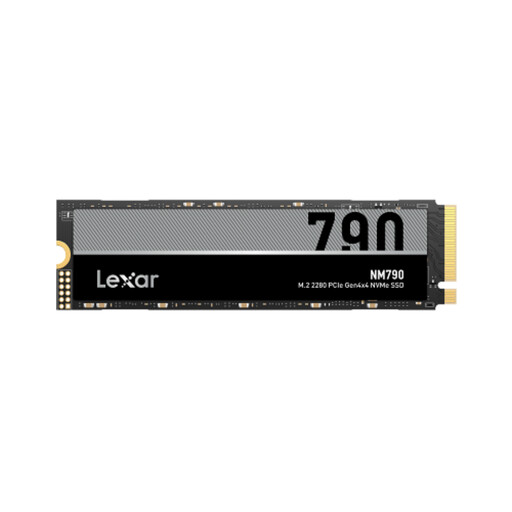
Why this product suits this profile: Its 1TB capacity and PCIe 4.0 x4 interface make it suitable for a system upgrade with modest storage requirements.
The product specifications explicitly state PCIe 4.0 x4, M.2 2280 and NVMe. This makes it easier to check compatibility with your existing PC or laptop.
According to the product specifications, up to 7,000 MB/s read and 6,000 MB/s write speeds, plus 600 TBW.

Why this product suits this profile: The 2TB version with an integrated heatsink is an attractive option for gaming PCs, compatible consoles and creative applications.
The integrated heatsink reduces reliance on a separately purchased M.2 cooler. Check the height and available space before installation.
According to the product specifications, up to 7,450 MB/s read and 6,900 MB/s write speeds; compatible with PC and PlayStation 5.
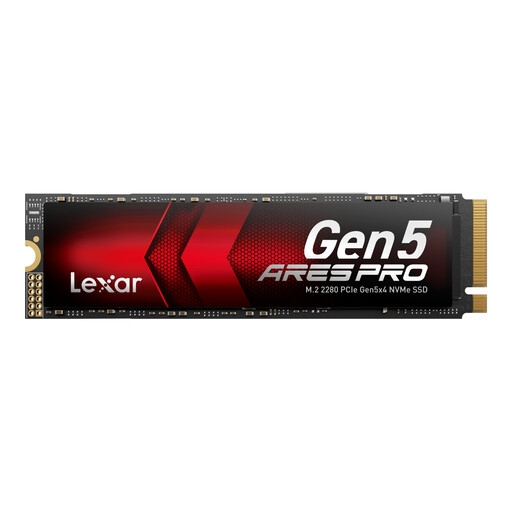
Why this product suits this profile: Its PCIe 5.0 connection is designed for modern PCs used for AI applications, large media projects and data-intensive workflows.
The PCIe 5.0 design is combined with Thermal-Defender technology and graphite heat-dissipation films. A compatible slot and sufficient airflow are still required.
According to the product specifications, up to 14,000 MB/s read and 10,000 MB/s write speeds, 2 TB capacity and a five-year limited manufacturer’s warranty.
We have put together a complete, regularly updated list of products that fully meet these strict selection criteria and the safety regulations applicable in the EU.
Back up important data before installation and switch off your PC, laptop or console completely. Do not touch the contacts and, where possible, use an earthed workspace. The SSD is normally inserted at an angle of around 30 degrees and then secured with a screw or mounting bracket.
After installation, initialisation and formatting may be required. For Windows, GPT is generally the appropriate partition structure. On a PS5, the SSD must meet the console’s requirements; a compatible SSD with heatsink or a suitable separate cooler may be necessary. Also check whether you are allowed to use an existing motherboard heatsink.
No. In addition to the form factor, the connection and protocol must match. Check whether the laptop has an M.2 M-Key slot with PCIe NVMe support and which length it accepts. The height of a heatsink may also prevent installation.
Service life depends on write volume, temperature, power supply and model. The TBW figure provides technical guidance, but it is not a guarantee of a specific period of use. Regular backups are still essential with an SSD.
It depends on the platform and how you use it. For a new system with PCIe 5.0, it can be useful for large transfers and certain creative workflows. For many games, a PCIe 4.0 SSD is sufficient, provided its capacity, cooling and compatibility are a better fit for your existing system.