
Lieferung heute & morgen

Qualitätsgarantie

Willkommens-Angebote freischalten: KOSTENLOSE Lieferung | Bis zu 80 % RABATT | Kostenlose 30-Tage-JoyPlus-Testphase
App herunterladen
An NVMe SSD can significantly speed up start-up times, file transfers and game installations. However, a high MB/s figure does not automatically mean it is the right storage solution. The interface, form factor, cooling and your actual usage all matter. If you only look at the advertised maximum speed, you could end up buying an expensive SSD whose performance your system cannot fully use.
A PCIe 5.0 SSD requires a compatible M.2 slot. In a computer with only PCIe 3.0 or PCIe 4.0 connectivity, it may run at a reduced speed. This does not mean the drive is faulty, but the premium for the faster interface may go unused.
Before buying, check your motherboard or laptop manual:
Figures such as 7.400 or 14.000 MB/s usually refer to sequential read and write operations under specific conditions. When starting Windows, opening lots of small files or compiling software, random access, IOPS, cache behaviour and the system platform also play a role.
For an SSD for gaming, peak speed is therefore not the only relevant factor. Compatibility with DirectStorage, sufficient free storage space and stable temperatures can also affect everyday use. With an SSD for video editing, large, repeated write operations and available capacity are also important.
NVMe SSDs become warm during longer transfers or demanding applications. A PCIe 5.0 SSD may place greater demands on airflow and cooling than a PCIe 3.0 or PCIe 4.0 SSD. If a certain temperature is exceeded, the electronics may reduce the speed to limit heat generation.
Check whether your motherboard has an M.2 heatsink. With an SSD for PS5, the dimensions, including the heatsink, must also comply with the console’s requirements.
A modern M.2 SSD often uses the NVMe protocol over PCIe x4. PCIe 4.0 offers a balanced combination of data throughput and platform compatibility for many gaming, office and creative applications. PCIe 5.0 is more suitable for systems with a compatible slot and workloads that regularly make use of high sequential transfer rates, such as large datasets, AI applications or professional media projects.
Backward compatibility does not mean that the maximum speed will automatically be achieved. Actual performance is determined by the slowest link in the chain: the SSD, slot, processor connection and operating system.
A 1TB SSD is suitable for an operating system, applications and a reasonably sized game library. A 2TB SSD offers more room for several large games, raw footage and project files. A 4TB SSD can be a sensible choice for extensive media archives, local AI datasets or numerous installed games.
Usable capacity is always lower than the gross capacity stated on the packaging, as some storage is reserved for formatting and system functions. You should also avoid writing continuously until the very last free storage cell is used. Keeping a reasonable amount of free space can make cache and data management easier.
The NAND type, such as TLC or QLC, is only one part of the assessment. Also consider the stated TBW capacity (“Terabytes Written”), the warranty conditions and the management software provided. TBW is a manufacturer figure for the write volume under defined conditions, not a guarantee of a specific service life in your individual use case.
Regular backups remain essential, regardless of the SSD model. An internal SSD is not a substitute for backing up data to a separate storage medium.
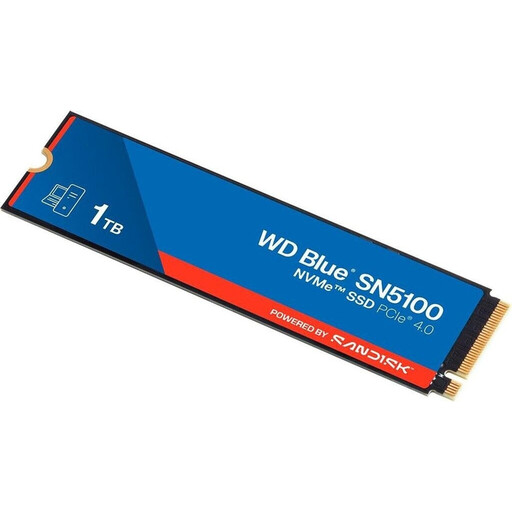
Why this product suits this profile: This 1TB PCIe 4.0 SSD is designed for desktop PCs, laptops and mini PCs with a compatible M.2 slot. It combines a compact form factor with clearly stated performance specifications.
The PCIe 4.0 interface and M.2 2280 format are clearly specified. The manufacturer also states a write volume of 600 TBW.
Read speeds of up to 7.100 MB/s, write speeds of up to 6.700 MB/s, 3D QLC NAND, plus support for TRIM, SMART and HMB.

Why this product suits this profile: This 2TB SSD combines PCIe 4.0 with an integrated heatsink. It is suitable for PC gaming, compatible consoles and extensive video projects.
The integrated heatsink helps manage heat during extended workloads. Nevertheless, check the M.2 2280 form factor and PS5 compatibility before installation.
Read speeds of up to 7.450 MB/s and write speeds of up to 6.900 MB/s; Samsung Magician supports management and firmware updates.
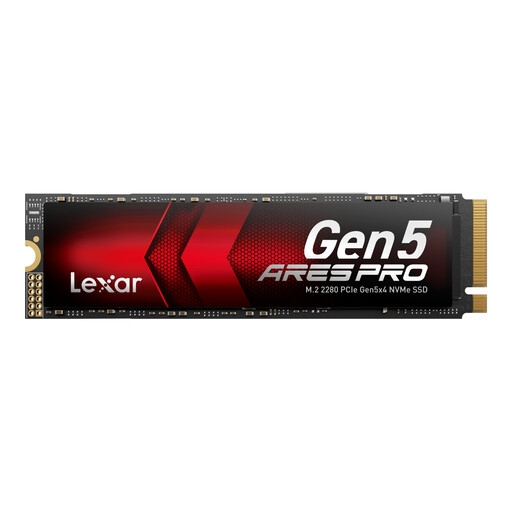
Why this product suits this profile: For AI applications, large video files and systems with a PCIe 5.0 slot, this 2TB SSD offers high sequential transfer rates and a design focused on heat management.
Thermal-Defender technology and graphite heat-dissipation foils help address heat generation. Full performance requires a PCIe 5.0 system with sufficient ventilation.
Read speeds of up to 14.000 MB/s, write speeds of up to 10.000 MB/s, PCIe 5.0 x4 and a stated five-year limited warranty.
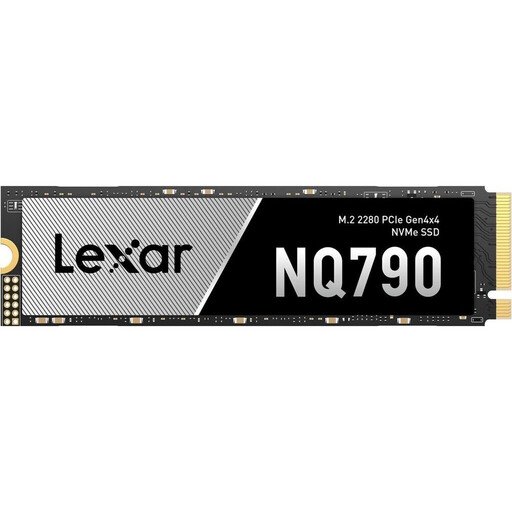
Why this product suits this profile: 4TB of storage provides room for games, 4K projects and extensive local libraries, without the need to combine several drives.
The capacity reduces the need to keep moving files between drives. For use with a PS5, the cooling must comply with the console’s requirements.
PCIe 4.0 x4, read speeds of up to 7.000 MB/s, write speeds of up to 6.000 MB/s and a stated TBW rating of 2.400 TB.
We have put together a complete, regularly updated list of products that fully meet these strict selection criteria and the safety regulations applicable in the EU.
Switch off your PC, laptop or console completely and disconnect the device from the mains. Do not touch the SSD’s contact surfaces, and make sure you are suitably protected against electrostatic discharge. After installation, the drive may need to be initialised and formatted under Windows or Linux. A BIOS update may be required for newer PCIe generations.
Do not defragment an NVMe SSD like a traditional hard drive. Instead, operating systems use functions such as TRIM, provided that the drive and system support them. Firmware updates should only be carried out using the software supplied by the manufacturer. Important data should also be stored on a separate backup medium.
That depends on the available slot. An M.2 slot with PCIe NVMe support and the correct form factor is required. With laptops, you must also check the installation height, available length and any manufacturer requirements.
There is no reliable way to state a fixed service life. It depends, among other things, on the NAND type, write volume, temperature management and model. Manufacturer specifications such as TBW provide technical guidance. Backups protect against data loss, regardless of the expected service life.
Power consumption varies depending on the model and workload. A PCIe 5.0 SSD can generate more heat and use more energy under heavy load than a PCIe 4.0 SSD. For a laptop, power consumption, cooling and battery life are therefore just as relevant as speed when choosing a drive.