
Lieferung heute & morgen

Qualitätsgarantie

Willkommens-Angebote freischalten: KOSTENLOSE Lieferung | Bis zu 80 % RABATT | Kostenlose 30-Tage-JoyPlus-Testphase
App herunterladen
By: Joybuy Product Recommendation OfficerDate: July 05, 2026
Configuring a PC system requires a careful balance between cooling performance and visual aesthetics. The choice of case fans, in particular, plays a pivotal role. They must not only provide optimal airflow to keep components cool but also enhance the system's overall look with customisable lighting. The NZXT F140 RGB fan series is a popular choice for PC builders looking to master both of these aspects.
This guide serves to objectively present the different models in the NZXT F140 RGB lineup. We will highlight the technical differences and use cases to provide you with a solid basis for making an informed decision when purchasing the right 140mm PC case fan model for your system.
Before making a selection, there are several technical aspects to consider that significantly impact functionality and compatibility within your PC case.
Control is a central element when setting up RGB lighting. An RGB fan with a controller is essential for synchronising and customising the lighting effects of multiple fans. NZXT fans are managed via the proprietary NZXT CAM fan software. If you are outfitting your system with NZXT RGB components for the first time, a kit that includes a controller is the most practical solution. If you already own a compatible NZXT controller, you can cost-effectively expand your setup with single fans.
A fan's performance is defined by two key metrics: airflow (measured in CFM) and static pressure (measured in mmH2O).
The NZXT F-series is engineered to offer balanced performance for both scenarios. Thanks to 140mm PWM fan control (Pulse Width Modulation), the fan speed also dynamically adjusts to the system's temperature, enabling efficient and quiet operation.
You gain full control over lighting and fan curves through the NZXT CAM software. This platform allows you to manage and synchronise all compatible NZXT components—from cooling and lighting to the power supply—via a single user interface. Anyone already using NZXT components or aiming for a unified software experience will benefit from the seamless integration of NZXT 140mm fans.
Here, we present three variants of the NZXT F140 RGB series, each suited for different requirements and system configurations.
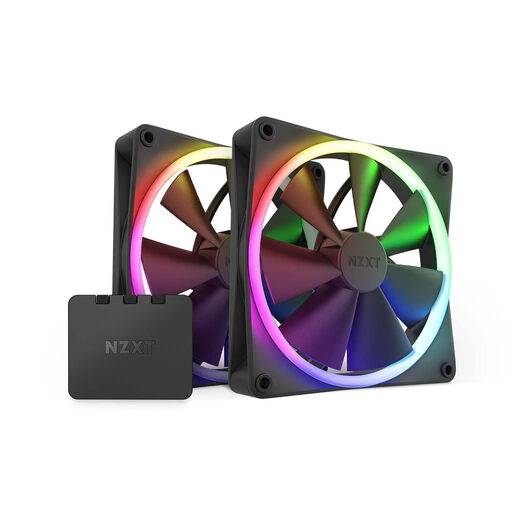
Why It Stands Out: This package is the all-in-one solution for getting started with the NZXT RGB ecosystem. It includes two 140mm PWM fans and the necessary RGB controller. Each fan is equipped with 18 individually customisable RGB LEDs that can be synchronised via the NZXT CAM software for harmonious lighting effects. The fan blade design is optimised for a balance between high static pressure and excellent airflow, while the frame's vibration-dampening corners support quiet operation.
Pros:
Who It's For: This kit is ideal for users building a new PC system or looking to equip their existing system with a synchronised NZXT RGB fan solution for the first time.
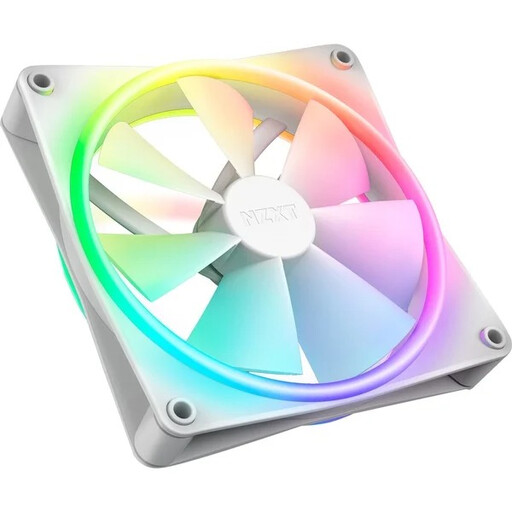
Why It Stands Out: The F140 RGB Duo takes aesthetics to the next level. With 20 individually addressable LEDs placed on both the inner and outer rings, this fan creates stunning, multi-dimensional lighting from every angle. This makes it particularly attractive for use as an intake fan where both sides are visible. The Fluid Dynamic Bearing ensures long-lasting and quiet operation.
Pros:
Who It's For: This fan is aimed at PC enthusiasts for whom aesthetics are a top priority. It's the perfect choice for show builds where the fans are clearly visible from all sides.
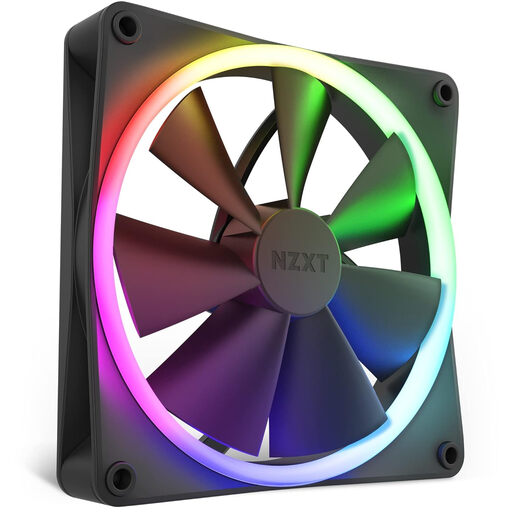
Why It Stands Out: This single fan is technically identical to the fans in the twin pack and represents the most cost-effective way to expand an existing NZXT RGB setup. It offers the same 18 customisable LEDs, quiet operation, and balanced cooling performance. As no controller is included, this product requires a pre-existing NZXT RGB controller.
Pros:
Who It's For: Users who already own an NZXT RGB controller and simply need one or more additional NZXT F140 RGB fans to fully outfit their case.
The NZXT F140 series offers a specific solution for cooling and lighting. However, if you are considering other sizes, brands, or lighting types, a wide range of alternatives is available. From minimalist, non-illuminated performance fans to other RGB ecosystems, the selection is vast.
Explore our full range of Case Fans and find the perfect component for your system.
Yes, the fans can be operated without the NZXT CAM software. The PWM function for speed control works via the motherboard's 4-pin header. However, to control and customise the RGB lighting, the NZXT CAM software, in conjunction with a compatible NZXT controller, is mandatory.
The main difference lies in the lighting. The standard F140 RGB has 18 LEDs mounted in a ring on the inside of the frame, primarily shining in one direction. The F140 RGB Duo, on the other hand, has 20 LEDs distributed across two rings (inner and outer), allowing it to produce intense illumination on both the front and back of the fan.