
Lieferung heute & morgen

Qualitätsgarantie

Willkommens-Angebote freischalten: KOSTENLOSE Lieferung | Bis zu 80 % RABATT | Kostenlose 30-Tage-JoyPlus-Testphase
App herunterladen
Neat RGB lighting and controlled temperatures go hand in hand for many PC builders. But when it comes to NZXT RGB PC cooling, appearance is not the only consideration. Connection standards, case dimensions and the desired control via NZXT CAM software must also be right.
A 4-pin PWM connection controls the fan speed. RGB lighting, on the other hand, uses its own connection. Depending on the model, this may be a proprietary NZXT connection or 5V 3-pin ARGB. A 12V RGB connection is not automatically compatible. Connecting a 5V ARGB device to 12V can damage the LEDs.
You should therefore check the following before buying:
A 120mm RGB fan and a 140mm RGB fan are not interchangeable in every situation. Many cases offer different mounting points for the front, top, rear and bottom. With radiators, you must also check the appropriate length, such as 240mm, 280mm or 420mm.
A 140mm fan can move a large volume of air at a lower speed, but it requires correspondingly larger mounting openings. A 120mm model is compatible with more cases and is suitable for compact cases or existing 240mm radiators.
For unobstructed case openings, a balanced combination of airflow and noise levels is important. Behind a dust filter, CPU cooler or radiator, however, a high-static-pressure fan is the better choice. Static pressure is measured in mmH₂O and broadly describes how effectively a fan can move air through an obstruction.
Marketing claims such as a high maximum speed should therefore not be considered in isolation. Noise levels, the fan curve, bearing type and the actual installation situation are also important.
A 4-pin PWM fan can adjust its speed according to temperature readings. This allows it to run more slowly under a light load and speed up as the CPU or GPU temperature rises. When using several fans, you must also take the controller's load into account.
According to the product specifications, the NZXT RGB & Fan Controller has three fan channels and supports up to nine PWM fans in total, provided suitable splitters are used. The stated rated power is 36 watts. This limit must not be exceeded.
Before placing your order, compare the case's technical specifications with those of the product:
With an NZXT CPU cooler, socket compatibility is also important. The T120 RGB, for example, is available for Intel and AMD platforms; check the specific socket list against the installation instructions before fitting it.
The NZXT CAM software can centrally manage fan curves, temperatures and RGB effects on compatible products. However, this only works when the controller, cables and product generation are compatible. Some fans require a separate RGB controller, while other variants include a controller in the box.
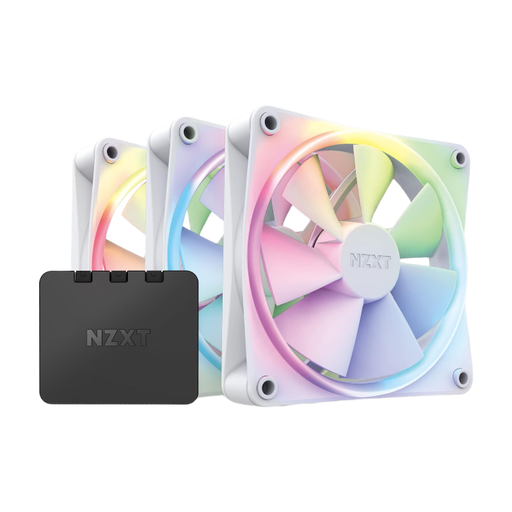
Why this product suits this profile: The set combines three 120mm RGB fans with a controller, reducing the number of components that need to be purchased separately.
The controller is included in the package, so there is no need to find a suitable separate RGB hub during initial installation.
Three 120mm fans, 18 customisable RGB LEDs per fan and PWM connections for speed control.
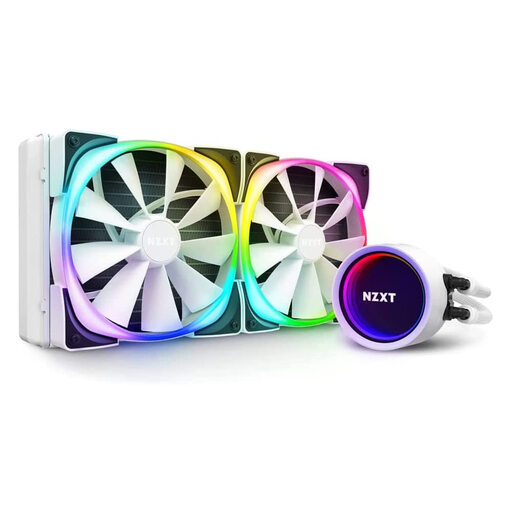
Why this product suits this profile: This 280mm NZXT liquid cooler is designed for users looking for an AiO solution with integrated RGB styling and central CAM control.
The radiator size and the two included 120mm Aer RGB 2 fans are clearly specified. Nevertheless, check before buying that your case supports 280mm.
280mm radiator, rotatable pump cover, and control of cooling profiles and RGB effects via CAM.
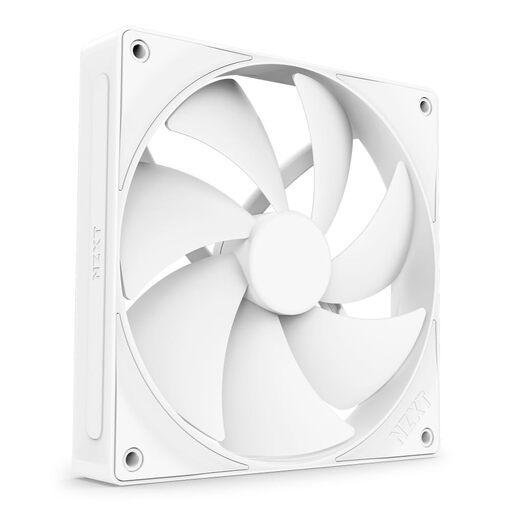
Why this product suits this profile: This single 140mm fan is designed for radiators, heatsinks and areas with higher airflow resistance.
Rather than looking only at the maximum speed, its intended use is clearly defined: the fan is designed for static pressure and controlled via 4-pin PWM.
140mm format, 4-pin PWM connection, Fluid Dynamic Bearing and, according to the product specifications, a service life of up to 60,000 hours.
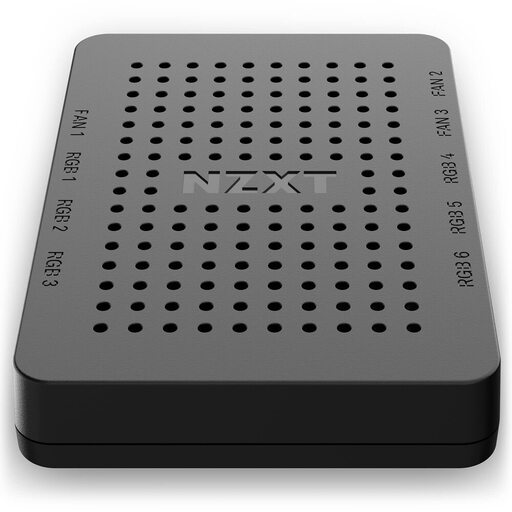
Why this product suits this profile: Anyone looking to manage several compatible NZXT components centrally gets six RGB channels and three fan channels.
The number of channels, SATA power connection and USB 2.0 connection are known in advance. It is important to connect only PWM fans and stay within the power limit.
Six RGB lighting channels, up to nine PWM fans across three channels, and CAM control for profiles and effects.
We have put together a complete, regularly updated list of products that fully meet these strict selection criteria and the safety regulations applicable in the EU.
Before installation, switch off the PC completely and disconnect it from the mains. Fans should be positioned so that air flows through the case in the desired direction. Cables must be kept away from rotating fan blades and hot components.
For everyday use, a moderate PWM fan curve is recommended. Dust filters and fan blades should be cleaned regularly, as build-up can reduce airflow and cause noise. With liquid cooling, the radiator, pump, tube routing and compatibility with the CPU socket should also be included on your checklist.
That depends on the model. Some NZXT RGB fans have a proprietary RGB connection and require a suitable NZXT RGB controller. Other variants can be controlled via a 5V ARGB connection on the motherboard. Check the product description and the included cable before buying.
Service life depends on the bearing, usage, dust levels and ambient temperature. Several models are specified with a service life of up to 60,000 hours. This is a technical manufacturer specification, not a guarantee of a particular service life in your individual PC.
The power consumption of individual fans is generally comparatively low, but it increases with the number of fans and lighting components. With a controller, the specified voltage and maximum power must be observed. For a stable configuration, connections should be selected based not only on the number of components but also on their total power consumption.