
Lieferung heute & morgen

Qualitätsgarantie

Willkommens-Angebote freischalten: KOSTENLOSE Lieferung | Bis zu 80 % RABATT | Kostenlose 30-Tage-JoyPlus-Testphase
App herunterladen
As a Joybuy Product Recommendation Officer, I analyse the automotive tool market daily. It's clear that the selection of OBD2 diagnostic tools is overwhelming, and many manufacturer promises turn out to be costly traps. A warning light on the dashboard can quickly lead to an expensive repair bill. The right diagnostic tool promises a solution, but the path to finding one is paved with potential bad buys. This guide will help you separate the wheat from the chaff.
Before you invest, you should be aware of the three most common marketing traps that often lead to disappointment and unnecessary expenses.
To make an informed decision, focus on the following technical features. They are the primary determinants of your diagnostic tool's utility and longevity.
The ability not just to read fault codes but to actively communicate with the vehicle is the hallmark of professional-grade equipment. Look for the following functions:
A good diagnostic tool is also a versatile Service Reset Tool. It saves you a trip to the workshop for many standard maintenance tasks. Indispensable functions include:
Vehicle technology is evolving rapidly. Your diagnostic tool should be able to keep pace.
Different tools are suitable for different requirement profiles. Here are three selected models tailored to specific needs.
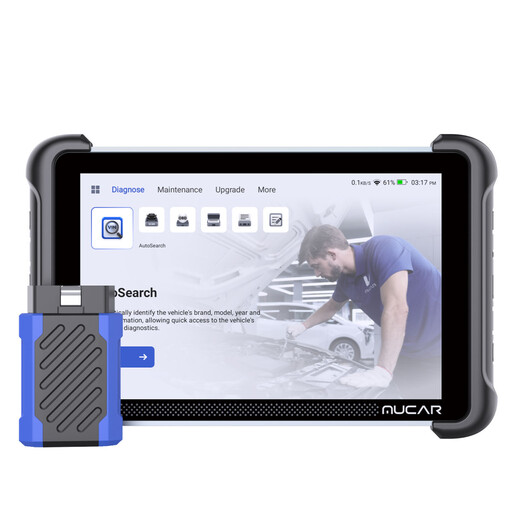
Why This Fits Their Persona: This tablet-based device is designed for professional use. It offers advanced features like ECU coding and bidirectional control, which are essential for complex repairs and customisations. Support for CAN FD & DoIP ensures compatibility with the latest vehicle models in a daily workshop environment.
Thanks to lifetime free updates, the subscription trap is completely eliminated. Integrated support for CAN FD & DoIP prevents compatibility issues with modern vehicles.
Comprehensive ECU coding and bidirectional control for in-depth diagnostics. Expandable with professional tools like oscilloscopes or endoscopes.
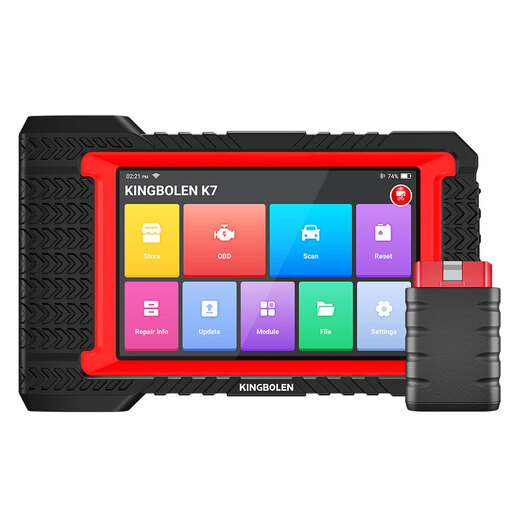
Why This Fits Their Persona: The K7 offers excellent value for money for DIYers who want to do more than just read fault codes. With over 28 reset functions, bidirectional control, and even ECU coding options, it covers a wide range of maintenance and repair jobs without breaking a professional workshop's budget.
The device is explicitly advertised with lifetime free updates, which provides high investment security without hidden follow-up costs. It offers true in-depth diagnostics for all systems, far beyond a simple code reader.
Extensive feature set with 28+ service functions and bidirectional control. Wireless diagnostics via Bluetooth offer plenty of freedom of movement in the home garage.
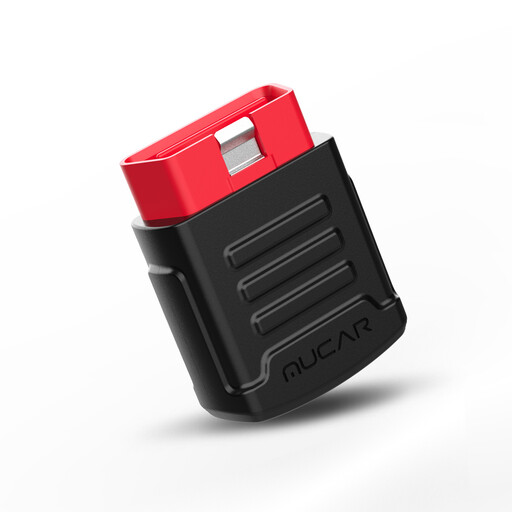
Why This Fits Their Persona: This compact Bluetooth adapter is the ideal solution for drivers who want to monitor their vehicle's health and diagnose simple faults themselves without spending a lot of money. It turns your own smartphone into a full-featured diagnostic tool for all vehicle systems.
Diagnostics for all systems are free for life. This avoids the trap of superficial devices that only scan the engine control unit, while also giving you full cost control with no subscriptions for the core function.
Very cost-effective and easy to use via a smartphone app. It offers full system diagnostics, which is rare in this price range. Two service resets are included free for one year.
We have compiled a complete, up-to-date list of products that fully meet these strict selection criteria and UK regulations.
Most devices are very easy to use. Locate the 16-pin OBD2 port in your vehicle, which is usually in the driver's footwell under the dashboard. With the ignition off, plug in the device or Bluetooth dongle. Then, turn the ignition on (without starting the engine). The device will power up and be ready for use. For Bluetooth devices, you will then pair it with the corresponding app on your smartphone or tablet.
With reputable providers, yes. These models are priced so that the purchase price covers future software development. It is a key quality feature that distinguishes a device from those with hidden subscription costs. Read the product description carefully. Phrases like "Lifetime Free Updates" or "No Annual Fees" are a good sign. If you are unsure, you should check the manufacturer's specifications.
Yes, most diagnostic tools that go beyond a simple fault code reading function offer an "Oil Reset" or "Service Reset" function. This allows you to reset the service interval indicator on the on-board computer after performing an oil change yourself, saving you a trip to the workshop. Before purchasing, check whether this specific function is supported for your vehicle model.