
Lieferung heute & morgen

Qualitätsgarantie

Willkommens-Angebote freischalten: KOSTENLOSE Lieferung | Bis zu 80 % RABATT | Kostenlose 30-Tage-JoyPlus-Testphase
App herunterladen
An OBD2 car diagnostic tool can read fault codes, display live data and, depending on the model, perform servicing functions. However, not every device described as “professional” is suitable for every vehicle. Vehicle compatibility, diagnostic coverage and long-term software costs are the key factors to consider.
Many affordable devices only access the engine control unit. They can often read and clear standard OBD2 codes and check emissions-related values. However, control units for ABS, SRS, transmission, TPMS or body electronics are often not covered.
If you want to read the complete fault memory, you specifically need a vehicle diagnostic tool with full-system diagnosis. “OBD2 compatible” alone is not enough as a buying criterion.
Functions such as oil reset, BMS reset, TPMS reset, DPF regeneration or ABS bleeding describe the device’s capabilities, but do not guarantee availability for every vehicle. The model, engine, year of manufacture and control-unit version can limit access.
ECU coding and a bidirectional test are not universally usable either. Before buying, you should therefore compare the specific vehicle make, model and, where possible, VIN with the compatibility list.
Some car diagnostic tools include updates for a limited period only. After that, charges may apply for new vehicle software, additional makes or individual reset functions. Other models advertise lifetime free updates, although you should still check whether this applies to all diagnostic areas or only to specific software packages.
Also look out for mandatory apps, registration, an internet connection and possible charges for additional functions such as FCA AutoAuth.
For basic engine checks, a device supporting the standard ISO and CAN protocols is often sufficient. With newer vehicles, however, CAN-FD and DoIP may be relevant. CAN-FD allows larger volumes of data to be transmitted within CAN communication. DoIP uses Ethernet-based data transmission and is used on certain vehicle platforms.
For vehicles from the FCA group, FCA AutoAuth may be required to diagnose protected SGW modules. Access may require separate registration or a fee with the official service.
Check whether the device genuinely supports the following functions:
During a bidirectional test, the diagnostic tool sends commands to the vehicle’s control unit, for example to operate fans, windows, pumps or relays. This function does not replace electrical testing and should only be used with sufficient technical knowledge.
A wired device does not rely on smartphone batteries or Bluetooth connections. A Bluetooth OBD2 scanner, on the other hand, can be operated conveniently from outside the vehicle and usually saves reports in an app or on a tablet.
For workshops, a clearly readable display, a stable VCI connection, diagnostic reports and a casing suitable for daily use are important. For occasional checks, a compact device with the key standard functions is often sufficient. A basic cable tester such as the VDIAGTOOL V200 Pro or V210 should not be confused with an OBD2 scanner: these devices look for electrical wiring faults, short circuits and breaks, but do not read vehicle control units.
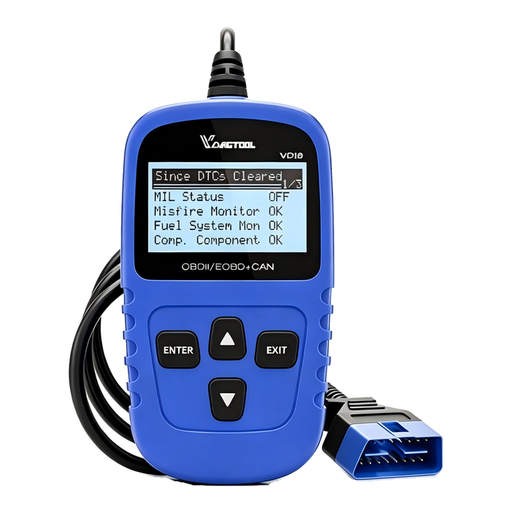
Why this product suits this profile: For car owners who mainly want to check the engine warning light and access standard OBD2 data, this compact wired device offers a straightforward range of functions without Bluetooth pairing.
Its functions are clearly limited to standard OBD2. This avoids giving the impression that every control unit or service function is automatically supported.
Read and clear fault codes, live data, freeze frame and I/M readiness; six languages and free updates according to the product information.
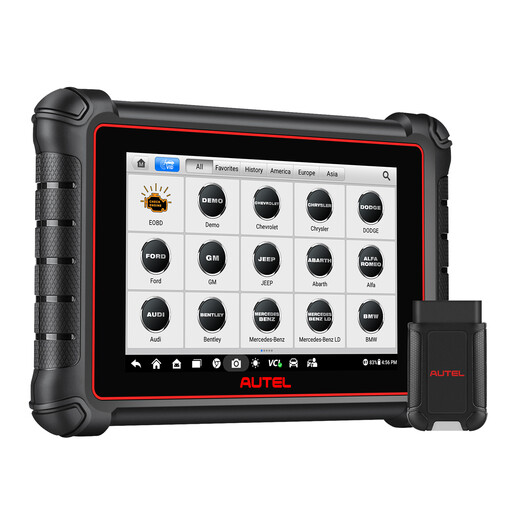
Why this product suits this profile: Suitable for users who want to combine full-system diagnosis, live data, active tests and modern protocols in a tablet with a wireless connection.
CAN-FD and DoIP are explicitly listed. At the same time, the product states that functionality must be checked for each vehicle.
Bidirectional control, over 40 service functions, AutoVIN, FCA AutoAuth support and one year of free updates according to the product description.
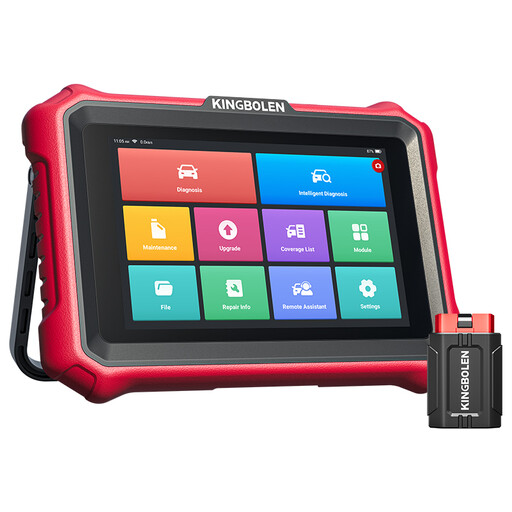
Why this product suits this profile: Independent garages and enthusiastic DIY mechanics get a tablet for extensive control-unit diagnostics, ECU coding, active tests and numerous servicing tasks.
The information distinguishes between online and offline coding and points out that availability depends on the VIN. This helps reduce unsuitable purchases for specialist repair tasks.
Full-system diagnosis, CAN-FD, DoIP, FCA AutoAuth, over 34 reset functions and lifetime free software updates according to the product information.
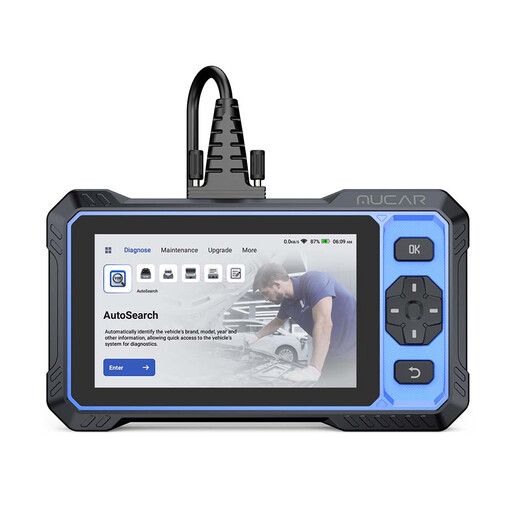
Why this product suits this profile: This device is aimed at users who want to handle recurring diagnostic tasks, active tests and servicing work with a standalone touchscreen device.
The product description lists vehicle coverage, protocols and the limitations of each function separately. It also provides update and warranty terms.
20+ service functions, bidirectional tests, CAN-FD, FCA AutoAuth, 6-inch touchscreen and lifetime free updates according to the product description.
We have put together a complete, regularly updated list of products that fully meet these strict selection criteria and the safety regulations applicable in the EU.
Plug the connector into the 16-pin OBD2 socket, which is often located beneath the dashboard. Then switch on the ignition. With Bluetooth models, pair the device with the app and, where necessary, identify the vehicle using AutoVIN. The vehicle battery should be sufficiently charged before you begin reading the data.
Many devices can clear fault codes and reset the warning light as a result. This should only be done after the fault has been rectified. If the underlying cause has not been repaired, the warning light may come back on. Clearing a code is therefore not a repair and does not replace a professional inspection of safety-critical systems.
Service life depends on the casing, battery, connectors and frequency of use. With app- and tablet-based devices, operating system and software support are also relevant. Before buying, check whether updates are free for life, available for a limited period or chargeable. Individual make- or vehicle-specific packages may also incur additional charges for service functions.