
Lieferung heute & morgen

Qualitätsgarantie

Willkommens-Angebote freischalten: KOSTENLOSE Lieferung | Bis zu 80 % RABATT | Kostenlose 30-Tage-JoyPlus-Testphase
App herunterladen
A warning light on your dashboard can be unsettling. It often brings to mind an expensive trip to the garage just to have the fault codes read. Your own OBD2 diagnostic tool offers a practical and cost-effective alternative. It allows you to perform an initial diagnosis yourself, understand fault codes, and in many cases, even carry out minor maintenance tasks.
This guide serves as an objective resource. We'll explain the essential functions of modern diagnostic tools and present a selection of models for different applications, from simply reading fault codes to performing complex coding.
The market is flooded with options, and the differences in functionality can be significant. To find the right model for your needs, you should consider three key aspects.
The feature set determines what you can do with the tool. Basic models focus on reading and clearing fault codes for the engine control unit. More comprehensive tools offer significantly more capabilities:
Not every tool is fully compatible with every vehicle. While the OBD2 standard for engine diagnostics is mandatory across the EU for petrol cars from 2001 and diesel vehicles from 2004, access to other control units is manufacturer-specific.
Before purchasing, check the vehicle coverage list provided by the manufacturer. Also, look for support for modern communication protocols like CAN FD and DoIP, which are used in newer vehicle models (e.g., from GM or BMW). For vehicles from the FCA Group (Fiat, Chrysler, Alfa Romeo) manufactured from 2018 onwards, an FCA AutoAuth function is required to bypass the Security Gateway and gain full diagnostic access.
Vehicle technology is constantly evolving. Regular software updates are therefore crucial to ensure compatibility with new vehicle models and features. Manufacturers' update policies differ significantly:
Based on feature set, user-friendliness, and price-performance ratio, we have compiled a selection of tools for various requirements.
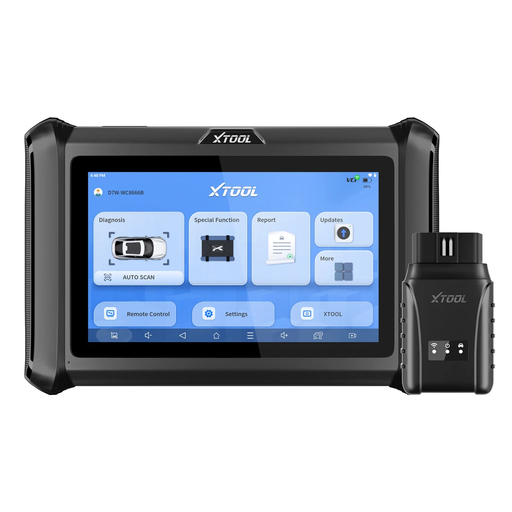
Why it stands out: The XTOOL D7W is a wireless diagnostic tablet that bundles professional features like ECU coding and bidirectional control into a package accessible to ambitious home users and small workshops. The wireless connection offers maximum flexibility when working on the vehicle.
Pros:
Who is it for? For advanced DIY mechanics and independent workshop operators who need a powerful all-in-one tool with in-depth diagnostics and coding capabilities.
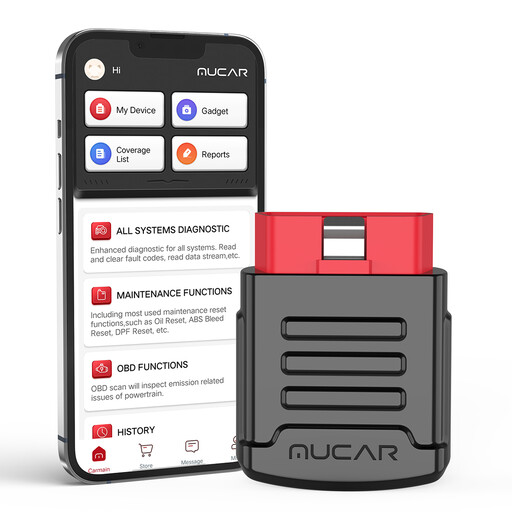
Why it stands out: The MUCAR BT200 Pro is a compact Bluetooth adapter that transforms your smartphone into a fully-fledged diagnostic tool. Its standout feature is the free lifetime diagnostics for all vehicle systems, making it a highly economical solution for personal use.
Pros:
Who is it for? For car enthusiasts and DIYers looking for a cost-effective, simple, and portable solution to read fault codes from all systems and perform basic service tasks on their own vehicles.
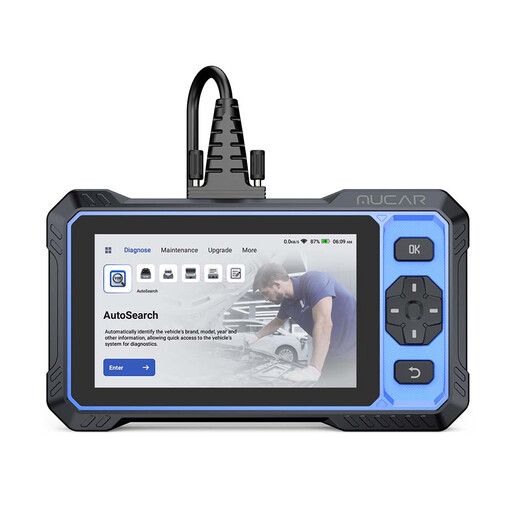
Why it stands out: The MUCAR 682 is a robust diagnostic tablet that bridges the gap between ambitious home users and professional requirements. It combines OE-level system diagnostics and bidirectional control with the advantage of free lifetime updates—a compelling argument against models with expensive subscriptions.
Pros:
Who is it for? For demanding DIY users and semi-professional mechanics seeking a future-proof tool with a professional feature set and no running costs.
The models presented here cover a broad spectrum. If you haven't found the right solution for your specific needs or vehicle model, it's worth taking a look at our full assortment. There you will find other specialised tools and alternatives.
? Discover more car diagnostic code scanners here
The range of functions varies greatly. Basic tools can read and clear engine system fault codes and display live data (e.g., engine speed, coolant temperature). Advanced tools allow access to all vehicle systems (ABS, airbag, etc.), reset service intervals, perform active tests (bidirectional control), and even code control units.
Yes, many diagnostic tools function as a Service Reset Tool. They allow you to perform tasks like resetting the oil service, changing brake pads with an Electronic Parking Brake (EPB), or registering a new battery (BMS). However, it is important to check whether the desired function is supported by the tool manufacturer for your specific vehicle model.
No. While the OBD2 standard ensures basic engine diagnostics for most petrol cars from 2001 and diesel cars from 2004, access to deeper systems (like transmission, ABS, airbag) and advanced functions (like coding or service resets) is highly dependent on the diagnostic tool manufacturer and the vehicle model. Therefore, always check the manufacturer's compatibility list before purchasing.