
Lieferung heute & morgen

Qualitätsgarantie

Willkommens-Angebote freischalten: KOSTENLOSE Lieferung | Bis zu 80 % RABATT | Kostenlose 30-Tage-JoyPlus-Testphase
App herunterladen
An illuminated check engine light or upcoming maintenance can quickly become a source of uncertainty. Modern vehicles are complex systems, and diagnostics require more than just basic mechanical knowledge. A powerful OBD2 diagnostic tool is an indispensable asset, not only for reading fault codes but also for performing in-depth analysis and maintenance tasks.
This guide will help you understand the technical specifications and features relevant to your needs. We'll introduce a selection of tools that stand out for their functionality and compatibility, providing you with a solid basis for an informed decision.
The choice of the right tool heavily depends on your specific needs and the vehicles you work on. Here are three key criteria you should consider.
Not every car diagnostic tool is compatible with every vehicle. Before purchasing, check the list of supported makes and models. Modern communication protocols are especially important for newer vehicles.
The range of functions determines how deeply you can interact with the vehicle's electronics.
For ambitious home mechanics and professional workshops, advanced features are crucial.
Based on the criteria above, we have compiled a selection of tools that cover a broad spectrum of requirements—from the advanced DIYer to professional use.
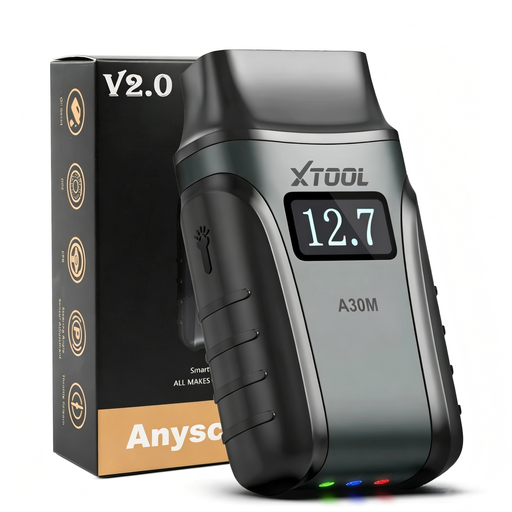
Why It Stands Out: The XTOOL A30M is a compact, wireless diagnostic adapter that connects via Bluetooth to a smartphone or tablet (Android & iOS). Its greatest strength lies in the combination of lifetime free updates and an impressive range of functions, including bidirectional control.
Pros:
Who Is It For? Ideal for ambitious home mechanics and DIY enthusiasts looking for a flexible and future-proof tool with professional features, without the worry of high recurring fees.
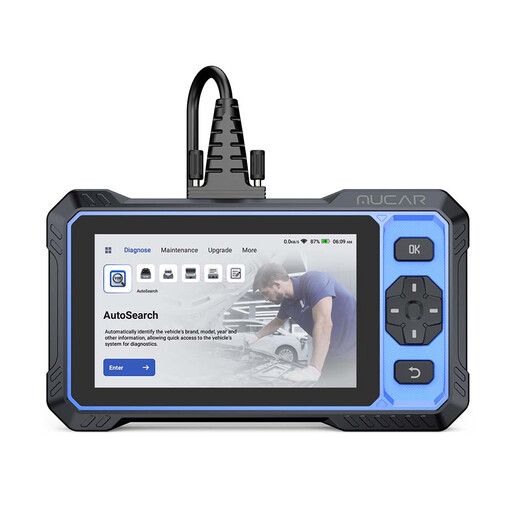
Why It Stands Out: The MUCAR 682 is a standalone handheld diagnostic tool with a 6-inch touchscreen and Android operating system. It combines OE-level system diagnostics with bidirectional control and AI-powered fault analysis, which speeds up troubleshooting.
Pros:
Who Is It For? Perfect for advanced users and small workshops who prefer a robust all-in-one device with touchscreen operation and intelligent diagnostic aids.
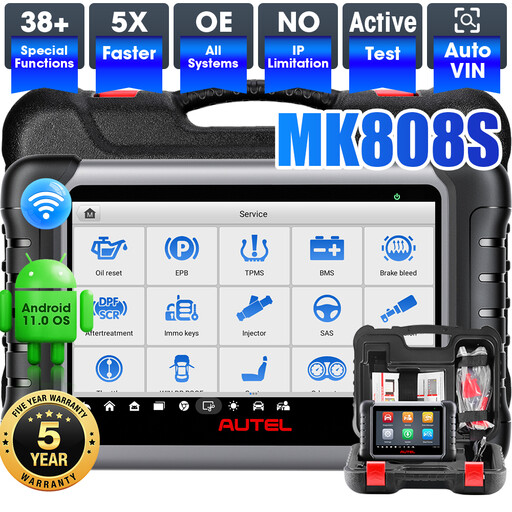
Why It Stands Out: The Autel MaxiCOM MK808S is a professional diagnostic tablet running on a powerful Android 11 system with 4GB of RAM and 64GB of storage. It offers an exceptionally wide range of over 38 service functions and delivers strong performance for daily workshop use.
Pros:
Who Is It For? Designed for professional mechanics and workshops that need a fast, reliable, and extremely feature-rich diagnostic tablet for daily use.
The tools presented cover a broad spectrum, but the world of vehicle diagnostics is diverse. If you are looking for a device with different specifications, for a different budget, or for more specific tasks, you can find more alternatives in our main category.
Explore Our Full Range of Code Readers
A basic OBD2 tool can only receive data from the vehicle's control units (passive mode), such as reading fault codes or live data. A tool with bidirectional control can also send commands to the control units (active mode) to specifically test the function of actuators like valves, motors, or relays.
CAN FD (Flexible Data-Rate) is a more modern data bus protocol that enables significantly faster and more efficient communication between control units than the older CAN standard. It is primarily used in newer vehicles (e.g., from GM). FCA AutoAuth is a security mechanism for vehicles from the Fiat-Chrysler group (now part of Stellantis) manufactured from 2018 onwards. A diagnostic tool requires official authorisation to bypass the security gateway and perform advanced diagnostic functions.
No, it depends on the manufacturer and model. Some devices, like the XTOOL and MUCAR models presented here, offer lifetime free updates. Other manufacturers, especially in the professional segment, operate on annual subscriptions to ensure full functionality and the latest vehicle data. It is important to check this cost model before purchasing.