
Lieferung heute & morgen

Qualitätsgarantie

Willkommens-Angebote freischalten: KOSTENLOSE Lieferung | Bis zu 80 % RABATT | Kostenlose 30-Tage-JoyPlus-Testphase
App herunterladen
An OBD2 diagnostic tool can read fault codes, display live data and, on certain vehicles, perform maintenance functions. However, not every device is equally suitable for car owners, DIY mechanics, mobile technicians and smaller garages. Many options differ significantly in vehicle coverage, control units, update terms and supported protocols.
A budget OBD2 scanner often only accesses the engine control unit and emissions-related data. A full-system diagnosis, by contrast, must be able to reach other control units such as ABS, SRS, TCM, BCM, TPMS or the air conditioning system – depending on the vehicle and software.
The term “full system” is not a blanket promise for every vehicle. What really matters is the make, model, year, engine type and specification. Before buying, you should therefore check the specific vehicle coverage.
Functions such as ECU coding, programming or bi-directional control are often prominently advertised. In practice, support may be limited to certain makes, model ranges or control units. During a bi-directional test, the device sends commands to a control unit – for example, to activate a fan, a pump or a servo motor. This does not replace a mechanical check and, if used incorrectly, can put components under strain.
Coding functions also vary: some devices support offline coding for selected makes, while others require an online connection or additional manufacturer access.
A low purchase price can be offset by ongoing software fees. Things to check include:
With FCA AutoAuth, for example, a separate registration or activation may be required depending on the device and vehicle. Access credentials are not automatically included with the purchase of a scanner.
For regular servicing, buyers should pay close attention to the specific functions they need. Depending on the vehicle, these can include:
Availability can vary depending on the control unit and software version. A car diagnostic tool should therefore not be chosen solely on the number of advertised reset functions.
A modern CAN-FD diagnostic tool supports data transmission with larger data frames than classic CAN. DoIP stands for “Diagnostics over Internet Protocol” and uses Ethernet-based communication. Both protocols can be relevant for newer vehicle architectures.
It is important to check whether CAN-FD is integrated directly or whether a separate adapter is needed. With DoIP, you should also verify whether the required cable is included in the box. Simply listing a protocol does not guarantee full diagnosis for every vehicle.
A tablet diagnostic tool with a large screen can make live data, wiring diagrams and diagnostic reports easier to read. Bluetooth VCI modules make it easier to work away from the vehicle, while wired connections can offer stable communication for certain tasks.
For ECU coding, programming and longer diagnostic sessions, a stable battery voltage is essential. A suitable charger or battery maintainer may be required. Interruptions during coding can lead to communication errors. Always follow the manufacturer’s instructions.
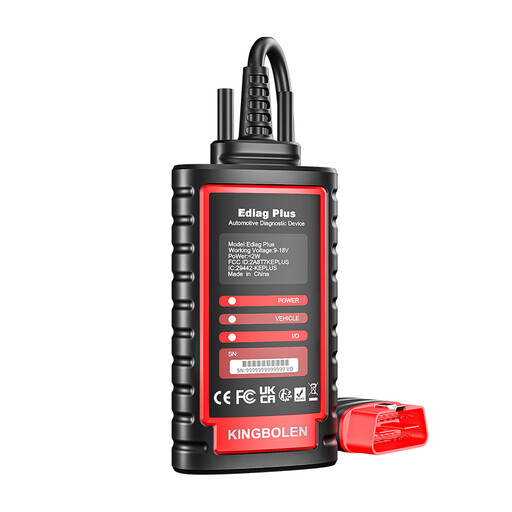
Why this product suits the profile: This Bluetooth scanner connects to your smartphone or tablet and is aimed at users who want to do more than just read engine fault codes.
The product details mention full-system diagnosis, CAN-FD support and 15 maintenance functions. The free software period is one year; after that, the basic OBD2 functions may still be available.
CAN-FD protocol, ECU coding, bi-directional tests and functions such as oil reset, TPMS reset, BMS reset and DPF regeneration according to the product description.
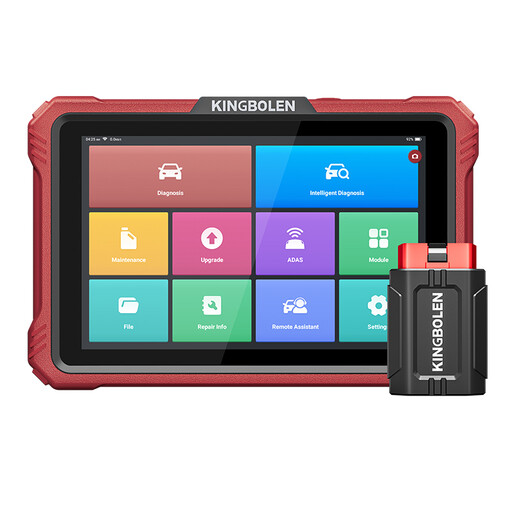
Why this product suits the profile: The tablet format with a 10-inch display, Bluetooth VCI and extensive data storage is ideal for regular diagnostic work.
CAN-FD is integrated, and a DoIP cable is included according to the scope of delivery. The description also mentions a two-year free update service; vehicle and function coverage should still be checked individually.
Full-system diagnosis, topology view, ECU coding, bi-directional control and more than 40 listed reset or maintenance functions.
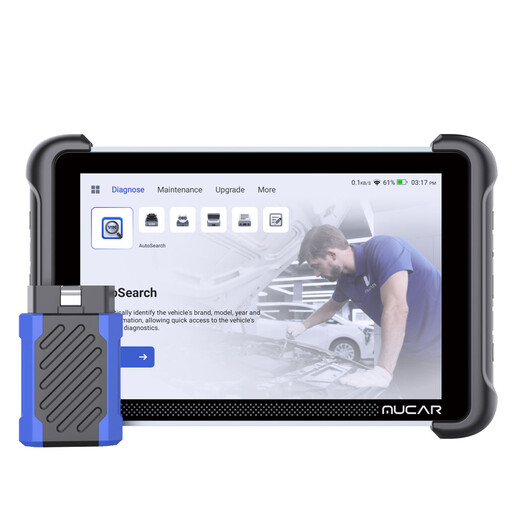
Why this product suits the profile: Mobile mechanics and workshops get an 8-inch tablet with a magnetic VCI and expansion options for additional diagnostic tasks.
According to the product details, lifetime free updates are included. For FCA vehicles, an AutoAuth registration is still required; for coding and reset functions, the specific vehicle coverage applies.
CAN-FD and DoIP, ECU coding, active tests, more than 34 service functions and optional support for TPMS tools, an endoscope or an oscilloscope.
We have put together a complete, regularly updated list of products that fully meet these strict selection criteria and the safety regulations in force in the EU.
No. A scanner can read stored fault codes and, on supported systems, clear them. However, the cause of the fault remains. For safety-related systems such as ABS, airbags or steering angle sensors, a professional inspection is required.
That depends on the model and the provider. Some devices include a limited free update period, while others are advertised with lifetime updates. Before buying, you should consider the terms for function updates and vehicle coverage separately.
For basic communication with the vehicle, a permanent internet connection is usually not required. However, internet access may be needed for software updates, AutoVIN, repair databases, online coding or manufacturer services such as FCA AutoAuth.