
Lieferung heute & morgen

Qualitätsgarantie

Willkommens-Angebote freischalten: KOSTENLOSE Lieferung | Bis zu 80 % RABATT | Kostenlose 30-Tage-JoyPlus-Testphase
App herunterladen
An OBD2 diagnostic tool can range from simply reading the engine management light to providing comprehensive vehicle diagnostics. However, there are significant differences between a compact Bluetooth adapter and a tablet with bi-directional control. If you only pay attention to marketing claims like “professional”, “complete” or “for all vehicles”, you may end up buying features that aren’t available for your own car.
This guide explains which technical specifications matter before buying a car diagnostic tool, what typical pitfalls to watch out for, and which model might suit which usage profile.
The OBD2 standard allows access to emissions-related engine data on many vehicles. A simple auto diagnostic tool adapter usually reads engine faults and displays live data. However, this doesn’t mean that ABS, airbag, transmission, air conditioning or body control modules are accessible.
For full-system diagnostics, the tool must explicitly support access to multiple electronic control units. Additionally, the actual functionality depends on the make, model, year of manufacture and the control unit fitted.
Oil service reset, EPB reset, BMS battery registration, DPF regeneration or injector coding are not universal functions. A diagnostic tool might offer 15 or 40 service functions in its menu, without every one of them being executable on every vehicle.
So pay attention to the note that the function varies depending on vehicle model and year of manufacture. Before buying, it’s wise to check compatibility using the VIN or specific vehicle data.
A diagnostic tool with lifetime updates can reduce ongoing software costs in the long run. But what really matters is what’s actually included: full-system software, service functions, new vehicle coverage, or just basic OBD2 protocols. On some tools, certain brand packages or additional features are optional and chargeable.
Also, access to FCA AutoAuth doesn’t automatically replace the required registration or authorisation with the respective service.
If you want to read the car’s fault memory and systematically narrow down a cause, you should look for the following features:
A tool that only supports the engine area is sufficient for the warning light. For maintenance, used car inspection or workshop work, access to multiple systems is more practical.
With bi-directional control, the diagnostic tool sends commands to the vehicle’s control unit. Depending on the vehicle, this can be used to operate fans, window regulators, doors, relays or fuel pumps, for example. This can help with fault finding, but doesn’t replace electrical or mechanical testing.
ECU coding is even more vehicle-specific. Depending on the make and control unit, it can include online or offline coding, adjustments or module configuration. Before use, the battery voltage should be stable. Incorrect coding can cause communication problems; the respective manufacturer and vehicle coverage must therefore be checked in advance.
For newer vehicles, modern communication protocols are relevant:
However, protocol support alone doesn’t guarantee complete coverage. What remains decisive is the combination of protocol, make, model and software version.
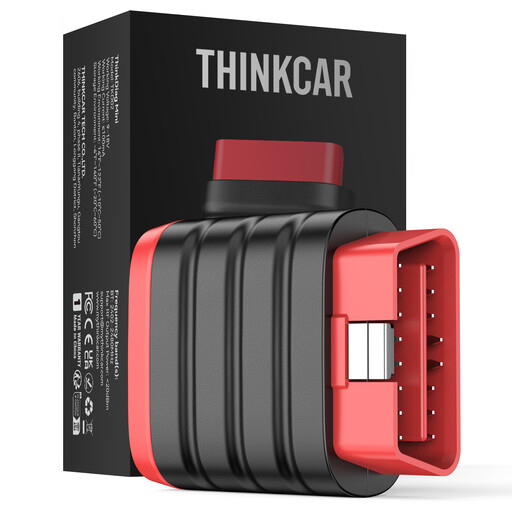
Why this product suits the profile: The compact adapter connects via Bluetooth to iOS and Android devices and is suitable for occasional diagnostic checks on a private vehicle.
The product description explicitly states that no maintenance or special functions are included. This clearly sets expectations about the range of features.
Compact design, Bluetooth connection, ThinkDiag+ app, full-system diagnostics and, according to the product information, lifetime free updates.
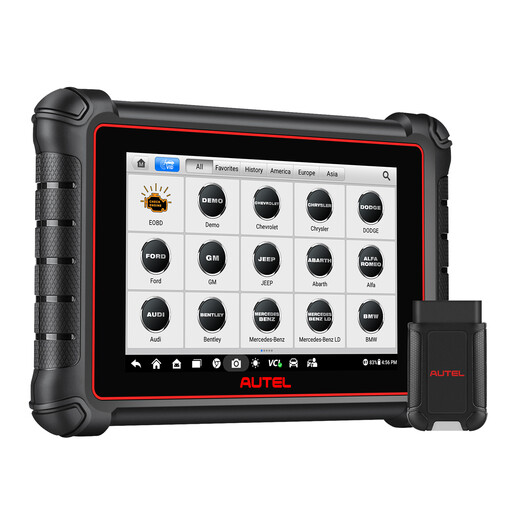
Why this product suits the profile: The tablet is designed for regular diagnostic work with a large display, wireless VCI connection and multiple service levels.
CAN FD and DoIP are integrated according to the product information. At the same time, one year of free updates is mentioned, so ongoing software costs can be factored in before purchase.
8-inch touchscreen, full-system diagnostics, bi-directional tests, over 40 stated service functions and support for FCA AutoAuth.
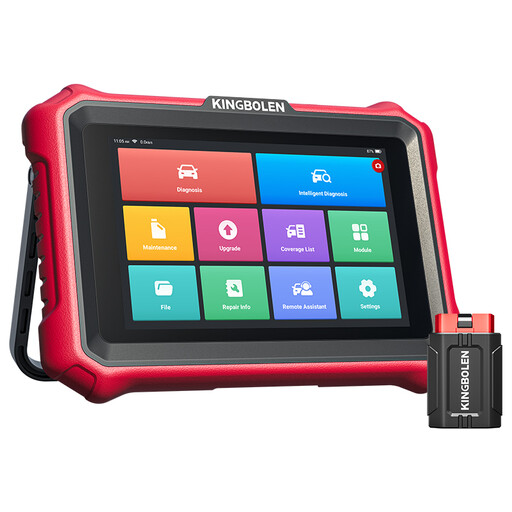
Why this product suits the profile: The tablet is aimed at users who regularly need ECU coding, active tests and modern vehicle protocols in a workshop or mobile setting.
The description explicitly mentions CAN FD, DoIP and the vehicle areas. For FCA vehicles, it clarifies that a separate AutoAuth registration may be required.
Android tablet with 8-inch display, ECU coding, more than 34 stated reset functions, active tests and, according to the product information, lifetime software updates.
We’ve put together a complete, regularly updated list of products that fully meet these strict selection criteria and the safety regulations in force in the EU.
No. An OBD2 scanner can only reach the control units and fault codes that are supported by the vehicle, protocol and software. Additionally, a cleared code may return if the underlying cause hasn’t been fixed.
That depends on the app and operating system. Some models support Android and iOS, while others require a specific manufacturer’s app. Before buying, you should check the operating system version, app availability and required permissions.
“Lifetime free” refers to the software provision as defined by the manufacturer. Additional modules, special brand packages, AutoAuth access or individual service functions may be excluded. The terms of each offer are therefore crucial.