
Lieferung heute & morgen

Qualitätsgarantie

Willkommens-Angebote freischalten: KOSTENLOSE Lieferung | Bis zu 80 % RABATT | Kostenlose 30-Tage-JoyPlus-Testphase
App herunterladen
An OBD2 diagnostic tool can read fault codes, display live data and, depending on its features, perform service functions. However, there are significant differences between a basic OBD2 fault code reader and a professional vehicle diagnostic tool. Anyone who focuses solely on the number of advertised functions may end up buying a device that does not support important systems in their vehicle or incurs additional charges after a short time.
An affordable car fault code reader can often communicate only with the engine control unit via standardised OBD2 protocols. By contrast, advertised full-system diagnostics should explicitly mention systems such as ABS, SRS, transmission, TPMS, BMS or air conditioning.
Important: even a device with full-system diagnostics cannot access all control units on every vehicle. The functions actually available depend on the make, model, year, engine, control unit and VIN. Compatibility should therefore be checked for the specific vehicle before purchase.
“Lifetime free updates” may refer to the basic OBD2 functions or to the complete diagnostic software. With some devices, special service functions are included only for a specific period. Renewal fees may then apply.
One example is the LAUNCH CRP123X V2.0: according to the product details, seven reset functions are included permanently, while additional functions may incur optional charges. The THINKCAR ThinkDiag Mini is described as offering lifetime update use, while service and specialist functions are not included in the package.
Bidirectional diagnostics, Active Test and ECU coding are among the more advanced functions. Depending on the vehicle, they can be used, for example, to activate fans, pumps, electric windows or valves, or to adjust certain control unit parameters.
However, these functions are not universal. ECU coding may require a stable battery voltage, internet access, manufacturer-specific authorisation or a compatible control unit. Particular care is required when working on safety-critical systems such as brakes, airbags or immobilisers.
For many vehicles registered in Germany, support for OBD2/EOBD is the first key consideration. Older and widely used protocols include ISO 9141-2, ISO 14230-4 KWP and ISO 15765-4 CAN.
If you own a vehicle with a modern electronic architecture or want to diagnose several makes in future, you should also look for CAN-FD and DoIP:
A high number of advertised vehicle makes is no substitute for a VIN check. What matters is whether the desired function is available for the specific vehicle.
A basic diagnostic tool should offer at least the following OBD2 functions:
For regular servicing, additional functions such as service reset, EPB reset, BMS registration, SAS calibration, DPF regeneration, TPMS reset or injector coding are relevant. However, the number of functions alone is not a sufficient selection criterion. Check that the specific functions you need are enabled for your vehicle.
A Bluetooth OBD2 scanner is compact and suitable for smartphone diagnostics or mobile use. You will need a compatible app, a smartphone with a current operating system and usually a user account. A tablet diagnostic tool, on the other hand, has its own screen and often comes with integrated diagnostic software.
You should also consider:
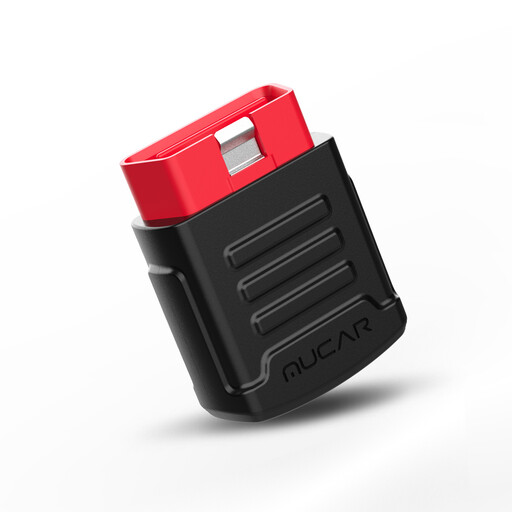
Why this product suits the profile: According to the product details, the compact Bluetooth adapter connects to iOS and Android devices and provides full-system diagnostics via a mobile app.
The product description distinguishes between the standard model with two reset functions and the Pro version. This makes it easier to check exactly what is included.
Bluetooth connectivity, live data, freeze-frame display and, according to the supplier, lifetime free updates for the OBD2 functions listed.
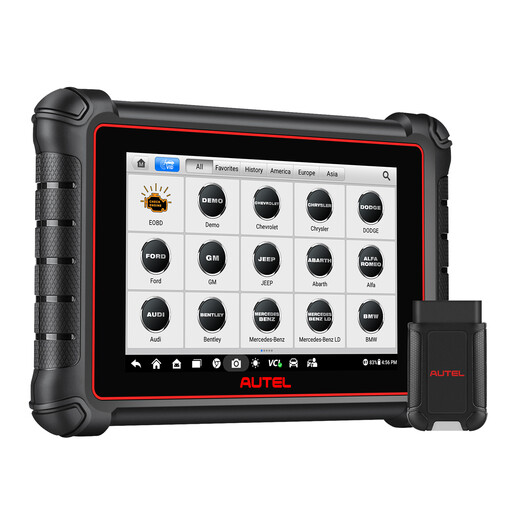
Why this product suits the profile: This tablet is designed for users who need a dedicated screen, full-system diagnostics and wireless communication for regular work.
The product details explicitly state that free updates are included for one year. This allows potential ongoing costs to be taken into account when making your purchase decision.
According to the supplier, DoIP and CAN-FD support, Active Test, more than 40 service functions and a Bluetooth range of up to 10 metres.
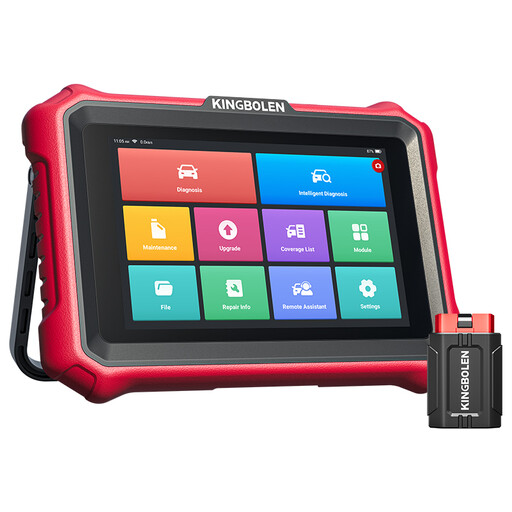
Why this product suits the profile: ECU coding, Active Test and modern protocols are particularly relevant for independent garages, mobile mechanics and experienced DIY enthusiasts.
The details indicate that ECU coding and specialist functions are not available for every vehicle. A VIN check before purchase is still required.
According to the product description, CAN-FD, DoIP, Bluetooth VCI, full-system diagnostics, more than 30 reset functions and lifetime free software updates.
We have put together a complete, regularly updated list of products that fully meet these strict selection criteria and the safety regulations applicable in the EU.
The vehicle and device should be prepared safely before starting the diagnosis:
Deleting a fault code does not automatically resolve the underlying cause. Work on brakes, airbags, high-voltage systems or steering should be left to qualified professionals.
No. A standard OBD2 scanner can mainly read and delete emissions-related engine faults. Warnings from the ABS, airbag, transmission or comfort systems often require full-system diagnostics with suitable vehicle coverage.
Its lifespan depends on the casing, battery, connector, storage conditions and software maintenance. A device should be kept dry, protected from direct sunlight and not exposed to high temperatures for prolonged periods. With tablet models, the condition of the battery is also an important factor.
This depends on the model. According to the supplier, some products offer lifetime free updates, while others include free software only for a limited period. Before buying, check whether the basic functions, reset services, ECU coding and vehicle coverage are subject to the same update conditions.