
Lieferung heute & morgen

Qualitätsgarantie

Willkommens-Angebote freischalten: KOSTENLOSE Lieferung | Bis zu 80 % RABATT | Kostenlose 30-Tage-JoyPlus-Testphase
App herunterladen
Setting up a functional workspace, whether at home or in the office, is an investment in your productivity. But the office equipment market is flooded with marketing promises that often create more confusion than clarity. Many well-intentioned purchases later turn out to be impractical or oversized. As your Joybuy Product Recommendation Officer, I'll help you identify the common pitfalls and choose a setup that's truly tailored to your needs.
Before we get to the solutions, it's crucial to understand the most common mistakes. These often lead to unnecessary expenses and an unproductive work environment.
To avoid these traps, you should focus on a few, but crucial, technical specifications. These determine whether your new professional office equipment is truly the right fit for you.
Choosing the right case type is the foundation for a tidy and functional workspace. Each type has specific pros and cons.
An ergonomic workspace is not a luxury but a necessity to prevent postural damage. The desk size is crucial here. A depth of 80 cm is recommended to ensure a healthy distance from the monitor. The width should be at least 120 cm if you work with an external monitor. Smaller desks around 80 cm wide are only suitable for pure laptop work or very tight spaces.
Before buying a PC or laptop, carefully check the available ports. A sufficient number of USB-A and USB-C ports, at least one video output (HDMI or DisplayPort), and a LAN port are essential for a professional workspace. If these are missing, a docking station for Windows can be a sensible addition to connect all peripherals like the monitor, mouse, keyboard, and network with just a single cable.
Based on the criteria above, we have identified some products that represent a suitable solution for specific user groups.
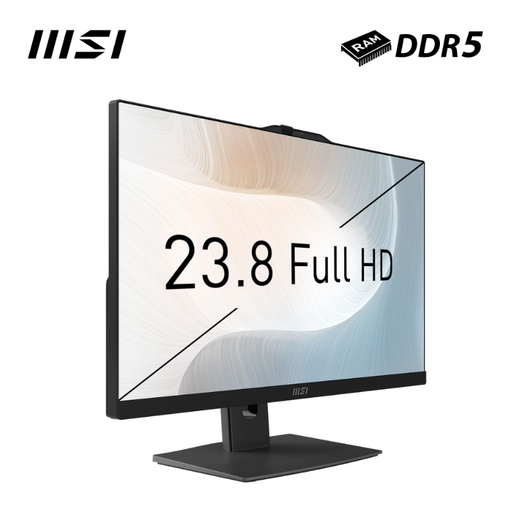
Why This Fits Their Persona: Ideal for students or a first home office. The all-in-one design saves you from buying a separate monitor and avoids cable clutter. Its performance is perfectly adequate for research, office applications, and streaming.
This device bypasses the "space trap" with its integrated design and avoids the "do-it-all" myth by offering solid, but not excessive, performance for everyday tasks.
The height-adjustable stand promotes an ergonomic posture. According to the manufacturer MSI, the display features T?V-certified Anti-Flicker and blue light filter technology to protect your eyes.
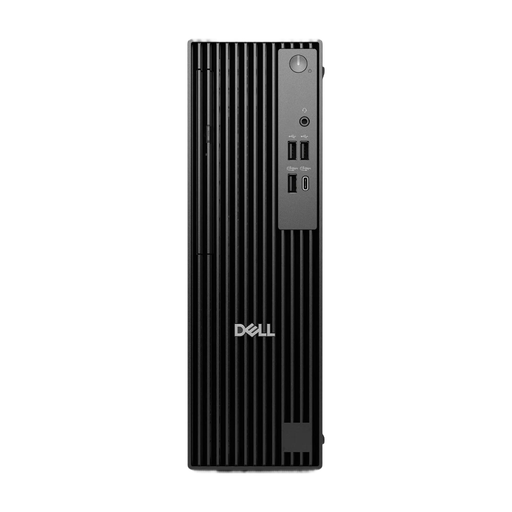
Why This Fits Their Persona: For freelancers and SMBs who need a reliable and powerful computer for demanding office work. The slim case saves valuable space without compromising on performance.
This model is the direct answer to the "space trap." It offers the performance of a full-fledged desktop in a compact format and a good selection of ports, thus avoiding the "connectivity illusion."
The combination of a modern Intel Core i5-14500 processor, 16 GB of DDR5 RAM, and a fast 512 GB NVMe SSD ensures smooth multitasking. Windows 11 Pro is pre-installed for business use.
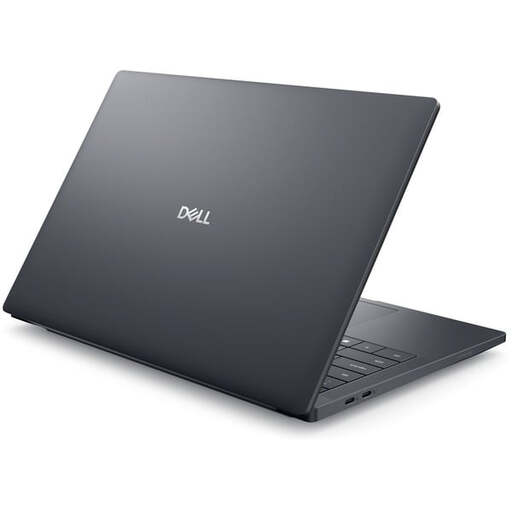
Why This Fits Their Persona: For engineers, architects, or creative professionals who rely on certified performance on the go for 3D modeling, CAD, or AI applications. This device packs extreme power into a portable format.
Although it's high-priced, it's not a "do-it-all" machine. Its professional NVIDIA RTX PRO 2000 graphics card is specifically certified for professional software. The "connectivity illusion" is debunked by future-proof Thunderbolt 5 ports.
Offers extreme processing power from the Intel Core Ultra 7 processor and a dedicated pro GPU in a chassis that weighs only 1.61 kg. The connectivity is designed for demanding workflows with high-resolution monitors and fast storage.
We have compiled a complete, up-to-date list of products that fully meet these strict selection criteria and safety regulations.
1. How much should you spend on a good home office setup? There's no one-size-fits-all answer, as costs depend heavily on individual requirements. A solid basic setup for standard office tasks, consisting of a reliable PC, a monitor, and a desk, can start at around €800 to €1,200. For professional setups with higher performance or special ergonomic needs, you should budget €1,500 to €2,500 or more. More important than the price alone is the price-performance ratio and the longevity of the components.
2. Is an all-in-one PC a good choice for the office? That depends on the use case. Advantages: AiOs are extremely space-saving, easy to set up, and reduce cable clutter to a minimum, which makes for a clean work environment. Disadvantages: The components are built-in, which makes upgrades (e.g., the graphics card) difficult or impossible. Repairs can also be more complex. They are a great choice for standard office applications, client-facing areas, or when aesthetics are a priority. Anyone who needs flexibility for future upgrades is better off with a slim or mini PC and a separate monitor.
3. How can I create an ergonomic workspace in a small area? Ergonomics are possible even in a limited space. Use a compact desk (e.g., 120 cm x 60 cm) and a high-quality office chair. A crucial element is a monitor arm: it lifts the monitor off the desk, creates valuable workspace, and allows for perfect alignment at eye level. Combine this with a mini PC mounted behind the screen via a VESA mount to keep the desk surface completely clear. An external keyboard and mouse are also essential for a healthy posture.