
Lieferung heute & morgen

Qualitätsgarantie

Willkommens-Angebote freischalten: KOSTENLOSE Lieferung | Bis zu 80 % RABATT | Kostenlose 30-Tage-JoyPlus-Testphase
App herunterladen
Finding the right gaming monitor can be a challenge, especially in the high-end segment. OLED technology promises unparalleled contrast and extremely fast response times, but the sheer number of models, resolutions, and technical specifications makes the decision complex. This guide aims to provide clarity. As a Joybuy Product Recommendation Officer, I have filtered the relevant information to offer you an objective and practical decision-making guide. We will analyse the most important criteria and present a selection of current models suitable for competitive PC and console gamers.
Before you make a decision, several key technical aspects should be considered. These factors are crucial in determining performance and the overall gaming experience.
The choice between a higher resolution and a maximum refresh rate is central. A 4K gaming monitor with 240Hz offers an impressive level of visual detail that truly shines in graphically intensive single-player titles. However, this requires an extremely powerful graphics card to achieve such high frame rates.
In contrast, a WQHD OLED monitor (2560 x 1440 pixels) often provides an even higher refresh rate, such as with a 360Hz gaming monitor. This high frequency is critical for an esports monitor, as it minimises motion blur and allows for more direct in-game responsiveness. The lower resolution also reduces the load on the graphics card, making it easier to achieve stable, high framerates.
The two dominant OLED panel types for monitors are QD-OLED and WOLED.
Both technologies deliver the perfect blacks and excellent contrast characteristic of OLED. The choice depends on personal preference regarding colour reproduction and brightness.
For PlayStation 5 or Xbox Series X owners, a monitor with HDMI 2.1 is a fundamental requirement to unlock the consoles' full potential. Only this standard allows for the transmission of 4K signals at 120 Hz. For PC gamers, DisplayPort (often version 1.4 with DSC or 2.1) is the primary interface for the highest resolutions and refresh rates, but HDMI 2.1 provides a future-proof and versatile alternative.
Based on the criteria mentioned, we have compiled a selection of monitors that are suited for different user profiles based on their technical specifications.
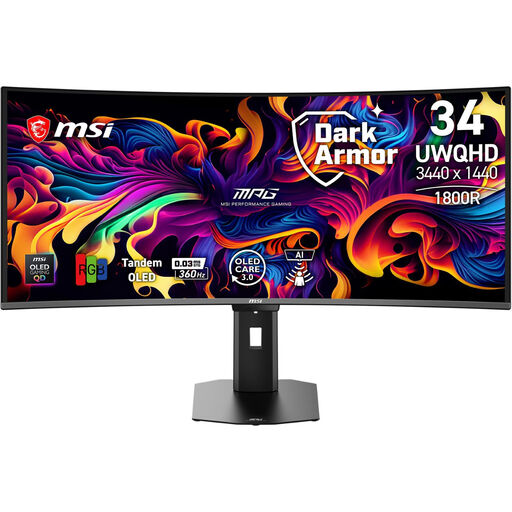
Why It Stands Out: This model combines the immersive experience of an ultrawide gaming monitor with the extreme speed required for competitive gaming. The curved 34-inch panel with UWQHD resolution and a 360 Hz refresh rate sets a new standard for fluidity and responsiveness.
Advantages:
Who It's For: Ideal for gamers who appreciate both the immersion of widescreen formats in racing sims or RPGs and the uncompromising speed needed for fast-paced shooters. Requires a high-end PC build.
View Product: MSI MPG 341CQR X36
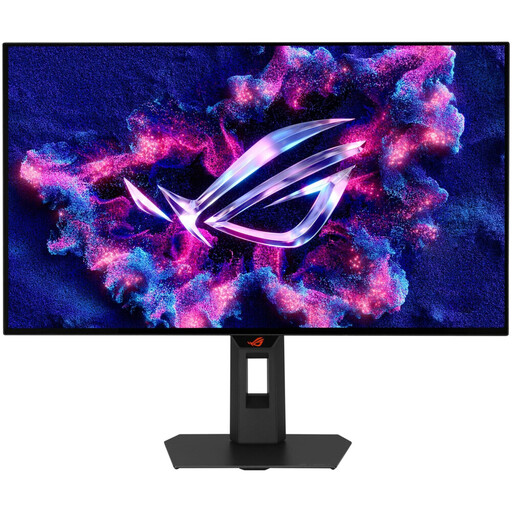
Why It Stands Out: The XG27AQWMG is tailored for pure esports performance. With its 27-inch panel in the classic 16:9 format, a very high 280 Hz refresh rate, and the latest Tandem WOLED technology for increased brightness, it offers focused performance for competitive players.
Advantages:
Who It's For: This monitor is aimed at esports professionals and ambitious gamers who are looking for an extremely responsive monitor in the established 27-inch WQHD format and prioritise maximum frame rates.
View Product: ASUS ROG Strix WOLED XG27AQWMG
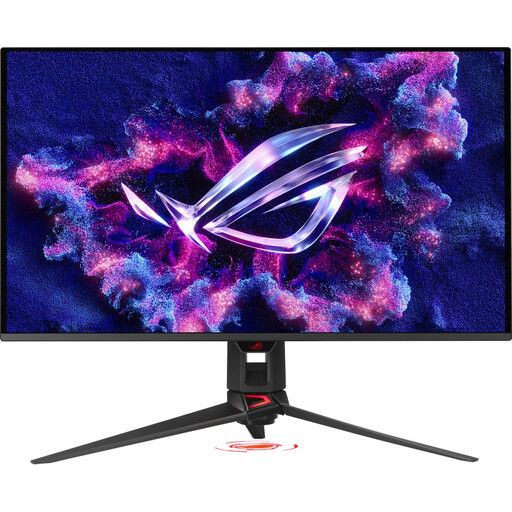
Why It Stands Out: This model combines the best of both worlds: a razor-sharp 4K UHD resolution on a large 32-inch display and a high 240 Hz refresh rate. The QD-OLED panel ensures brilliant colour reproduction, making the monitor an option for users who refuse to compromise.
Advantages:
Who It's For: For enthusiasts with absolute top-of-the-line hardware (PC or console) who seek both the maximum visual fidelity of 4K and the extreme fluidity of a high-refresh-rate display for all types of games.
View Product: ASUS ROG Swift OLED PG32UCDMR
The monitors featured here offer state-of-the-art connections like HDMI 2.1 and DisplayPort. However, if you need to connect older devices or require a more flexible connectivity solution for your setup, a suitable adapter may be necessary. Discover our selection of high-quality USB HDMI adapters to ensure your devices are compatible.
1. What is the risk of burn-in on OLED gaming monitors in 2026? Modern OLED monitors integrate advanced protection mechanisms to minimise the risk of static image elements burning in. Technologies like pixel shifting, automatic brightness adjustment for static logos, and dedicated heat sinks are now standard. Manufacturers like MSI (OLED Care 3.0) and ASUS (OLED Care Pro) also offer software features that effectively protect the panel during normal use.
2. Is a WQHD or a 4K OLED monitor better for gaming? The decision depends on your hardware and your preferred games. A WQHD OLED monitor allows for higher and more stable frame rates, making it ideal for competitive gaming. A 4K gaming monitor offers superior image clarity for immersive experiences but requires a top-tier graphics card to reach its full potential.
3. Do I absolutely need a monitor with HDMI 2.1? For PlayStation 5 or Xbox Series X owners, HDMI 2.1 is essential to use features like 4K at 120 Hz or Variable Refresh Rate (VRR). For PC gamers, DisplayPort is often the primary choice for the highest performance specs, but HDMI 2.1 offers an equally capable alternative and ensures maximum compatibility with modern graphics cards and other devices.