Trainers with a wide seating area
You demonstrate procedures to people seated both in the middle and to the sides, so it matters whether the picture is still clear from the furthest seat. RTINGS describes tests of horizontal viewing angles.


For demonstrations viewed from seats off to the sides, OLED is an obvious choice when you’re showing a variety of content and need the picture to remain clear away from the centre. LCD may be an alternative if images are often left on screen for hours or the room is very bright, provided the specific model is still easy to read from the furthest seat. The key is to test it with your actual content and check that it has the right connections for your source device; the panel type alone doesn’t guarantee a suitable picture.
You demonstrate procedures to people seated both in the middle and to the sides, so it matters whether the picture is still clear from the furthest seat. RTINGS describes tests of horizontal viewing angles.
You need small labels and hand movements to be visible from the back row, so consider screen size, viewing distance and room lighting together. LG Deutschland lists a 4K resolution for the C5 variant OLED65C57LA.
If slides or interfaces remain unchanged on screen for a long time, the possibility of image retention on OLED becomes an important factor in your choice. RTINGS reports permanent image retention in an intensive long-term test; this doesn’t tell you how long a TV will last in every training room.
| Buying priority | What to check before buying | Who it matters to |
|---|---|---|
| Visibility from the side | View a typical demonstration from the furthest seat; check the viewing angles and the specific panel variant used in the model. | If I need to make out colours and details from seats at the sides, what matters most to me is how the picture looks away from the centre. Around 36% of consumers prioritise visibility from the side. |
| Small details that are easy to read | Consider viewing distance, available space and the actual text sizes; test the demonstration under typical room lighting. | If small labels or hand movements need to be visible from the back row, I’ll choose based on the actual viewing distance. For around 29% of consumers, being able to read the details is the main priority. |
| Long sessions with static images | Consider how often and for how long static content is displayed; follow the manufacturer’s guidance for OLED and compare a suitable LCD alternative. | If toolbars or slides stay on screen for a long time, I want to weigh the risk of permanent image retention against how the picture looks from the side. Around 21% of consumers prioritise suitability for long demonstrations with static images. |
| Connecting a training device | Test a typical file using the laptop or mobile device you’ll be using; check the HDMI inputs, any adapters you need and the requirements for wireless streaming. | If I want to use existing devices for the demonstration, the connection needs to work with my source device. For around 14% of consumers, this is their main buying priority. |
The backlight or display technology label doesn’t tell you how clearly you’ll see the picture on a specific LCD model from seats to the side.
Check the panel variant and viewing-angle results for the exact model; if possible, test it from the furthest seat.
RTINGS stress tests show a risk of permanent image retention with intensive use of unchanged screen content. This kind of test doesn’t predict the lifespan of a TV in an individual training setting.
Work out how much of your content consists of static slides and interfaces, and also consider an LCD option that passes the visibility test from the side.
Requirements for casting and AirPlay depend on the TV model, the source device and the network connection.
Test an original file using the laptop or mobile device you plan to use, and arrange a suitable HDMI connection if needed.
LG’s C5 OLED range in Germany includes the OLED65C57LA, a 65-inch option to consider for varied demonstration content and seating to the sides.
The Samsung S95F OLED, model GQ65S95FATXZG, listed in Germany in a 65-inch size, is an option if you need to consider reflections in the room.
The BRAVIA 8 II is a 65-inch QD-OLED option in Germany, while the BRAVIA 9 offers an LCD alternative.
The Philips 65OLED810/12 is a 65-inch OLED option in Germany with Ambilight.
The 65Q8C, listed in Germany, is a 65-inch Mini-LED LCD option with a CrystGlow WHVA panel.
The following Joybuy models cover 4K smart TVs with screen sizes from 55 to 100 inches. Check each model with your actual demonstration content to see whether it works well for seats to the side.
 No image available
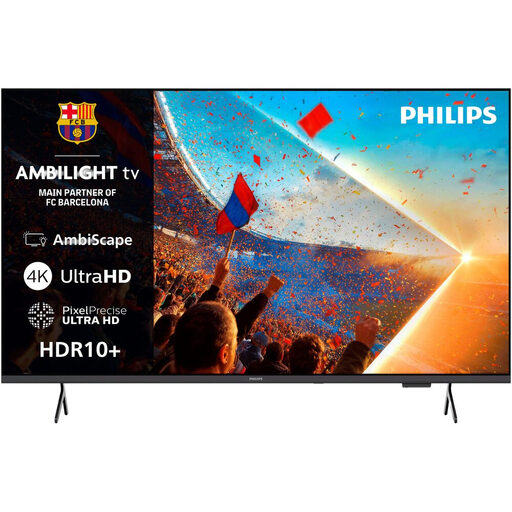
Could be worth considering for a 4K demonstration with a wired connection; check that the picture is clear from the furthest seat.
55 inches; 4K UHD (3.840 × 2.160 pixels); three HDMI ports; Titan OS.
 No image available
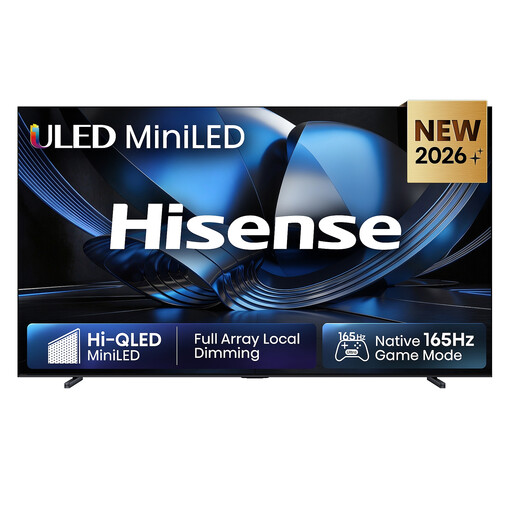
The 100-inch screen could be a good fit for large-scale demonstrations; check the available space, installation requirements and visibility from seats to the side before buying.
100 inches; 4K UHD. The product description states that the TV weighs 67,3 kg; wall mounting must be carried out by qualified professionals.
 No image available
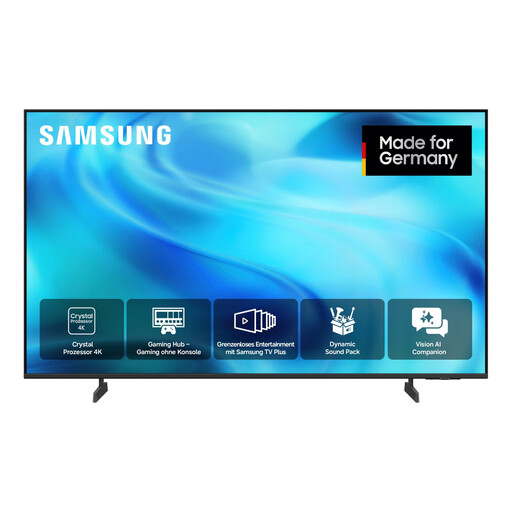
Could be worth considering for a 4K demonstration; check that your content is easy to read from both the back and the sides of the room.
55 inches; 4K UHD (3.840 × 2.160 pixels); Tizen; HDMI-CEC.
 No image available
The 85-inch screen is a large-format option; test whether small details remain easy to read from seats to the side.
85 inches; 4K UHD; Mini-LED; 144 Hz; VIDAA.
No image available
The product description gives a horizontal and vertical viewing angle of 178°; even so, check whether your content is easy to read from the furthest seat.
75 inches; 4K UHD; Mini-LED; four HDMI 2.1 ports; AirPlay 2.
Show a typical file under normal room lighting and check small details from both the back row and the furthest seat to the side. RTINGS’ viewing-angle measurements look at horizontal changes in the picture; they don’t replace testing your own content.
With OLED, avoid leaving the same parts of the image unchanged for longer than necessary, and follow the manufacturer’s care guidance. RTINGS’ stress tests show a risk of permanent image retention with intensive use of static content, but they don’t predict how long a TV will last in your particular room.
You can connect a laptop with a compatible video output, or the right adapter, using HDMI. Google Cast and AirPlay may require additional features depending on your device and model; Sony says wireless streaming requires, among other things, devices to be on the same Wi-Fi network.
Compare the EU energy labels for the specific models on a like-for-like basis, and check installation requirements and any accessories you’ll need before ordering. The Verbraucherzentrale distinguishes between statutory consumer rights and a voluntary guarantee; if you’re buying for a training organisation, check the terms that apply to your purchase.
Not necessarily. Section 60a of the German Copyright Act (UrhG) sets out a conditional provision for certain uses for non-commercial teaching and educational purposes at educational institutions, including vocational training institutions. You’ll need to check whether the specific institution, video and screening are covered, or whether a licence is required.