Players in a dark room
If you want to make out dark areas and moving characters clearly in fast-paced games, pay particular attention to contrast and motion handling. RTINGS describes OLED as a good option for dark rooms.


OLED is a natural starting point for fast-paced arcade sports games in a dark room, especially if dark areas and fast motion matter most. RTINGS highlights OLED for dark rooms and motion handling. If you play for long sessions with a HUD that stays on screen, or want a large screen, it’s also worth looking at Mini-LED models and comparing how each handles dark scenes, as well as the gaming signal path available.
If you want to make out dark areas and moving characters clearly in fast-paced games, pay particular attention to contrast and motion handling. RTINGS describes OLED as a good option for dark rooms.
If quick responses to your inputs matter to you, check the input lag in Game Mode and make sure the refresh rate and supported signals are compatible with your source device. RTINGS identifies low input lag as an important factor in making gameplay feel responsive.
If the same on-screen display stays visible throughout long gaming sessions, bear in mind the potential for permanent image retention on OLED. RTINGS describes this risk with static content.
A good fit if: You mostly play in a dark room and prioritise dark areas and fast motion.
The trade-off: Potential image retention is a factor to consider if you play for long sessions with game displays permanently on screen.
A good fit if: You often play for long sessions with the same on-screen game interface, or want a large screen, and can check how the specific TV performs in a dark room.
The trade-off: Local dimming performance varies by model. Bright elements may be less clearly defined against dark scenes than on OLED, as RTINGS explains in its comparison of the technologies.
| Buying priority | What to look for | Who should pay particular attention? |
|---|---|---|
| Contrast and dark gaming scenes | Compare dark scenes in Game Mode. On Mini-LED models, check how bright elements look against a dark background. | If you play in a dark room and want to see dark areas clearly, contrast should be a priority. Around 36% of consumers focus mainly on this. |
| Input lag and motion | Check independent input-lag measurements in Game Mode, as well as the native refresh rate, VRR and suitable HDMI inputs. | If you want fast direction changes to respond quickly to your inputs, input lag and clear motion matter more than a high refresh-rate figure alone. Around 29% of consumers prioritise this. |
| HUD that stays on screen | Consider how long the same displays remain on screen, and check the care guidance and warranty terms for the specific model. | If you plan long sessions with the same game HUD, weigh up the potential risk of image retention on OLED. Around 21% of consumers pay particular attention to this. |
| Screen size and energy consumption | Measure the space available and compare the energy consumption shown on the EU energy label for the specific TVs. | If the TV needs to fit a particular room and meet your expectations for running costs, consider its dimensions and energy consumption together. Around 14% of consumers prioritise these factors. |
Refresh rate, pixel response time and input lag describe different features. The signals you can actually use also depend on your source device.
Check the native refresh rate, supported input signals and input-lag measurements in Game Mode separately.
Stress tests with static content don’t show how likely image retention is with every type of normal use. Even so, displaying the same elements for long periods remains relevant.
Consider how long and how often the same HUD is on screen, and read the care guidance and warranty terms for the specific model.
Backlighting and the way bright elements appear against dark areas vary from one TV to another.
Compare the specific model in Game Mode, and don’t rely on the stated number of zones alone to judge picture quality.
A larger TV needs more room, and energy consumption can also increase as screen size goes up. The German Environment Agency recommends using the EU energy label to compare energy consumption.
Measure the space available and compare the energy consumption figures on the labels for the specific models.
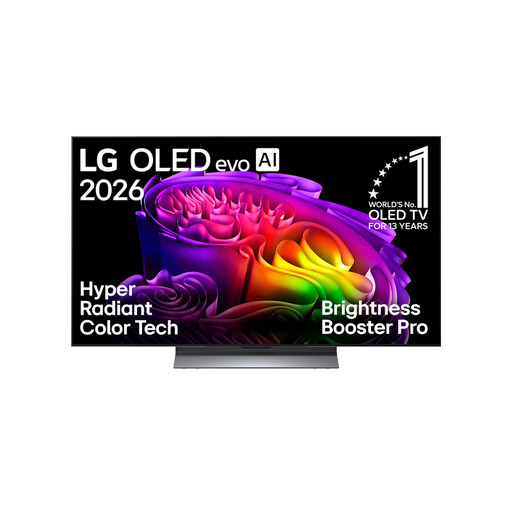
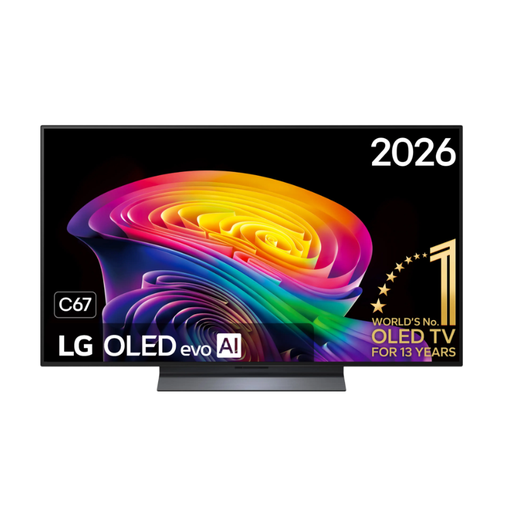
LG’s C6 range in Germany includes OLED gaming TVs, including the OLED48C67LA for smaller spaces.
The OLED S90F GQ55S90FAEXZG is a 55-inch OLED option for gaming in a dark room.
The BRAVIA 8 II K-65XR8M2 combines OLED with 4K/120 support.
The 75C8K is a large QD-Mini-LED alternative to OLED.
The OLED TV-55Z95BEG combines a 144 Hz panel with a Game Mode.
This Joybuy selection includes OLED TVs in a range of screen sizes for gaming in a dark room.
 No image available
This OLED model is an option if you play in a dark room and want a large screen. If you play for long sessions with a HUD permanently on screen, consider the potential for image retention.
The product title lists 77 inches, 4K and up to 165 Hz.
 No image available
This 48-inch OLED model is worth considering if you’re looking for a smaller screen for gaming in a dark room. For long sessions with a HUD on screen, weigh up the potential risk of image retention.
The product title lists 48 inches, 4K and 165 Hz.
 No image available
This smaller OLED model is an option if space is limited and you game in a dark room. If you play for long sessions with a fixed HUD, bear in mind the potential risk of image retention.
The product title lists 42 inches, 4K and 165 Hz VRR.
 No image available
If you’re looking for a 55-inch OLED model for dark gaming scenes, consider the potential risk of image retention if you play for long sessions with displays permanently on screen.
The product title lists 55 inches, 4K and 165 Hz gaming.
 No image available
This 48-inch OLED model is worth considering for gaming in a dark room if you have limited space. If you play long sessions with a HUD on screen, weigh up the potential for image retention.
The product title lists 48 inches, 4K and 144 Hz. Check the supported signals for the exact version.
It depends on the frame rate the game and your console actually output. For supported games running at 120 frames per second, a compatible 120 Hz signal path matters. Higher advertised frame rates won’t give you any extra frames per second without a matching signal. Also check whether VRR and ALLM are supported on the input you’re using.
Use the picture mode designed for gaming and check the signal information shown by your connected device. On LG OLED TVs, pixel cleaning can run while the TV is switched off but remains connected to the power supply. If the same notification keeps appearing, LG advises against interrupting the process by switching off the power strip. Follow the instructions for other models.
Compare the energy consumption shown on the EU energy label for the specific models and check whether the TV’s placement or wall mounting will work in your room. Energy consumption can increase as screen size goes up.
Your statutory rights against the seller are separate from any voluntary guarantee. According to the Verbraucherzentrale, online purchases generally come with a 14-day right to cancel, subject to statutory exceptions. The seller is responsible for your statutory rights if the product is faulty.
Subject to certain conditions, stiftung ear explains that retailers required to offer take-back must provide a free, like-for-like take-back of an old appliance when you buy a new one. Check with the specific retailer before delivery to find out how returns are arranged.