Co-op gamers in a dark room
If you mostly play in the evenings, pay particular attention to how dark areas and blacks look from your usual seat. RTINGS describes OLED as a good option for dark rooms.


For co-op gaming in a dark room, OLED is a natural place to start if dark game scenes and side-on viewing are your priorities. Mini-LED may suit you better if you often use the TV in daylight or play for long periods with the same fixed on-screen displays. With either option, check the screen size, gaming mode and picture quality from the seats you’ll actually use.
If you mostly play in the evenings, pay particular attention to how dark areas and blacks look from your usual seat. RTINGS describes OLED as a good option for dark rooms.
If players sit at an angle or focus on different areas of a split-screen image, screen size, viewing distance and visibility from the outer seats are all important factors.
If you play the same games for long periods with persistent on-screen displays, or also use the TV in daylight, consider both the panel technology and how it performs in ambient light. RTINGS highlights the risk of burn-in when fixed content is displayed repeatedly for very long periods.
A better fit if: you mostly play in dark game worlds in the evenings and dark areas of the picture matter to you.
Bear in mind: the risk of burn-in remains relevant if fixed HUD elements are displayed repeatedly for very long periods. An extreme test cannot be directly applied to every kind of mixed use.
A better fit if: you often use the same TV in bright rooms or need to display uniform game graphics for long periods.
Bear in mind: local dimming can make bright objects against a dark background look noticeably brighter in dark scenes. Assess the specific model in gaming mode.
| Buying priority | What to check | Who it matters most to |
|---|---|---|
| Dark game scenes | Compare dark areas in games from your usual seat, including in gaming mode. With Mini-LED, look out for possible brightening around bright objects. | When I play dark co-op worlds in the evening, I want to make out shadows without dark areas looking distractingly bright. Around 31% of consumers prioritise the way dark scenes are displayed. |
| Viewing from multiple seats | Check the screen size and viewing distance against the space you have available. Try viewing from the side seats and check how easy split-screen content is to read. | When several people are sitting on the sofa, everyone should be able to see their part of the screen comfortably. Around 25% of consumers prioritise good visibility from multiple seats. |
| Responsiveness and connections | Compare input lag measurements only when the resolution and frame rate are the same. Check which features and signal formats your console or PC can actually output. | When responsive controls matter to me, I want to know how the TV handles the signal from my specific device. Around 25% of consumers prioritise gaming responsiveness. |
| Long-term use and energy consumption | Factor fixed HUD displays into your choice of panel technology. For the exact model variant, compare the SDR and HDR energy consumption figures on the EU energy label. | When I see the same displays for long periods or want to keep energy use in mind, I want to weigh these factors up before buying. Around 19% of consumers prioritise long-term use and running costs. |
Each percentage refers to consumers whose main buying priority matches the relevant point in the table. RTINGS input lag measurements are only useful to compare when the resolution, frame rate and picture mode are similar.
Refresh rate is not a measure of input lag. The delay also depends on the signal being sent and the picture mode.
Check measurements in the relevant gaming mode, using the resolution and frame rate you actually play at.
Local dimming can make bright objects against a dark background look noticeably brighter. The number of zones alone doesn’t tell you how a particular model will perform in games.
Compare dark game scenes and side-on viewing on the TV itself, ideally in gaming mode.
An accelerated stress test with extremely static content is not the same as varied gaming sessions, and it cannot predict exactly how every TV will perform in every use case.
Consider how long the same HUD elements stay on screen, and check the terms of any voluntary warranty for the exact model.
The German models mentioned here show OLED options in different sizes, including the OLED55G57LW and OLED42C58LA.
The GQ65S95FATXZG and GQ55QN90FATXZG are examples of OLED and Neo QLED with Mini-LED, respectively.
The 55C7K is an example of a QD Mini-LED TV to consider when comparing OLED with LCD and local dimming.
The 65OLED910/12 combines OLED with four-sided Ambilight.
These OLED TVs are designed for co-op gaming in dark rooms. Compare their size and listed gaming features with your viewing distance and the signal from your console or PC.
 No image available
OLED is one option to consider if dark game worlds are a priority; RTINGS describes OLED as suitable for dark rooms.
The model is listed as 77-inch, 4K, with gaming up to 165 Hz. The risk of OLED burn-in is worth considering if fixed HUD elements are displayed repeatedly for very long periods.
 No image available
The 55-inch version is one specific size option to consider when matching your viewing distance to the space available on your sofa.
The product name lists OLED, 4K and 144 Hz. If fixed HUD elements are displayed repeatedly for very long periods, factor the risk of burn-in into your decision.
 No image available
The 77-inch screen size may suit a group sharing a sofa; check that it works with your viewing distance and available space.
The product name lists 4K, 120 Hz and energy class D. If fixed HUD elements are displayed repeatedly for very long periods, weigh up the risk of OLED burn-in.
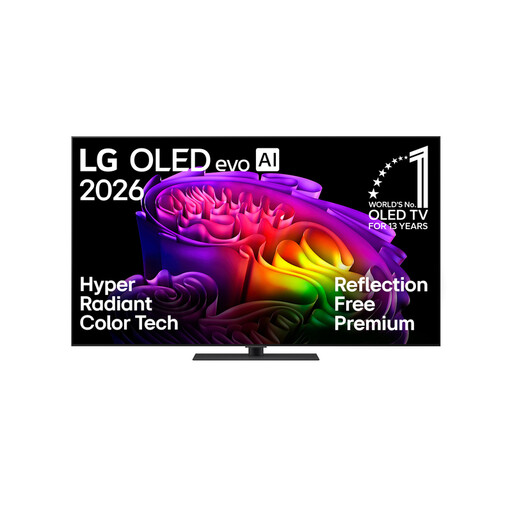 No image available
OLED is one panel option for dark game scenes; with a 65-inch screen, also consider the side seats.
The model is listed as 4K with gaming up to 165 Hz, and the product name also mentions a stand. The risk of burn-in remains relevant if fixed HUD elements are displayed repeatedly for very long periods.
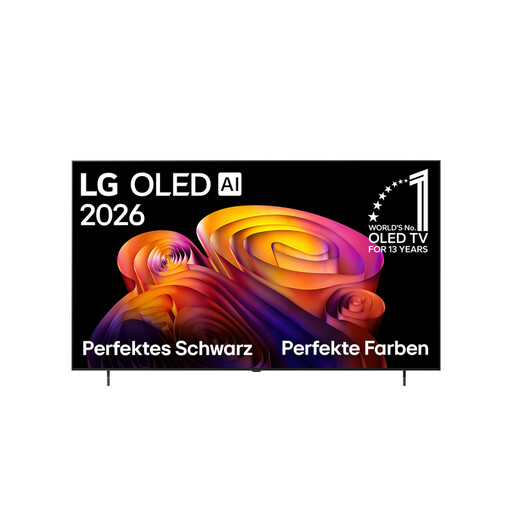 No image available
The 77-inch size is an option for gaming together; check that it suits your room, viewing distance and visibility from the outer seats.
The product name lists 4K and 144 Hz VRR. Factor the risk of OLED burn-in into your choice if fixed HUD elements are displayed repeatedly for very long periods.
No. Whether local co-op or split-screen is available depends on the game and platform, not the TV. The Microsoft Store lists split-screen and local co-op as game features, so check the details for the game you want to play.
Enable the relevant gaming mode and check the resolution and frame rate being output. Compare input lag measurements only when the signal formats are similar; RTINGS measures latency across different combinations of resolution and frame rate.
If the same fixed HUD elements are displayed repeatedly for very long periods, you should consider the risk of burn-in. RTINGS notes that an accelerated test involving extreme use cannot predict exactly how an OLED will perform during varied co-op gaming sessions.
Compare the EU energy label for the exact model variant, including the energy consumption figures for standard picture settings and HDR. To estimate your annual electricity costs, you’ll also need to know how long you use the TV for and your electricity tariff.