Evening story gamers
If you mainly play in a dark room, being able to make out shadows, bright highlights and the impact of cinematic scenes matters more to you than achieving the highest possible frame rate.


For cinematic gaming in a mostly dark bedroom, OLED is an obvious choice thanks to its deep blacks. RTINGS.com highlights this advantage in dark rooms, while Mini-LED LCD can be an alternative if the room is often lit; its local dimming can cause halos or loss of detail in dark scenes. You’ll also need to consider desk space and reflections, as well as which picture mode your source device, connection and cable actually support. If you share the room, it’s worth checking how you’ll connect your headphones, too.
If you mainly play in a dark room, being able to make out shadows, bright highlights and the impact of cinematic scenes matters more to you than achieving the highest possible frame rate.
You need to fit a monitor and stand into a shared room, and want to see the screen clearly even when the lighting changes.
You want to connect your console and audio without disturbing your housemates. That makes the picture mode actually supported by your setup, and a suitable headphone connection, important.
| Consideration | What to check before buying | Who is this important for? |
|---|---|---|
| Dark scenes and HDR | For the specific model, check black uniformity, local dimming and shadow detail in dark scenes; an HDR logo alone tells you nothing about how the picture will look. | When I game at night, I want to see shadows and bright objects clearly. Around 29% of consumers put the way dark scenes look first. |
| Space and room lighting | Compare the screen and stand dimensions with the space available, and check for reflections on the screen where you plan to set it up. | At a shared desk, I want to leave enough room and still see the picture when the lighting changes. Around 23% of consumers prioritise desk space and room lighting. |
| Picture mode for PC or console | Check that the resolution, frame rate, input and cable work together with your source device. For Xbox Series X at 4K and 120 Hz, follow Microsoft's connection and setup guidance. | If I want to keep using my current console or PC, I need the picture format I want to work in practice. Around 18% of consumers check device compatibility first. |
| Quiet audio | Check whether you can connect your headset to the monitor or directly to your source device, and whether the audio connection suits your setup. | If someone else in the room is asleep, I want to be able to use my existing headset. Around 18% of consumers put gaming without disturbing their housemates first. |
| Long-term use and panel care | Think about how often you’ll display the same content for long periods, and read the care guidance and any warranty terms for the specific model. | If my screen will often display static content for long periods, I want to factor in panel risks and ongoing power use. Around 12% of consumers prioritise long-term use and panel care. |
With Mini-LED, local dimming can create halos around bright objects in dark scenes or make shadow detail harder to see. The number of dimming zones alone doesn’t show how a particular model will display images.
Where possible, look at reviews of the exact model featuring dark scenes and small bright objects before deciding whether its picture suits your games.
The maximum advertised refresh rate won’t necessarily apply at every resolution. LG lists up to 540 Hz at QHD and 720 Hz at HD for the 27GX790B-B, so the higher figure applies to HD mode.
Compare the game mode you want with the modes supported by your source device, monitor input and cable.
A model range may include versions with different screen sizes or features. A similar product name alone isn’t enough to treat two listings as the same model.
Before buying, check the full model number, screen size, resolution and specification.
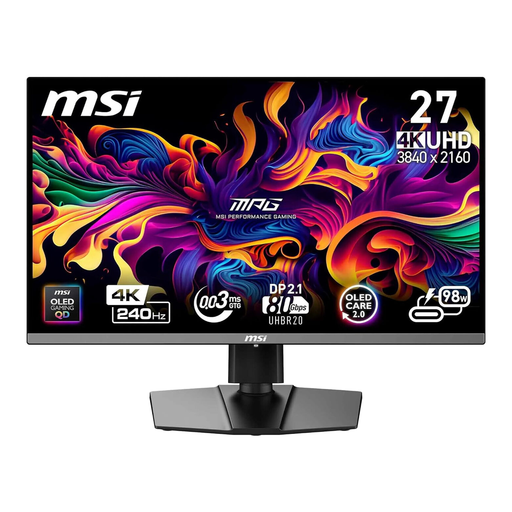
The MPG 272URXDE range offers a compact 4K QD-OLED option. As well as refresh rate and connections, the headphone audio connection is worth considering.
The 27-inch version of the Odyssey OLED G8 G81SF combines 4K and QD-OLED for detailed gaming where desk space is limited.
The UltraGear 27GX790B-B combines a 27-inch QHD OLED display with a switchable refresh-rate mode.
The 27R83U is a 4K Mini-LED LCD option with local dimming. It’s worth comparing with OLED if the bedroom is often lit.
The G Pro 27i is a 27-inch QHD Mini-LED option for buyers who want to compare LCD with OLED.
This selection includes OLED and Mini-LED LCD gaming monitors for cinematic gaming in low light and for rooms that are often lit.
 No image available
This Mini-LED LCD model is worth considering if you’re looking for an alternative to OLED in a room that’s often lit. Local dimming can cause halos or loss of detail in dark scenes.
27 inches; Rapid IPS with Mini-LED; UHD at 160 Hz or FHD at 320 Hz.
 No image available
This OLED model could suit you if you mainly play in a dark room. If you often display static content for long periods, you should factor in the risk of burn-in.
26.5 inches; 4K UHD at 240 Hz; HDMI 2.1 supporting 4K at 120 Hz; headphone output; USB-C PD 98 W.
 No image available
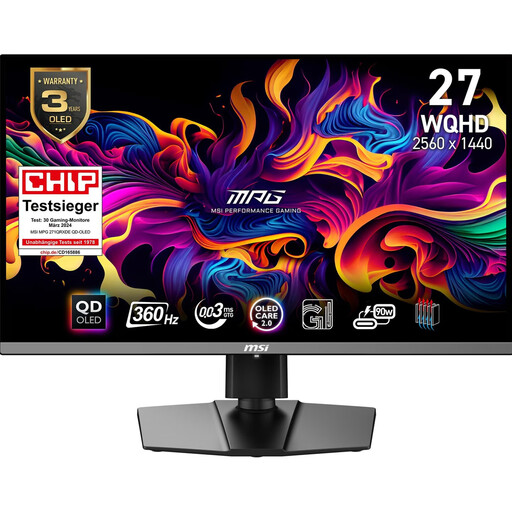
This OLED display is an option for cinematic gaming in low light. Consider the risk of burn-in if the same elements remain on screen for long periods.
26.5 inches; WQHD at 360 Hz; HDMI 2.1 with 120 Hz, VRR and ALLM support; headphone output.
 No image available
This Mini-LED LCD model is an alternative worth comparing with OLED if your room is often lit. Local dimming can cause halos or loss of detail in dark scenes.
27 inches; UHD at 160 Hz or FHD at 320 Hz; USB-C with 65 W; KVM switch.
 No image available
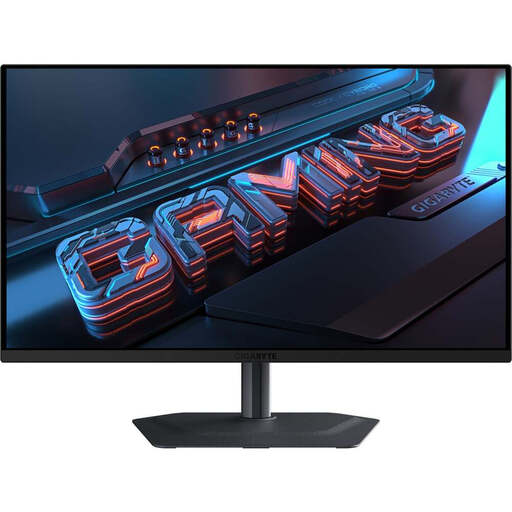
This QD-OLED model is worth considering if you mainly play in a darker room. If you often display static content for long periods, bear the risk of burn-in in mind.
27 inches; QHD with 2,560 × 1,440 pixels at 240 Hz; USB-C and KVM switch; height-adjustable stand.
No, the HDR label alone isn’t enough. Check how the specific model displays black areas, bright objects and shadow detail in dark scenes. With Mini-LED, poorly implemented local dimming can cause halos or loss of detail.
Microsoft lists an Xbox Series X, a suitable Ultra High Speed HDMI cable and an HDMI 2.1-compatible screen as requirements. Then set the display options to 4K UHD and 120 Hz, and check that the monitor input you want to use supports this mode.
Check whether you can connect your existing headset to your source device or to the headphone output on the specific monitor. For example, MSI lists a headphone output for the MPG 272URXDE; this doesn’t mean it’s compatible with every headset or other monitors.
If the same HUD or desktop elements are often visible for long periods, you should consider the risk of burn-in. Read the care guidance and the exact terms of any voluntary warranty for the model you choose; a warranty isn’t the same as your statutory consumer rights.
Electronic displays are covered by EU energy labelling rules, and the EU energy label lets you compare the relevant information. If a newly purchased product is faulty, you generally have statutory rights against the seller. Online contracts generally come with a 14-day right to cancel; the consumer advice centre notes that details and exceptions apply.