For co-operative cooking games with several people watching, it’s not just a question of whether a TV uses OLED or Mini-LED. First, check whether the game’s on-screen information is easy to read from the seats at either end of the room. Then choose a TV to suit your room lighting and how you use it. Its Game Mode, connections and refresh rate should match your console and the specific version of the game.
Who is a TV for group gaming designed for?
Groups with people sitting to the side
If you’re playing or watching from several seats, it’s important that the picture and key game information remain clear away from the centre of the screen. RTINGS.com explains viewing angles in terms of when the picture starts to look inaccurate off-centre.
Co-op players with an existing console
If you want to keep using your current console, the Game Mode and HDMI features should suit your device and the specific game. Team17 says Overcooked! All You Can Eat has a scalable game interface, while Sony explains the optimised HDMI signal settings available on compatible BRAVIA TVs.
Frequent players in a bright living room
If you often play with the lights on or for long sessions, consider reflections and how the TV handles on-screen elements that stay in the same place. RTINGS.com distinguishes extreme static use from mixed use, and the European Commission provides energy information for electronic displays.
What should you look for when buying?
OLED
A good fit if: the specific model remains easy to see from the seats to either side.
Consider: if you play for long sessions with the same fixed on-screen elements, factor image retention into your decision. Check for reflections where you plan to position the TV.
Mini-LED LCD
A good fit if: the specific model is easy to see in a bright room, or you’d prefer to avoid OLED for long sessions with fixed on-screen elements.
Consider: with Mini-LED LCD, too, you’ll need to assess viewing angles and reflections on the specific TV. The panel type alone won’t tell you everything.
| What matters |
What to look for when buying |
Who it matters most to |
| Viewing angles for multiple seats |
Compare measurements for the exact model and check the view from the seats at either end of the room. |
If I’m sitting at the edge, I want to be able to judge the picture from my seat. Around 31% of consumers put viewing angles first. |
| How easy the game information is to read |
Check the specific game interface from the seats you’ll be using. Team17 says Overcooked! All You Can Eat has a scalable interface. |
When we play together, I want to be able to make out prompts and gameplay from my seat. Around 25% of consumers prioritise how easy shared game information is to read. |
| Response and console connection |
Check input lag measurements in Game Mode, as well as the HDMI input and features supported by your console. |
If quick inputs matter to me, I want to choose a Game Mode and connection that suit my console. Around 19% of consumers prioritise responsiveness and console connectivity. |
| Visibility in ambient light |
Assess reflections where you plan to position the TV, and check the view from seats to the side. |
If we play in daylight, I want to assess reflections and readability where the TV will actually be. Around 13% of consumers put room lighting first. |
| Long sessions and energy use |
Consider fixed on-screen elements in your own gaming habits and check the EU energy label for the exact model. |
If I play for a long time and on-screen elements often stay in place, I want to factor in image retention and energy use. Around 12% of consumers prioritise long sessions and energy use. |
Common buying decisions to check
-
Assuming every cooking game needs 144 Hz
When Overcooked! All You Can Eat launched in 2021, Team17 described it as running at 60 frames per second, or 30 frames per second on Switch. So the game’s frame rate isn’t automatically the same as the TV’s advertised refresh rate.
First, check your version of the game and your console. Then consider Game Mode, connections and higher refresh rates based on whether you’ll actually use them.
-
Assuming OLED or Mini-LED guarantees a good view from every seat
Viewing angles vary between TVs. For a group, it also matters what people can see from the seats at either end of the room. RTINGS.com describes viewing angles in terms of how picture accuracy changes off-centre.
Compare measurements for the complete model and take your actual seating layout into account.
-
Assuming similar model names mean identical TVs
A similar model code alone doesn’t prove that two TVs are the same version with the same features.
Before you buy, compare the full model number and the details that matter to you on the product page.
Relevant brands and example models
LG
The LG OLED55C57LA is an example of an OLED model with specified gaming features.
- LG states that this model supports up to 4K at 144 Hz, as well as G-Sync and FreeSync.
- These manufacturer specifications don’t confirm the viewing angles from your seats or the frame rate of every cooking game.
Samsung
The Samsung GQ65S90FATXZG is an example of a 65-inch OLED model.
- Samsung lists Motion Xcelerator 144 Hz for this model.
- This isn’t an independent input lag measurement, nor does it prove that every Samsung TV is suitable for groups spread across a wide seating area.
TCL
The TCL 65C7K is an example of a Mini-LED LCD model. Make sure you use the full model number when comparing TVs.
- TCL lists a native refresh rate of 144 Hz for the 65C7K.
- This doesn’t tell you its measured viewing angles, and a similarly named version isn’t necessarily the same model.
Sony
The Sony K-65XR5 is an example of a Mini-LED LCD model. Its HDMI specifications make it easier to compare connection options.
- Sony lists 120 Hz, four HDMI inputs and VRR on HDMI 3 and 4.
- The specifications don’t include a viewing angle measurement, and X-Anti Reflection isn’t listed as a feature for this model.
Joybuy TVs for gaming and group seating
The Joybuy TVs below vary in screen size and the gaming features explicitly listed. Check the viewing angles, room lighting and connections for the model you’re considering, as well as your seating layout.
 No image available
TCL 55Q7D PRO, 55-inch, 4K Mini-LED TV
The product details state that it has a wide viewing angle for multiple seats. Even so, check the view from the seats you’ll actually be using.
Other listed features include 144 Hz, HDMI 2.1, VRR and AMD FreeSync Premium Pro.
View at Joybuy
 No image available
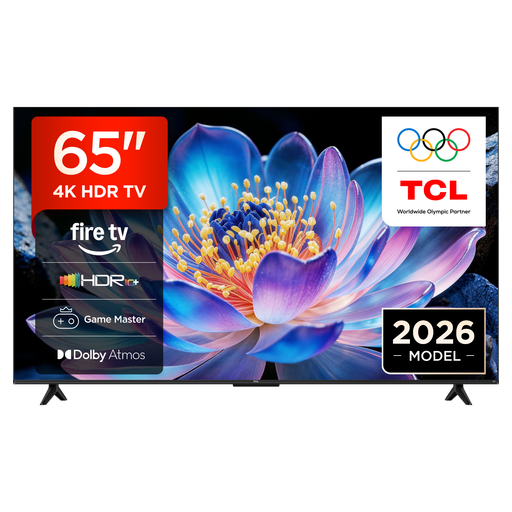
TCL 65V6D, 65-inch, 4K UHD Smart TV
The product description says the picture remains clear from different viewing angles. Check that it suits your seating layout.
Listed features include Game Master, HDMI 2.1, ALLM and VRR. The model is also described as featuring Fire TV.
View at Joybuy
 No image available
Hisense 55E8S, 55-inch, 4K UHD QLED Mini-LED Smart TV
The product details give a horizontal and vertical viewing angle of 178°. Check how much of that view you’ll get from your seats.
Other listed features include 144 Hz, VRR and ALLM.
View at Joybuy
 No image available
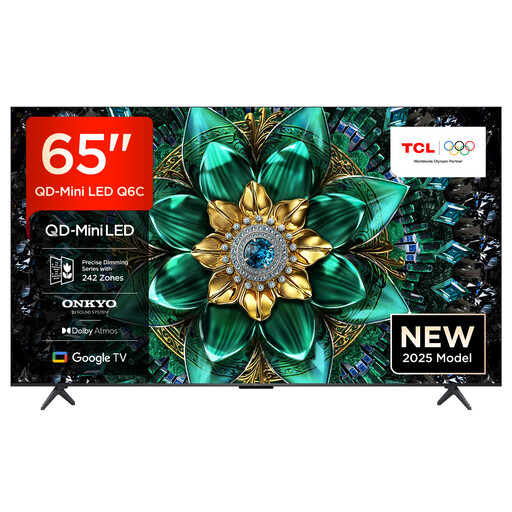
TCL 65Q6C, 65-inch, 4K HDR QLED Mini-LED TV
The product description states that it has a wide viewing angle. Check the view from the seats at either end of your group in the room where you plan to use it.
Listed gaming features include 144 Hz, HDMI 2.1, VRR, ALLM and AMD FreeSync Premium Pro.
View at Joybuy
 No image available
TCL 75Q7C, 75-inch, 4K HDR QLED Mini-LED TV
The product details list a 75-inch screen and a wide viewing angle. Check that the size and view suit the seats you plan to use.
Listed features include 144 Hz VRR, HDMI 2.1, ALLM and AMD FreeSync Premium Pro. Make sure the TV is securely installed, whether on a stand or mounted on the wall.
View at Joybuy
Frequently asked questions
Do I need a 120 or 144 Hz TV for Overcooked! All You Can Eat?
No, not just for this game. When it launched, Team17 described the game as running at 60 frames per second, or 30 frames per second on Switch. Check your specific game and console versions before prioritising higher TV refresh rates for it.
What settings should I change after connecting a console?
Check the Game Mode and HDMI settings for your TV and console. Sony describes an optimised HDMI signal format for 4K/120 Hz on compatible BRAVIA devices. For the K-65XR5, Sony specifically lists VRR for HDMI 3 and 4. These details don’t automatically apply to other brands or models.
How should I manage long OLED gaming sessions?
Consider how often the same on-screen elements stay in place for a long time, and vary what you watch or play. RTINGS.com observed image retention under extreme static use and distinguishes this from mixed use. This doesn’t let you predict the lifespan of an individual TV.
How can I compare energy use, and what are my rights if a TV is faulty?
Compare the kWh/1000-h figures on the energy labels for the exact models. Your own energy use will also depend on how long you use the TV and its settings. If you buy a faulty product in the EU, you have statutory consumer rights against the seller. These are separate from a voluntary manufacturer’s warranty.


