Hosting the quiz on your own
If you’ll be asking the questions yourself and doing most of the talking, look for an adjustable microphone boom, an easy-to-reach mute button and a connection that works with your quiz computer.


If you’ll be hosting the quiz on your own for most of the time, a headset with an adjustable microphone boom, an easy-to-reach mute button and the right connection for your computer is a sensible place to start. If you need other people in the room to be heard as well, a personal headset won’t reliably capture everyone’s voice. Instead, plan for room audio and check the audio settings on the devices being used.
If you’ll be asking the questions yourself and doing most of the talking, look for an adjustable microphone boom, an easy-to-reach mute button and a connection that works with your quiz computer.
If other people in the room also need to speak online, consider a room audio solution rather than assuming your personal headset will pick up everyone wherever they’re sitting. Zoom Support and Microsoft Support explain the relevant audio settings and room devices for meetings.
If you’ll be moving around during the quiz, freedom of movement and the right type of connection are important. If you choose a wireless model, remember to keep it charged.
A good fit if: you’ll mostly be hosting from your computer and want to control the microphone and mute function directly.
Things to consider: The cable limits how far you can move, so make sure the connection and cable length suit your setup.
A good fit if: you’ll be moving around while hosting or want to use the headset at different workstations.
Things to consider: Check the exact Bluetooth or adapter version and remember to charge it. ANC for listening is not the same as reducing background noise in the microphone signal.
A good fit if: people in the room need to be heard by remote participants.
Things to consider: Decide which microphones and speakers will be active. Zoom Support warns that several devices using computer audio in the same room can cause echo.
| What you need | What to look for when buying | Who it matters most to |
|---|---|---|
| Clear hosting voice | Check the microphone boom and mute function; test your voice beforehand with typical room noise. | If I’m asking the questions, I want to host with the microphone in the right position and be able to mute quickly. Around 36% of consumers are likely to prioritise a clear voice of their own. |
| Several voices in the room | Decide who will speak from which seats; test room audio from every seat in use. | If other players are answering questions beside me, I want their voices to come through online too, not just mine. Around 29% of consumers are likely to be most concerned about capturing several speakers in the room. |
| Connection and controls | Check the ports on your quiz computer, the exact model version, any adapters and the audio selection in your conferencing app. | If I want to use the headset with my existing computer, the connection and audio settings need to work together. Around 21% of consumers are likely to consider connection and controls first. |
| Freedom of movement and listening | Match your movement around the room to the cable length or wireless connection; test the level of listening comfort you need in the room. | If I’ll be moving around during the quiz or need to hear remote answers over room noise, the right level of freedom of movement or noise isolation matters. Around 14% of consumers are likely to prioritise this. |
A personal headset is designed for the person wearing it and won’t automatically pick up other speakers in the room.
Before buying, decide who needs to be heard online and test voices from all the seats you plan to use.
Several active audio connections in the same room can cause echo. Muting a device’s microphone doesn’t automatically turn off its speaker.
Decide in advance how audio will be handled and, if necessary, disconnect computer audio on the other devices. Zoom Support describes this as a way to prevent echo when several devices are in the same room.
Noise reduction for the microphone and ANC for listening are two different functions. The label alone doesn’t tell you how well the headset will perform in the conditions in your quiz room.
Think about whether a clear voice of your own or uninterrupted listening matters most, then test both with the conferencing app you’ll be using.
Different versions in the same product range may have different connections, platform compatibility and mono or stereo options. Jabra lists these differences by part number for the Evolve2 40 SE.
Check the full part number, connection and what’s included against your quiz computer.
The H390 is a wired USB option for hosting that mostly takes place from a fixed position.
The Blackwire 3300 series includes wired office headsets; the Blackwire 3320 USB-C is a stereo version.
The IMPACT 100 range includes lightweight mono and stereo headsets; connections and wearing styles vary by model.
According to its technical data sheet, the Evolve2 40 SE is available in different USB, UC or MS versions, with mono or stereo sound. The Evolve2 65 Flex and Evolve2 75 are other wireless models in the range.
The selection includes wired USB headsets for hosting on your own, as well as a Bluetooth model for greater freedom of movement.
 No image available
For hosting from your computer when you want an adjustable microphone and controls on the headset.
USB-A connection; volume and mute controls.
 No image available
For wired hosting when you want an adjustable microphone boom and a mute function.
USB connection; 2.4 m cable; volume and mute controls.
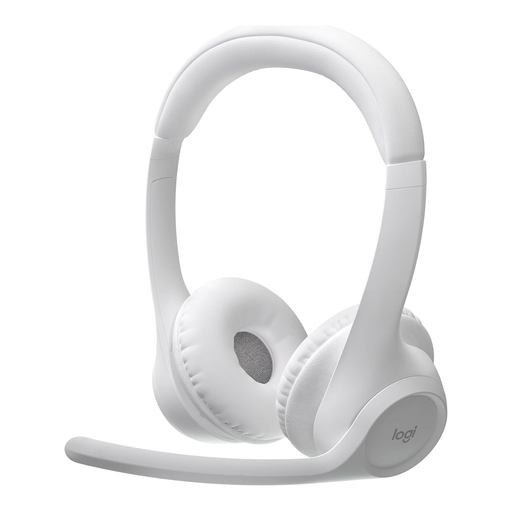 No image available
For hosting from different seats when you want a wireless connection and a microphone that mutes when you flip the boom up.
Bluetooth; stated range of up to 30 m; two beamforming microphones.
 No image available
For hosting on your own when you want a mono headset with a microphone boom and mute controls.
USB-A connection; mute function with LED indicator; volume control.
 No image available
For hosting your quiz when you want a mono headset with a microphone and a controller for muting.
USB-C/A; external controller for call handling.
Not reliably if several people need to speak from their seats. First decide who needs to be heard online; Microsoft Support describes dedicated audio devices and an appropriate audio source for meeting rooms.
Check which devices are actually using computer audio. Zoom Support identifies several computers with audio switched on in the same room as a possible source of echo and recommends disconnecting computer audio on the other devices. Simply muting their microphones won’t disable their speakers.
Select the intended microphone and speaker in your conferencing app, check the mute function and test your voice with the usual room noise. Microsoft Support explains that you can select audio sources in Teams before and during a meeting; some settings may depend on your organisation’s policies.
For a consumer purchase from a business seller in the EU, you’re generally entitled to a minimum two-year legal guarantee from the date you receive the goods. This is separate from any additional manufacturer’s warranty; EU consumer rights information lists purchases from private individuals as an exception.