What should you look for when buying?
Start by choosing your platform connection, then decide how you want your opponent’s moves displayed, and finally check the piece recognition and device connections you need.
| What to consider |
What to look for |
Who it matters most to |
| Platform access |
Check the model, app and platform together. For Lichess, check the designated Board API access and the time controls supported. |
If I want to play on my preferred platform and follow its connection rules, specific app support matters. Around 36% of consumers prioritise platform access. |
| Opponent’s moves |
Check whether the pieces move automatically, moves are indicated by LEDs or are shown as notation. |
If I don’t want to move my opponent’s pieces myself, I need motorised movement rather than a simple display. Around 29% of consumers prioritise how their opponent’s moves are shown. |
| Piece recognition |
Check which pieces are recognised and how captures and changes to the position are handled. |
If I want to move pieces on the board without also entering moves on screen, reliable detection matters to me. Around 21% of consumers prioritise ease of use and move recognition. |
| Devices and accessories |
Check the data connection, operating system and app, as well as the required set of pieces and, if needed, a clock. |
If I want to keep using my existing devices or add to a traditional board setup, the whole configuration needs to work together. Around 14% of consumers prioritise their device setup. |
Related products at Joybuy
The Joybuy products below include chess robots and a chess computer. Only the SenseRobot listing, whose title mentions Lichess, explicitly names an online platform. For each model, check that the specific app and device connection works with your platform.
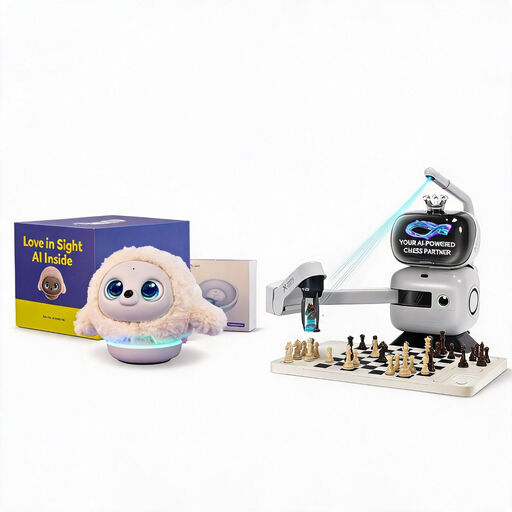 No image available
Ropet AI Pet Robot (Professional Edition) and SenseRobot AI Chess Robot
The listing title includes a SenseRobot chess robot with a robotic arm. Before buying, check whether its connection supports your chosen online platform.
The title lists 25 AI levels and over 1,200 exercises.
View at Joybuy
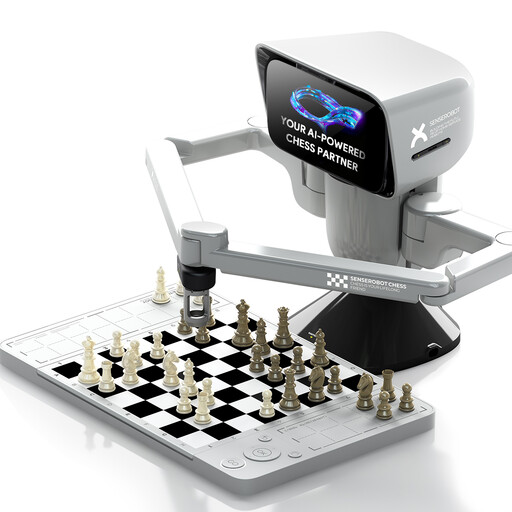 No image available
SenseRobot mini AI Chess Robot
The title describes a chess robot with a robotic arm and app connection. If you want to play online, check in advance whether the app supports your platform and device.
The title lists 25 AI difficulty levels and over 1,200 training exercises.
View at Joybuy
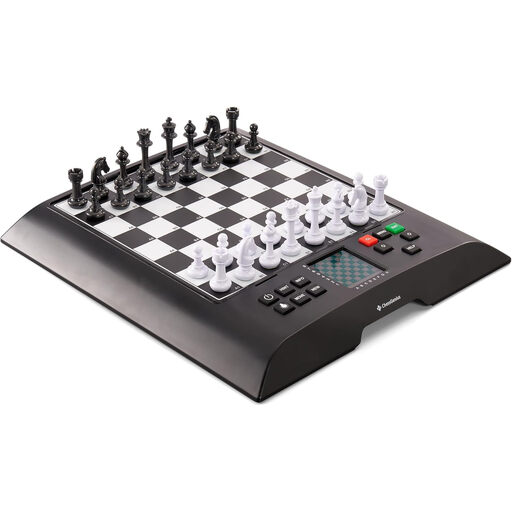 No image available
MILLENNIUM ChessGenius M810 Version 2024
This listing describes a chess computer with a physical board. If you want to play online with it, check that it connects to your chosen platform before buying.
The title lists a pressure-sensor board, magnetic pieces and an illuminated display. According to the listing, the device requires three AA batteries, which aren’t included.
View at Joybuy
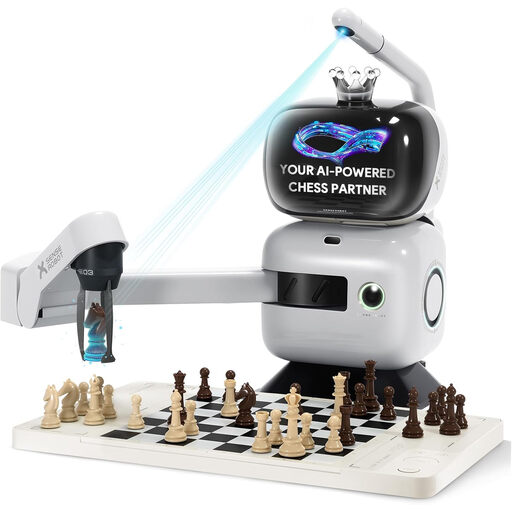 No image available
SenseRobot AI Chess Robot with robotic arm and Lichess integration
The listing name mentions Lichess and a robotic arm for online games on a physical board. Before buying, check how the specific connection is set up and whether it uses the designated Lichess access.
The title lists 25 AI difficulty levels, training exercises and voice guidance. Keep hands, fingers, hair, loose clothing and small objects away from the arm while it’s moving, and place the device on a stable, level surface.
View at Joybuy
Frequently asked questions
How can I tell whether an e-board uses the designated Lichess access?
The authorisation should show the permission “Play games with the board API”, or board:play. Lichess warns that accounts may be suspended for using unauthorised e-board access; this platform rule isn’t a German legal approval requirement.
Can I play any Lichess time control with an e-board?
No. The options listed by Lichess depend on the type of game. Rapid, Classical and Correspondence are available; Blitz is intended for certain direct challenges, games against AI and tournament challenges. The app you use may also limit the options available.
Can I use an engine or hints when playing online against people?
On Lichess, you mustn’t use chess software to help you choose moves against human opponents. Turn off analysis and hint features for these games; the rule applies regardless of your board model.
Which online connections are documented for the MILLENNIUM eONE?
MILLENNIUM lists ChessLink for Lichess on Android and iOS, as well as the Chess.com app on Android. Chessconnect documents access through an extension for Windows and Mac, and an app for Android and iOS. According to Chessconnect, the eONE M841 doesn’t need a separate M822 adapter.
Does the DGT Pegasus need a computer or chess clock?
The manufacturer’s documented setup connects Pegasus via Bluetooth to an Android or Apple mobile device. USB-C is for charging only, and a DGT3000 cannot be connected. For Chess.com, the German retailer lists a native Android app; Chessconnect documents its own Pegasus connection.


