Rock fans with a regular listening spot
If you usually listen to full albums from the sofa, consider whether separate stereo channels are worth making room for a second speaker. Apple Support and Sonos explain how to create stereo pairs.


If you usually listen to rock albums from the sofa, a stereo pair could be worth considering if you have room for two suitable speakers: Apple Support explains how to pair two matching HomePod models, while Sonos offers stereo pairs using two Era 100 SL speakers. If you move between the living area and kitchen while listening, grouped playback in multiple areas is more important. Also check how you’ll play your albums and whether you want a built-in voice microphone. Sound settings alone don’t prove better rock sound or less sound transmission.
If you usually listen to full albums from the sofa, consider whether separate stereo channels are worth making room for a second speaker. Apple Support and Sonos explain how to create stereo pairs.
If you move around your open-plan home while listening to music, consider whether playback in several areas matters more to you than a setup focused on the sofa. Sonos and Denon explain how to group speakers across multiple rooms.
If you want to enjoy music without disturbing others, volume and speaker placement matter. You may also want to consider whether you’re comfortable having a voice microphone in a shared room. The Federal Commissioner for Data Protection and Freedom of Information explains how voice commands are processed; the German Environment Agency refers to local regulations and house rules.
First decide whether you’ll mainly listen from the sofa or move between listening areas. Then check your album source and how you’d like to control playback: via an app, microphone or another connection.
| What matters to you | What to look for when buying | Who it matters most to |
|---|---|---|
| Stereo imaging from a regular listening spot | Check whether that specific model supports pairing two devices, and whether you can position one on each side of your listening spot. | If I usually listen to rock albums from the sofa, I want separate left and right channels and can plan for two spaces to put the speakers. Around 33% of consumers put stereo imaging from a regular listening spot first. |
| Music in several areas | Check whether the speakers you want can be grouped within the same system, and where power sockets are available. | If I move between the kitchen and living area while cooking, I need music in several places, not just by the sofa. Around 25% of consumers prioritise having multiple listening areas. |
| Albums and existing sources | Check that your specific music service or collection will work, and whether you need AirPlay, Bluetooth or a physical input. | I want to play the albums and use the devices I already have without extra steps, so I check the service, connection method and any accessories I might need. Around 25% of consumers prioritise access to their albums and sources. |
| Being considerate and microphone options | Consider whether you want a built-in microphone. Also check the volume controls, speaker placement and any requirements that apply to your home. | If I share my home with others, I want to choose a suitable volume and decide for myself whether I want a built-in voice microphone. Around 17% of consumers prioritise being considerate and the microphone question. |
A single speaker isn’t the same setup as two devices with separate left and right channels. Apple Support explains how two matching HomePods create a stereo pair with separate channels.
First decide whether you want to listen from one regular spot or in several areas. Then check pair compatibility and whether you have enough space.
You may need a second device for separate stereo channels.
A music service, your own collection and a physical audio source may each require a different playback method. For AUX, the manufacturer specifies an input adapter for the Sonos Era 100.
Check that your specific source is compatible with the audio sources and connections supported by your chosen model. If you’re using a record player, also check its output and technical requirements.
You’ll also need an input adapter to connect via AUX to the Sonos Era 100.
Sound settings won’t soundproof a room. The German Environment Agency points out that sound transmission also depends on the building’s properties.
Check speaker placement and volume in the areas where you’ll actually listen, and follow local requirements and house rules. For noise-related neighbour disputes, the German Environment Agency refers to state law, local regulations and house rules.
The Era 100 and Era 100 SL are worth considering for connected playback. The Era 100 SL is a version without built-in voice control.
HomePod models may suit Apple households with compatible devices, thanks to AirPlay and the option to create a stereo pair.
Denon Home models with HEOS may be a good option for grouped music playback.
The portable Bose Smart Speaker may suit you if you listen in different parts of your home and want a speaker you can move around.
The HomePod models below are designed for AirPlay and multi-room playback. To create a stereo pair, you’ll need a second device of the same model.
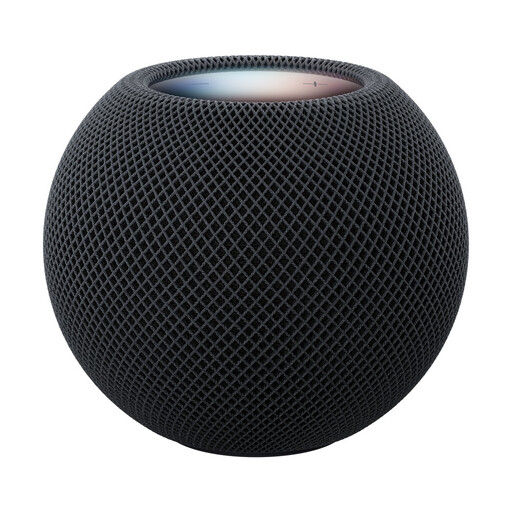 No product image available
For AirPlay music and a possible stereo pair if you have a compatible Apple setup.
The product details list AirPlay and Siri. You’ll need a second HomePod mini 2 to create a stereo pair.
You’ll need a compatible iPhone or iPad, Wi-Fi and an Apple ID to set it up.
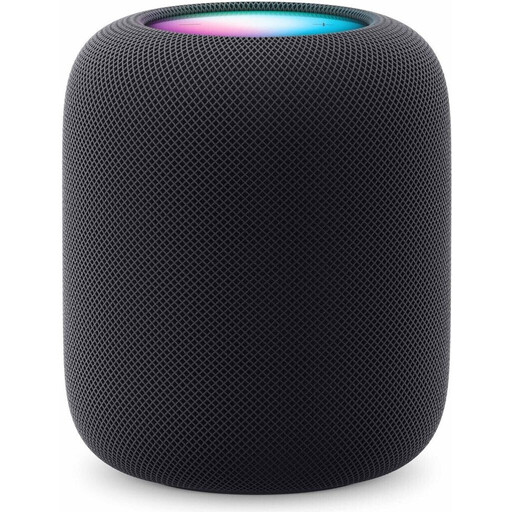 No product image available
For playing albums via AirPlay and creating a stereo pair with two matching HomePod models.
The product details list AirPlay and multi-room audio. You’ll need a compatible iPhone or iPad to set it up.
Yes. Apple Support requires two matching HomePod models in the same room to create a stereo pair, with one playing the left channel and the other the right. You’ll need an iPhone or iPad to set it up.
For AUX playback, Sonos specifies a cable and an input adapter. Also check whether your record player needs a suitable output or a pre-amplifier.
If you buy from a business seller in the EU, you’re generally entitled to a legal guarantee lasting at least two years from the date you receive the goods. This is separate from any additional manufacturer’s warranty.
There isn’t one cut-off time that applies to every home. For noise-related neighbour disputes, the German Environment Agency refers to state law, local regulations and house rules, so check the requirements for your home.
The Federal Commissioner for Data Protection and Freedom of Information points out that voice commands may be sent over the internet to the manufacturer’s servers for processing. If you don’t want a built-in voice microphone, check whether a suitable microphone-free version is available.